 inclusionAI /
Ming-Image-0.1-Design
Ming-Image-0.1-Design generates the kind of image most models get wrong: the kind with words in it. UI screens, infographics, posters, and text-rich compositions, at six billion parameters, with RGBA output and genuinely transparent backgrounds rather than white ones. Its sampling configuration is unusual — twelve steps at a guidance scale of 1.0, which means no classifier-free guidance at all, because the model was trained to arrive rather than to be pushed. Two resolution buckets, 1024 and 2048, and MIT licensing with no conditions attached.
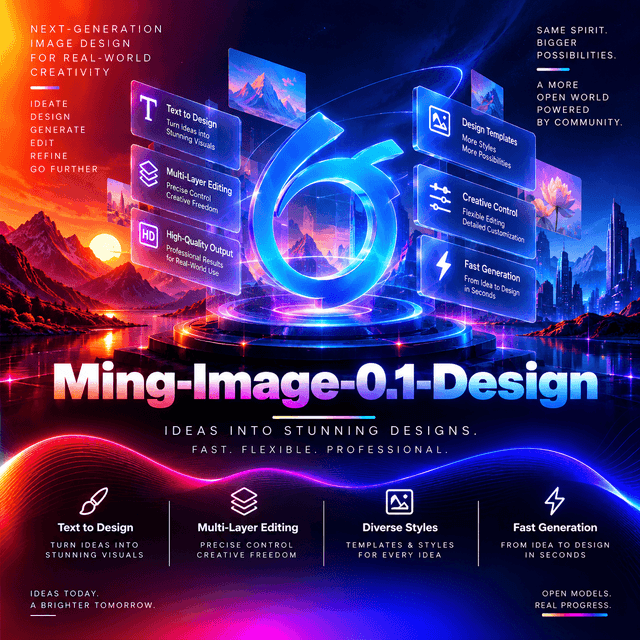
Ming-Image-0.1-Design
A text-to-image model built for images with text in them.
Text Is the Hard Part
Most image models are bad at words, and the reason is structural rather than incidental.
A diffusion model learns visual statistics. It learns what fur looks like, how light falls, what a face is shaped like. Letterforms are a different kind of object: exact, discrete, and wrong the moment one stroke is off. A model that renders a plausible-looking word has failed, because a plausible word is not a word.
This model is tagged text-rendering and built for text-rich visual designs — UI, infographics,
posters, compositions where the words carry the meaning.
Which is a narrower claim than "generates images" and a harder one. A poster with a beautiful illustration and garbled headline is not a poster. The text is not decoration on the design; the text is the design.
And the use cases follow from it. Interface mockups need legible labels. Infographics need correct numbers. Posters need a headline someone can read from across a room.

Guidance Scale 1.0
The setting that is easiest to miss and most revealing.
| Sampling steps | 12 |
| CFG scale | 1.0 |
| Precision | BF16 |
A CFG scale of 1.0 means no classifier-free guidance at all.
How guidance normally works. A diffusion model predicts twice at each step — once conditioned on your prompt, once unconditioned — and the difference between them is amplified by the guidance scale to push the image toward what you asked for. Typical values are 5 to 7.5.
At 1.0 that amplification is exactly nothing. You get the conditional prediction, unmodified.
Which says something about the training. A model needing no guidance is a model that already goes where the prompt points — it was trained to arrive rather than to be steered.
And it halves the compute per step, because there is no unconditional prediction to make. Twelve steps without guidance is roughly the cost of six steps with it.
Note the contrast with the layer model in the same series, which recommends 2.0. Different tasks need different amounts of push, and both figures are published rather than left to you.
Two Buckets, and Your Request Gets Snapped
A documented behaviour worth knowing before you build a sizing UI.
The public inference code maps text-to-image resolution requests to the supported 1024 or 2048 bucket.
There are two sizes. Not a continuous range, not arbitrary dimensions — two.
| 2048 × 2048 | Recommended |
| 1024 × 1024 | Faster |
A request for anything else is mapped to one of them. You do not get an error; you get the nearest bucket, silently.
Which matters for a product. A user asking for 1600 × 900 receives a square image at a bucket size, and nothing in the response says so. If your interface offers dimensions, either constrain it to the two that exist or crop afterwards yourself.
And 2048 is the recommendation rather than the ceiling-for-show. On design work — posters, infographics, dense UI — the higher bucket is where small text stays legible, and the lower one is where it starts to break.
Transparent Backgrounds, by Exact Phrase
The feature that separates this from a general image model, and it has a strict invocation.
RGBA output with genuine alpha transparency — not a white background you key out afterwards, but pixels that are actually absent.
The invocation is a fixed phrase at the start of the prompt. The documentation is unusually precise about it:
Choose exactly one of the following fixed phrases and place it at the beginning of the prompt. Do not combine multiple prefixes.
Three constraints in one sentence. The phrase must be one of the recommended set. It must lead the prompt. And you may not stack two.
Which reads like a lesson learned. "Do not combine multiple prefixes" is the kind of instruction that appears after someone tried it.
Check the repository for the current phrase list rather than paraphrasing — the mechanism depends on matching what the model was trained on, and an approximation of the phrase is not the phrase.

The checkerboard previews transparency; it is not part of the generated RGBA images.
That caption is worth repeating in your own product. Users seeing a checkerboard for the first time reasonably assume it was generated, and explaining it once in the interface saves a support question every time.
Where Transparency Changes the Workflow
Worth separating out, because it is the practical difference between this and a general image model.
A logo on a white background is a logo you cannot use. Keying it out costs a step, produces halos around the edges, and fails entirely on anything with soft shadows or antialiasing.
A logo with a real alpha channel drops onto anything. A dark header, a photograph, a coloured card — no keying, no halo, no edge artefacts.
Which makes this the generation half of an asset pipeline. Icons, badges, illustrations, and decorative elements generated ready to composite rather than ready to clean up.
And PNG is the format that carries it. JPEG has no alpha channel; a transparent generation delivered as JPEG arrives with the transparency flattened, usually to black or white, and the capability you paid for is gone.
The Leaderboard

Published on the model card as a UI/UX design leaderboard — which is the right evaluation axis for a model of this kind and an uncommon one to publish.
General image benchmarks measure the wrong thing here. Prompt adherence on "an astronaut in a jungle" says nothing about whether a generated interface has aligned elements, legible labels, and a usable hierarchy.
A design-specific evaluation is the honest comparison, and it is the one to read against your own use case rather than a general leaderboard.
Specifications
| Model ID | inclusionAI/Ming-Image-0.1-Design |
| Task | Text-to-image |
| Parameters | 6B |
| Precision | BF16 |
| Resolution | 2048 × 2048 recommended, 1024 × 1024 faster |
| Sampling steps | 12 |
| CFG scale | 1.0 — no guidance |
| Output | RGB, or RGBA with transparent background |
| Validated hardware | One CUDA GPU, 80 GiB VRAM |
| Checkpoint size | ~52.9 GB |
| Licence | MIT |
| Developer | inclusionAI — Ant Group |
MIT licence. Commercial use, modification, and redistribution with no conditions, no attribution requirement, and no user threshold.
Eighty gigabytes validated for a six-billion-parameter model — a diffusion pipeline holds a multimodal encoder, a connector, a diffusion transformer, and a VAE simultaneously, and 2048 × 2048 RGBA is a large working tensor.
Capabilities
| Capability | Value |
|---|---|
input_types | text |
output_types | image |
task | Text-to-image |
resolutions | 1024×1024, 2048×2048 — other requests are mapped |
transparency | RGBA, via a fixed prompt prefix |
text_rendering | Named capability |
streaming | Not applicable |
reasoning | Not applicable |
requires_prompt | Yes — text prompt required |
Using Ming-Image-0.1-Design on DEVUP AI
Endpoint: POST https://api.devupai.com/v1/images/generations
Python
import os
from openai import OpenAI

client = OpenAI(
    api_key=os.environ["DEVUP_API_KEY"],
    base_url="https://api.devupai.com/v1",
)

response = client.images.generate(
    model="inclusionAI/Ming-Image-0.1-Design",
    prompt="A conference poster for an AI engineering summit. Bold headline reading SCALE 2026 across the top third, three speaker names in a column beneath it, date and venue in small caps at the bottom. Deep navy background, warm amber accents, generous whitespace.",
)

print(response.data[0].url)
Node.js
import DevupAI from "devupai";

const client = new DevupAI({
  apiKey: process.env.DEVUP_API_KEY,
});

const response = await client.images.generate({
  model: "inclusionAI/Ming-Image-0.1-Design",
  prompt: "A conference poster for an AI engineering summit. Bold headline reading SCALE 2026 across the top third.",
});

console.log(response.data[0].url);
cURL
curl -X POST "https://api.devupai.com/v1/images/generations" \
  -H "Authorization: Bearer $DEVUP_API_KEY" \
  -H "Content-Type: application/json" \
  -d '{
    "model": "inclusionAI/Ming-Image-0.1-Design",
    "prompt": "A conference poster for an AI engineering summit. Bold headline reading SCALE 2026 across the top third."
  }'
⚠️ Whether RGBA transparency survives your delivery format is worth testing. A generation with an alpha channel returned as JPEG has been flattened, and the transparency is gone before it reaches you.
Writing a Design Prompt
The prompt style that suits a design model differs from the one that suits a general image model, and the difference is specificity about layout.
Quote the text exactly. Put the words you want rendered in the prompt as the words you want rendered. "A headline about scaling" produces a model's guess; "a headline reading SCALE 2026" produces the text.
Describe position, not just content. "Across the top third," "in a column beneath it," "bottom right corner." A design model can place things; a prompt that does not say where leaves it to compose freely.
Name the hierarchy. Which element is largest, which is secondary, what is small print. That is what separates a design from an arrangement.
Specify the palette concretely. "Deep navy with warm amber accents" is followable. "Professional colours" is not.
Say how much space to leave. Density is the single most visible difference between a design that looks made and one that looks generated — and "generous whitespace" or "dense, information-rich" steers it directly.
PROMPT = """A mobile app onboarding screen.

Top: a rounded illustration of a paper plane on a soft gradient, occupying the upper 40%.
Middle: headline reading "Start where you are" in large bold type, centred.
Below it: two lines of smaller grey body text.
Bottom: a full-width primary button labelled "Get started", and beneath it a small text link
reading "I already have an account".

Palette: white background, indigo primary, grey secondary text. Generous vertical spacing.
Clean, modern, iOS-like."""

response = client.images.generate(
    model="inclusionAI/Ming-Image-0.1-Design",
    prompt=PROMPT,
)
Note the structure of that prompt — it reads top to bottom, the way the screen does. A design model following a spatial description benefits from receiving it in spatial order.
Generating Transparent Assets
The pipeline this model's RGBA support exists for.
from pathlib import Path

# The transparency prefix must be one of the documented phrases, placed first,
# and never combined with another. Check the repository for the current list.
TRANSPARENCY_PREFIX = "<the documented RGBA phrase>"

ASSETS = {
    "badge_new": "A small rounded badge with the word NEW in white on a coral fill, subtle drop shadow.",
    "icon_upload": "A minimal line icon of an upload arrow emerging from a tray, indigo, 2px stroke.",
    "logo_mark": "An abstract geometric mark suggesting a rising graph, three overlapping shapes, teal.",
}

OUTPUT = Path("assets")
OUTPUT.mkdir(exist_ok=True)

for name, description in ASSETS.items():
    target = OUTPUT / f"{name}.png"
    if target.exists():
        continue

    try:
        response = client.images.generate(
            model="inclusionAI/Ming-Image-0.1-Design",
            prompt=f"{TRANSPARENCY_PREFIX} {description}",
        )
    except Exception as exc:
        print(f"{name}: {type(exc).__name__} — {exc}")
        continue

    print(f"{name}: {response.data[0].url}")
The prefix leads the prompt, as documented — not appended, not embedded mid-sentence.
Exactly one prefix. Stacking two is explicitly warned against.
And save as PNG. Whatever your delivery path does by default, an asset generated with alpha and stored as JPEG has lost the only reason you generated it that way.
Skip-if-exists on a batch run means a failure partway through resumes rather than regenerating everything.
Verifying the Alpha Channel
The check worth running once on your path, because a silent flatten is easy to miss.
from PIL import Image
import io
import urllib.request


def has_transparency(url: str) -> bool:
    """Confirm the returned image actually carries an alpha channel with transparent pixels."""
    with urllib.request.urlopen(url) as response:
        image = Image.open(io.BytesIO(response.read()))

    if image.mode not in ("RGBA", "LA"):
        return False

    alpha = image.getchannel("A")
    return alpha.getextrema()[0] < 255      # at least one pixel is not fully opaque
Two conditions, and both matter. An image can be in RGBA mode with a fully opaque alpha channel — technically transparent-capable, practically a rectangle.
Run this once against your delivery path before building an asset pipeline on it. If it returns
False on a prompt that used the transparency prefix, the flattening happened somewhere between the
model and you.
The Companion Model
Ming-Image-0.1-Design-Layer is the other half of the series — it takes a flattened design image
and decomposes it into separate editable RGBA layers.
Together they close a loop:
Generate a complete design from a description, here.
Decompose it into layers with the companion model.
Edit one layer without touching the others.
Recompose into a finished design.
Which is what makes this more than a generator. A generated image you cannot edit is a draft you either accept or regenerate. A generated image you can take apart is a starting point.
The series also ships two agent workflows built on that loop — one using generated references and layer decomposition to help an agent build and visually check UI code, and one recreating a generated page or slide as an editable presentation with native text and shapes.
Read the second as the point of the whole series. The generated image is the intermediate artefact; the editable document is the deliverable.
Self-Hosting
vLLM-Omni is the recommended serving framework, with published recipes and an installation guide.
One CUDA GPU with 80 GiB VRAM is the validated configuration.
Prompt enhancement is a documented step, with two vision-capable models named for it. A short description becomes a detailed design brief before it reaches the generator — which on design work is where a substantial part of the quality comes from, since the model can only place what the prompt describes.
The reference invocation passes a JSON prompt file rather than a plain string, which suggests structured prompting is supported on the local path. Worth checking the repository if you are self-hosting and want more control than a single string gives.
1024 rather than 2048 is the throughput lever, at the cost of small-text legibility.
Where It Fits
UI and interface mockups, with legible labels and usable hierarchy.
Infographics and data-heavy layouts, where the text is the content.
Posters, cards, and marketing material with headlines that have to be readable.
Transparent asset generation — icons, badges, logo marks, decorative elements — ready to composite rather than ready to clean up.
The generation half of a design-to-code or design-to-slides pipeline, paired with the layer model.
Self-hosted design tooling under MIT, with no licensing conditions.
Not for photography. It was built for graphic design, and a photorealistic scene is a different model's job.
Not for arbitrary illustration. Character art, concept art, and open-ended creative imagery are outside what a design model was tuned for.
Not for image editing. It generates; the companion model separates; neither modifies an existing image in place.
Practical Notes
Quote the text you want rendered, exactly.
Describe position and hierarchy, not just content — and write the prompt in spatial order.
Use 2048 for anything with small text; 1024 when throughput matters more.
Remember only two buckets exist — other sizes are mapped, silently.
Use exactly one transparency prefix, at the start, never combined.
Verify the alpha channel survives your delivery path before building on it.
Store transparent output as PNG.
Use prompt enhancement if you are processing at volume — the prompt carries most of the quality here.
Pair with the layer model when the output needs to be edited rather than accepted.
Limitations
Two resolution buckets only. Other requests are mapped rather than honoured, and nothing in the response says so.
Built for graphic design. Photography, character art, and open-ended illustration are outside its scope.
Transparency depends on an exact phrase. An approximation of it is not it, and combining two is explicitly warned against.
Alpha can be lost in delivery. A JPEG has no alpha channel; verify your path.
Text rendering is the hardest task in image generation, and a model built for it is better at it, not perfect at it. Proofread generated text before it ships.
No editing. It generates from a description; it does not modify an existing image.
80 GiB of VRAM validated for a six-billion-parameter model.
Version 0.1. An early release in a new series.
The published evaluation is design-specific, which is the right axis and a narrow one — performance on your own material is an empirical question with a cheap answer.


