 Qwen /
Qwen-Image-Edit
Qwen-Image-Edit sends your input image down two paths at once. One goes to a vision-language model that reads what the picture means; the other goes to an encoder that captures how it looks. That split is what lets one model do two opposite kinds of editing — appearance edits that change one element while leaving every other region untouched, and semantic edits that rewrite every pixel while preserving what the image is about. Its standout capability is text: bilingual editing in Chinese and English, adding, removing, or changing words inside an image while keeping the original size, font, and style intact.

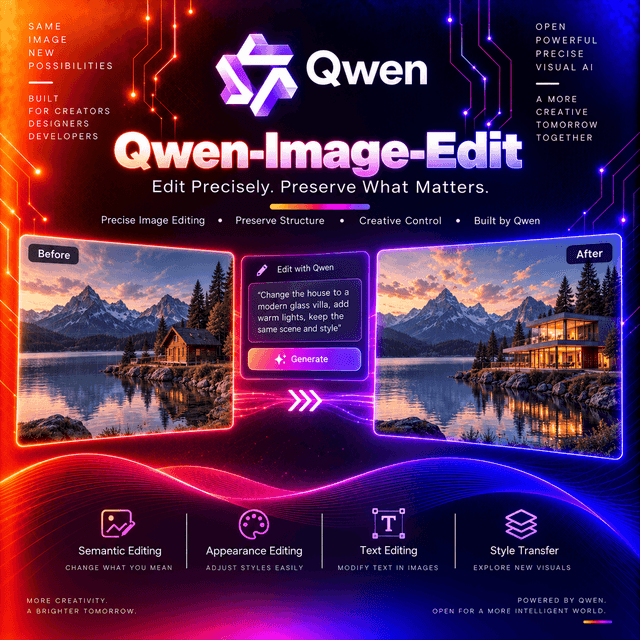
Qwen-Image-Edit
The image editing version of Qwen-Image. Twenty billion parameters, two encoders, and text editing that keeps the font.
One Image, Two Encoders
The architectural decision that makes everything else possible.
Your input image is fed simultaneously into two separate paths:
| Path | Encoder | Controls |
|---|---|---|
| Semantic | Qwen2.5-VL | What the image means |
| Appearance | VAE Encoder | How the image looks |
One reads the picture the way a vision-language model does — objects, relationships, meaning. The other captures it the way a compression model does — pixels, texture, exact arrangement.
Why two. Editing needs both kinds of understanding, and they conflict. Preserving a subject's identity while rotating it requires knowing what the subject is. Preserving a background exactly while changing one object requires knowing what the pixels are. A single encoder optimised for one is wrong for the other.
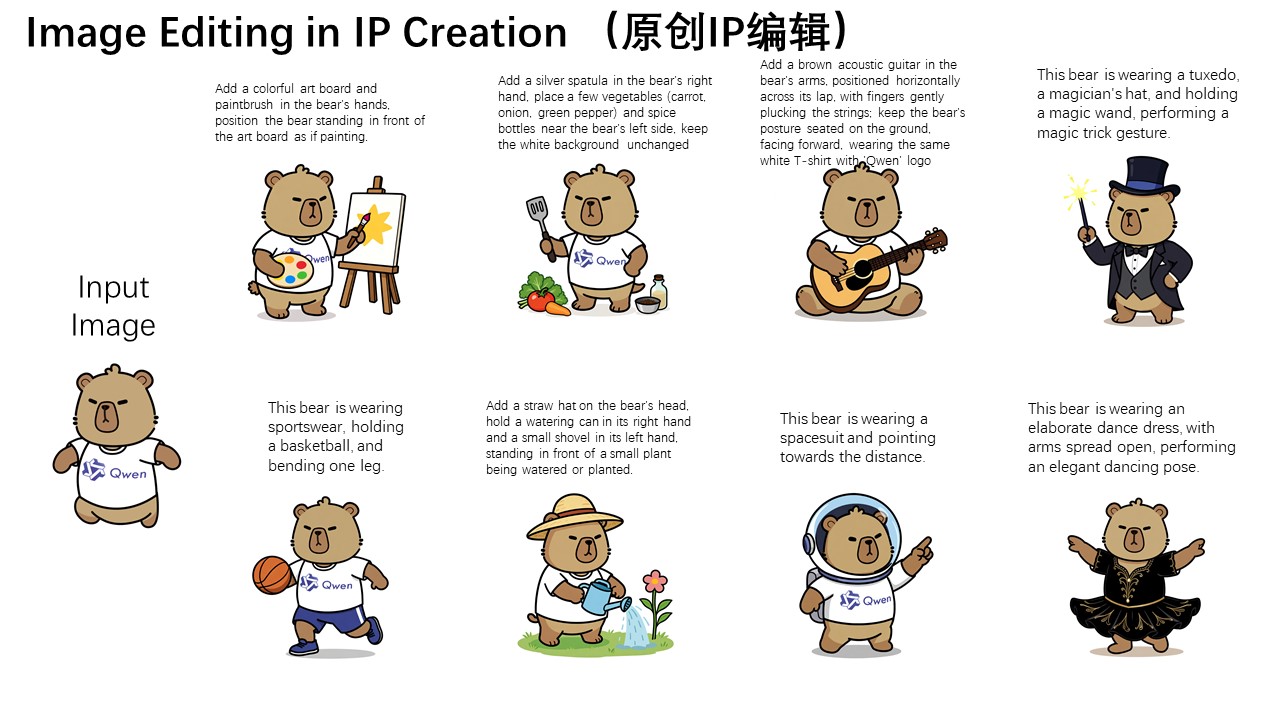
Two Kinds of Editing, One Model
The capability that falls out of the dual-encoder design, and the distinction worth internalising before you write a prompt.
Appearance editing — low-level
Adding, removing, or modifying elements, requiring all other regions of the image to remain completely unchanged.
Read that requirement literally. Not "mostly unchanged" — the standard is that everything you did not name stays identical. Removing a sign from a wall, adding an object to a table, changing a colour.
Semantic editing — high-level
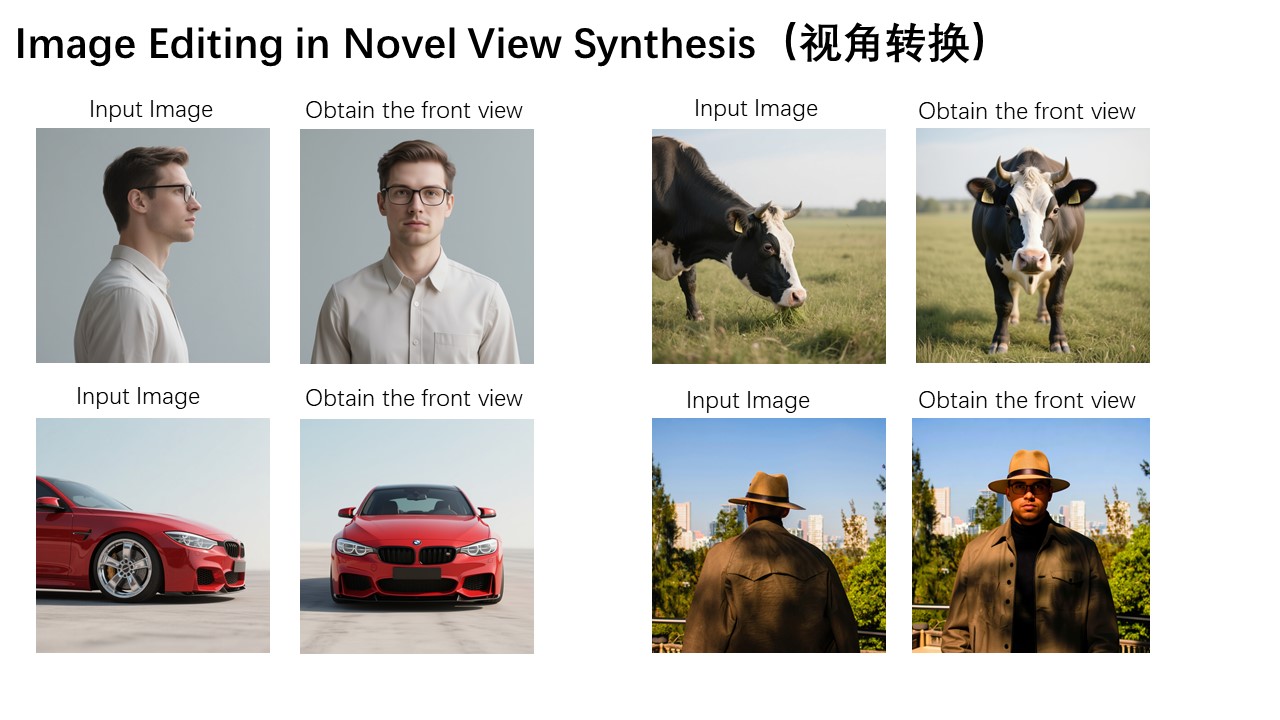
Character creation, object rotation, style transfer — allowing overall pixel changes while maintaining semantic consistency.
Here every pixel may change. What holds is what the image is about: the same character, recognisable after rotation; the same scene, in a different style.
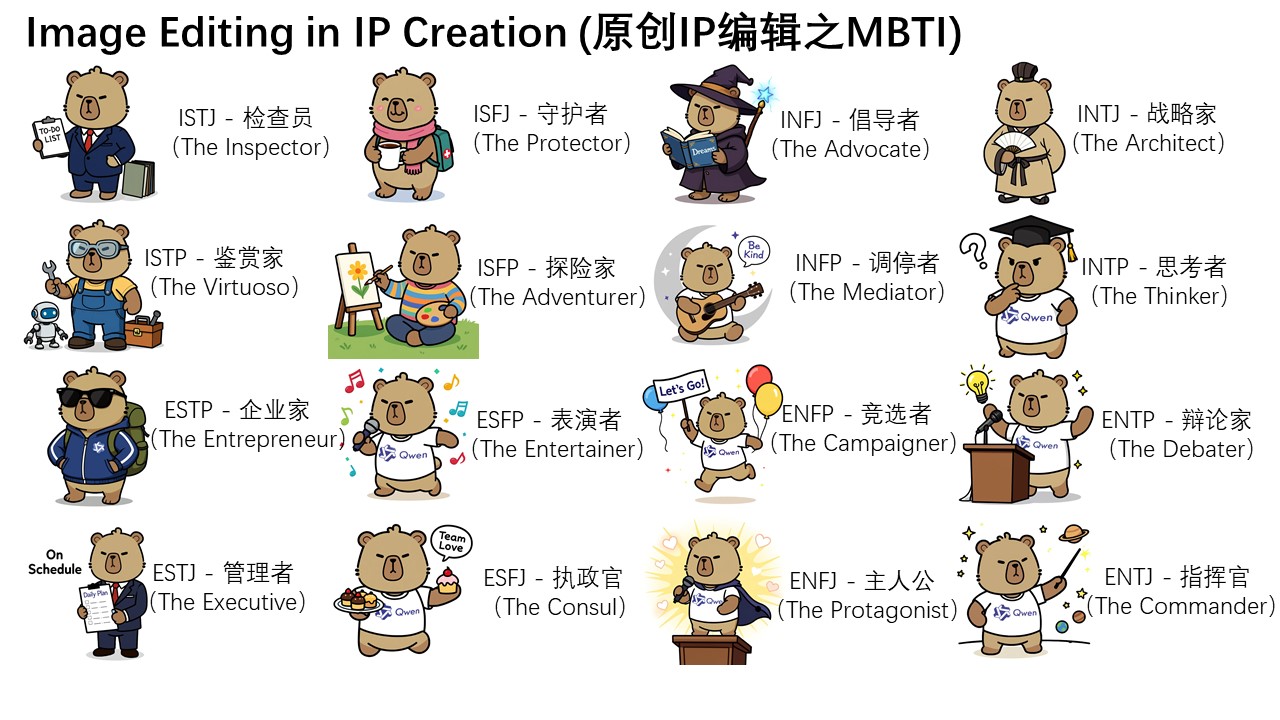
The mode is decided by what you ask for, not by a parameter. "Remove the lamp post" is an appearance edit. "Show this character from behind" is a semantic one. The model routes accordingly, and knowing which you are asking for tells you what to expect from the rest of the frame.
Text Editing That Keeps the Font
The highlight capability, inherited from the base model's text rendering and extended to editing.
Bilingual — Chinese and English. Direct addition, deletion, and modification of text inside an image.
And the preservation clause is the whole point: original text size, font, and style are kept.
Most models that can write into an image write in their style. Editing a word on a sign produces a different-looking sign. Here the replacement inherits the original's typography — which is the difference between a usable correction and an obvious one.
What that enables: fixing a typo in a rendered mockup, changing a date on a poster, localising signage between Chinese and English, removing a watermark, correcting a product label.
Proofread every character regardless. Precise text editing is a capability, not a guarantee, and a wrong character in a corrected label is worse than the original error.
Architecture
| Component | |
|---|---|
| Backbone | Multimodal Diffusion Transformer (MMDiT), 20B |
| Semantic encoder | Qwen2.5-VL — frozen |
| Appearance encoder | VAE, single encoder — frozen, adapted from Wan2.1-VAE |
| Decoder | Dual-decoder; the image-specific decoder is fine-tuned |
| Positional encoding | MSRoPE — Multimodal Scalable RoPE |
MSRoPE is the clever piece. Joint text-image positional encoding is a hard problem: images are two-dimensional grids, text is a one-dimensional sequence, and a shared scheme has to serve both without distorting either. MSRoPE maps text onto the diagonal of the image grid, which balances image resolution scaling against text positional encoding rather than compromising one for the other.
That is a specific answer to why this model's text rendering works where others produce letter-shaped marks.
Both encoders are frozen. The language-vision model and the appearance encoder were not retrained for this task — only the diffusion backbone and the image decoder were. That is why the semantic understanding matches the vision-language model it came from.
Specifications
| Model ID | Qwen/Qwen-Image-Edit |
| Parameters | 20B |
| Base model | Qwen-Image |
| Architecture | MMDiT with MSRoPE |
| Editing modes | Appearance and semantic |
| Text editing | Bilingual — Chinese and English |
| Licence | Apache 2.0 |
| Released | August 2025 |
| Developer | Qwen Team, Alibaba |
Apache 2.0 with open weights, which puts this model in a different category from the closed image editors elsewhere in this catalogue — fine-tunable, self-hostable, and commercially unrestricted.
A later checkpoint exists in the same line under a dated identifier. If you are choosing fresh rather than maintaining an existing integration, it is worth comparing.
Capabilities
| Capability | Value |
|---|---|
input_types | image, text |
output_types | image |
appearance_editing | Supported |
semantic_editing | Supported |
text_editing | Supported — Chinese and English |
style_transfer | Supported |
object_rotation | Supported |
endpoint | /v1/images/generations |
deterministic | No |
requires_prompt | Yes — source image and instruction required |
Using Qwen-Image-Edit on DEVUP AI
Endpoint: POST https://api.devupai.com/v1/images/generations
The response returns a signed URL in data[0].url alongside a _devup object carrying the request
cost and your remaining balance. The URL is valid for 300 seconds — fetch the bytes on arrival
rather than storing the link.
Python
import urllib.request
from openai import OpenAI

client = OpenAI(
    api_key="$DEVUP_API_KEY",
    base_url="https://api.devupai.com/v1",
)

response = client.images.generate(
    model="Qwen/Qwen-Image-Edit",
    prompt="A photo of an astronaut riding a horse on Mars.",
    size="1024x1024",
    n=1,
)

image_url = response.data[0].url
with urllib.request.urlopen(image_url) as res:
    image_bytes = res.read()

with open("output.png", "wb") as f:
    f.write(image_bytes)
Node.js
import DevupAI from "devupai";
import { writeFile } from "node:fs/promises";

const client = new DevupAI({
  apiKey: process.env.DEVUP_API_KEY,
});

const response = await client.images.generate({
  model: "Qwen/Qwen-Image-Edit",
  prompt: "A photo of an astronaut riding a horse on Mars.",
  size: "1024x1024",
  n: 1,
});

const image = await fetch(response.data[0].url);
await writeFile("output.png", Buffer.from(await image.arrayBuffer()));
cURL
curl -X POST "https://api.devupai.com/v1/images/generations" \
  -H "Authorization: Bearer $DEVUP_API_KEY" \
  -H "Content-Type: application/json" \
  -d '{
    "model": "Qwen/Qwen-Image-Edit",
    "prompt": "A photo of an astronaut riding a horse on Mars.",
    "size": "1024x1024",
    "n": 1
  }'
Writing for Two Editing Modes
Your instruction decides which mode runs, so write it deliberately.
For an appearance edit
Name the element and state the preservation explicitly.
"Remove the street sign from the wall. Keep every other part of the image identical — the wall texture, the lighting, the shadows, and the framing."
The model's documented standard for this mode is that all other regions remain completely unchanged. Saying so aligns your instruction with the behaviour you are asking for.
For a semantic edit
Name what must survive, since the pixels will not.
"Show this character from a three-quarter rear view. Keep the outfit, hair, proportions, and colour palette recognisably the same."
Every pixel may change here. Listing what defines the subject tells the model what semantic consistency means for your case.
For a text edit
Quote both strings.
"Replace the text reading 'SEPTEMBER' with 'OCTOBER'. Keep the original font, size, colour, and placement exactly."
Quoting the existing text tells the model what to find; quoting the replacement tells it what to write. The preservation clause is what keeps the typography.
Where the Dual Encoder Shows
Three tasks that are hard for single-encoder models and documented as strengths here.
Object rotation. Showing a subject from a different angle requires understanding what it is well enough to infer the unseen side. That is the semantic path working.
Style transfer with identity preserved. Every pixel changes; the subject stays recognisable.
Character and IP creation — producing consistent variations of the same original figure.
And the complementary case: surgical removal of one element from a complex scene, which is the appearance path working — everything else must survive, exactly.
Self-Hosting Notes
Relevant because the weights are open and the ecosystem support is unusually good.
Native ComfyUI support exists, with a published workflow template and the diffusion model, encoders, and VAE available as separate downloads.
Quantised builds are published by the community for lower-memory deployment.
Transformers 4.51.3 or later is required, for Qwen2.5-VL support.
Apache 2.0 means fine-tuning and commercial deployment are both open, which is rare among models of this capability.
Where It Fits
Text correction in rendered images — the strongest single reason to choose this model. Fixing a word in a mockup without regenerating it, or without the replacement looking pasted on.
Chinese-English localisation of signage, packaging, and interface graphics.
Surgical element removal and addition, where everything else must survive untouched.
Character consistency work — rotation, restyling, variation on a fixed original.
Style transfer with the subject preserved.
Self-hosted editing pipelines, given open weights and a permissive licence.
Not for generation from nothing. This model edits; the base model in the same family generates.
Not for reproducible pipelines without a seed.
Practical Notes
Decide which editing mode your instruction implies before writing it.
State preservation explicitly — what stays untouched, or what must remain recognisable.
Quote both the old and new strings on a text edit.
Proofread every rendered character.
Send source images at full resolution.
Save outputs you intend to keep.
Consider the later checkpoint in this line if you are starting fresh.
Limitations
Requires a source image. Generation from a prompt alone is the base model, not this one.
Not deterministic. The same image and instruction produce a different result each run.
Text editing is bilingual, Chinese and English. Other scripts are outside the documented capability.
Precise text editing is not guaranteed text editing. Proofread before publishing.
Semantic edits change every pixel. If you needed the background byte-identical, that is an appearance edit and it needs to be phrased as one.
A later checkpoint exists in the same line with its own improvements.
Signed URLs expire after 300 seconds.
Apply your own moderation. Text editing and element removal make watermark stripping and document alteration straightforward — filter inputs on public paths and review output before publishing.


