 Coding Agent
Aider with DEVUP AI
Run Aider on DEVUP AI models. Set two environment variables, start Aider with an openai/ model ID, and it edits the files in your git repo.
System Architecture
How Aider Connects to DEVUP AI
Aider communicates directly with DEVUP AI via the OpenAI-compatible Chat Completions protocol on https://api.devupai.com/v1/chat/completions. The terminal agent authenticates with your DEVUP AI API key from the environment, executes edits in your local repository, and streams token usage in real time.
Configuration
Quick Setup in Aider
Install Aider
Install Aider with python -m pip install aider-install, then aider-install.
Set the environment variables
Set OPENAI_API_BASE and OPENAI_API_KEY in your shell.
Start Aider
Run aider --model openai/deepseek-ai/DeepSeek-V4-Pro in your git repository.
$env:OPENAI_API_BASE = "https://api.devupai.com/v1"
$env:OPENAI_API_KEY = "your-key"
aider --model openai/deepseek-ai/DeepSeek-V4-Pro
In Action
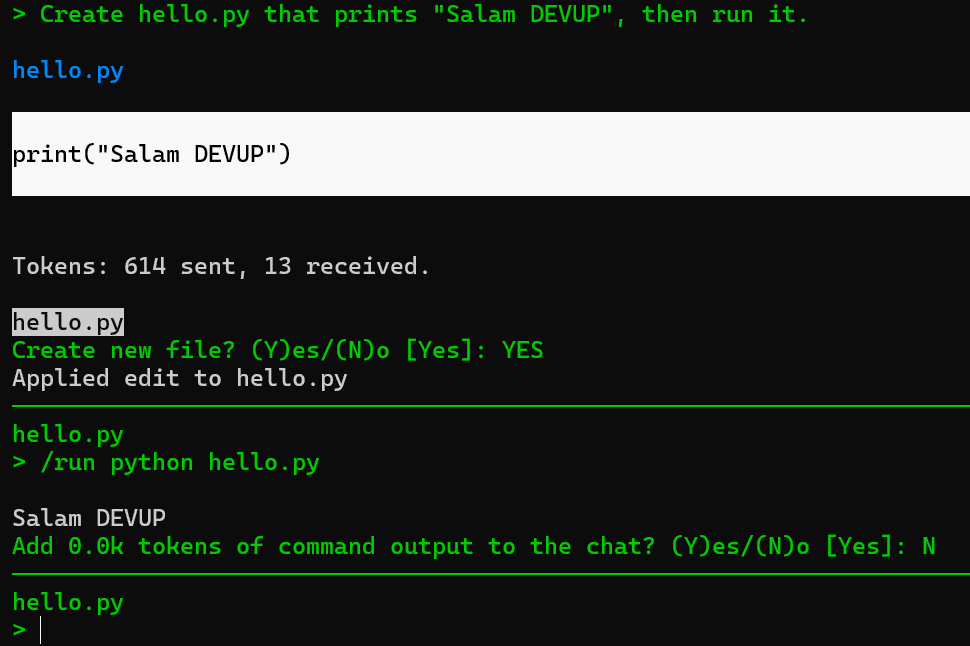
Aider running on DEVUP AI
Capabilities
Supported Capabilities
Edits in your git repo
Aider writes file edits into your repository and commits them, so every change can be reviewed or undone with git.
Any catalog model
Prefix any DEVUP AI model ID with openai/ to use it in Aider.
Token counts per request
Aider reports the tokens sent and received for each request.
Local DZD billing
Metered billing in Algerian Dinar with BaridiMob, Edahabia, and CIB local payment support.
Ready to Pair Program with Aider on DEVUP AI?
Create an API key in your dashboard, configure your environment variables, and start pair programming in your terminal today.


