 Bria /
Bria-3.2-vector
Bria 3.2 Vector generates scalable vector graphics rather than pixels. The output is an SVG file — editable in Illustrator, Figma, or Inkscape, and sharp at any size from a favicon to a billboard, because there is no resolution to run out of. That makes it the right tool for the assets that need exactly this: logos, icons, flat illustrations, and interface graphics. At four billion parameters it is a third the size of comparable open models, and its short-text rendering improved dramatically over the previous version, which matters when a logo has a word in it. It is trained exclusively on licensed data, with commercial liability coverage attached.

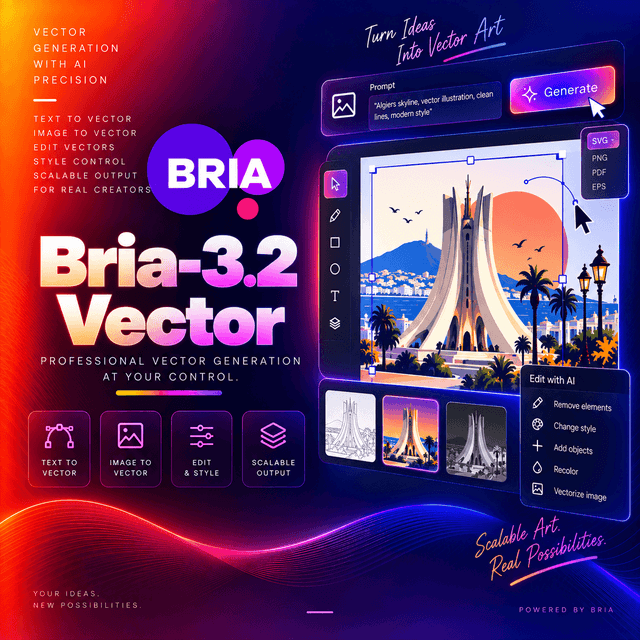
Bria 3.2 Vector
Generates scalable vector graphics — SVG files, not pixels.
Why Vector Output Changes the Job
Every other image model in this catalogue produces a grid of pixels at a fixed resolution. Enlarge it and it softens. Recolour it and you are painting over a photograph. Edit it and you are editing an image.
A vector file is a set of shapes. It scales from a 16-pixel favicon to a printed banner without losing an edge. Every path, fill, and stroke is a separate object a designer can select and modify. A colour change is one attribute, not a retouching session.
Where that matters:
Logos. They appear at every size from a browser tab to signage. A raster logo needs a dozen exports; a vector logo needs one file.
Icons. Interface work demands consistency across sizes and device pixel ratios, and pixel icons need a set per breakpoint.
Flat illustrations. The style is naturally vector — geometric shapes, clean edges, flat fills — and the format matches it.
Anything a designer will finish. Vector output is a starting point a human can edit properly. Raster output is a result they must accept or redo.
Built Around Vector Constraints
This is not a raster model with a tracing step attached. It was trained to understand what vector graphics are: clean lines, flat colours, geometric precision, a limited palette, closed shapes.
That distinction shows in the output. Automatically tracing a raster image produces hundreds of near-duplicate paths that no designer wants to open. A model that understands the constraint produces shapes that were meant to be shapes.
Short Text Inside Graphics
The capability that improved most between versions, and the one that matters for logos.
Rendering legible text is the long-standing weak point of image generation. Between the previous version and this one, the OCR score on generated text rose from 5% to 70% — an order of magnitude rather than an increment.
The model is optimised for one to six words. That is a deliberate scope, and it matches what vector graphics actually contain: a brand name, a short tagline, a label on an icon. It is not a model for a paragraph of body copy, and asking for one will show.
Proofread every character regardless. Seventy percent is a large improvement and not a guarantee, and a misspelled brand name in a logo is worse than no text at all.
Trained on Licensed Data, With Liability Coverage
Most image models can tell you their training data was licensed. This family goes further: Bria licenses the foundation model with full legal liability coverage, and states that the dataset excludes copyrighted material — fictional characters, logos, trademarks, public figures, harmful content, and privacy-infringing content.
For logo and brand-identity work specifically, that matters more than anywhere else in generative imaging. A logo is a legal asset. Generating one from a model trained on scraped brand marks creates a question you cannot answer later; generating one from a model with documented provenance does not.
Check the terms attached to your deployment. Coverage arrangements are commercial agreements, and what applies through one route may not apply through another.
Specifications
| Model ID | Bria/Bria-3.2-vector |
| Parameters | 4B |
| Input | Text prompt — English only, no special characters |
| Output | Scalable vector graphics |
| Text rendering | Optimised for 1–6 words |
| Aspect ratios | 1:1, 2:3, 3:2, 3:4, 4:3, 4:5, 5:4, 9:16, 16:9 |
| Images per request | 1–4 |
| Seed | Supported |
| Training data | Fully licensed, with commercial liability coverage |
| Endpoint | /v1/images/generations |
Capabilities
| Capability | Value |
|---|---|
input_types | text |
output_types | image — vector |
prompt_language | English only |
text_rendering | 1–6 words |
aspect_ratios | 9 presets |
max_results_per_request | 4 |
seed | Supported |
guidance_scale | Supported — 0 to 10 |
steps | Configurable |
endpoint | /v1/images/generations |
deterministic | With a fixed seed |
requires_prompt | Yes |
Using It on DEVUP AI
Endpoint: POST https://api.devupai.com/v1/images/generations
The response returns a signed URL in data[0].url alongside a _devup object carrying the request
cost and your remaining balance.
The URL is valid for five minutes. Fetch the file within that window.
Generate an icon — cURL
curl https://api.devupai.com/v1/images/generations \
  -H "Authorization: Bearer $DEVUP_API_KEY" \
  -H "Content-Type: application/json" \
  --max-time 180 \
  -d '{
    "model": "Bria/Bria-3.2-vector",
    "prompt": "A minimalist coffee bean icon, single colour, geometric, flat design, centred, thick even strokes",
    "aspect_ratio": "1:1",
    "seed": 42
  }'
Generate and save — Python
import os
import requests
from pathlib import Path

DEVUP_API_KEY = os.environ["DEVUP_API_KEY"]
GENERATE = "https://api.devupai.com/v1/images/generations"


def generate_vector(prompt: str, *, aspect_ratio: str = "1:1", seed: int | None = None, **extra) -> bytes:
    """Generate a vector graphic and return its bytes."""
    payload = {
        "model": "Bria/Bria-3.2-vector",
        "prompt": prompt,
        "aspect_ratio": aspect_ratio,
        **extra,
    }
    if seed is not None:
        payload["seed"] = seed

    response = requests.post(
        GENERATE,
        headers={
            "Authorization": f"Bearer {DEVUP_API_KEY}",
            "Content-Type": "application/json",
        },
        json=payload,
        timeout=300,
    )
    response.raise_for_status()
    result = response.json()

    spend = result.get("_devup", {})
    print(f"{spend.get('cost_dzd')} DZD · balance {spend.get('balance_dzd')}")

    # The URL is valid for five minutes.
    return requests.get(result["data"][0]["url"], timeout=120).content


Path("coffee_icon.svg").write_bytes(
    generate_vector(
        "A minimalist coffee bean icon, single colour, geometric, flat design, centred, thick even strokes"
    )
)
Save with a .svg extension. The file is markup, not a bitmap — opening it in an image viewer works,
but opening it in a text editor shows you the shapes.
A consistent icon set — Python
The workflow vector output is built for.
STYLE = "flat vector icon, single colour, geometric, thick even strokes, centred, no text, no background"

icons = {
    "cart":     "a shopping cart",
    "search":   "a magnifying glass",
    "user":     "a user profile silhouette",
    "settings": "a gear",
    "bell":     "a notification bell",
}

SEED = 7

for name, subject in icons.items():
    Path(f"icons/{name}.svg").write_bytes(
        generate_vector(f"{subject}, {STYLE}", aspect_ratio="1:1", seed=SEED)
    )
The shared style string is what makes this a set rather than five unrelated drawings. Stroke weight, fill treatment, and geometric approach need to be stated identically for every icon — otherwise you get five icons that each look fine and look wrong beside each other.
The fixed seed pushes further in the same direction, though it is the style description doing most of the work.
A logo with a name — Python
Path("logo.svg").write_bytes(
    generate_vector(
        'A minimalist mountain range logo with the text "ATLAS" beneath it in clean sans-serif '
        'capitals, two colours, flat geometric shapes, plenty of white space',
        aspect_ratio="1:1",
        seed=1337,
    )
)
Quote the text and keep it to one or two words. The model is optimised for one to six, and accuracy falls as the string lengthens. Proofread the output before it goes anywhere near a brand.
Several variations at once — Python
response = requests.post(
    GENERATE,
    headers={
        "Authorization": f"Bearer {DEVUP_API_KEY}",
        "Content-Type": "application/json",
    },
    json={
        "model": "Bria/Bria-3.2-vector",
        "prompt": "A stylised leaf logo, two colours, flat geometric, balanced negative space",
        "num_results": 4,
        "aspect_ratio": "1:1",
    },
    timeout=300,
)
result = response.json()

for index, entry in enumerate(result["data"]):
    # The URL is valid for five minutes.
    Path(f"leaf_{index}.svg").write_bytes(requests.get(entry["url"], timeout=120).content)
Up to four per request. For logo exploration this is the efficient shape — one call, four directions to react to, rather than four calls and four waits.
Node.js
import { writeFile } from "node:fs/promises";

const response = await fetch("https://api.devupai.com/v1/images/generations", {
  method: "POST",
  headers: {
    Authorization: `Bearer ${process.env.DEVUP_API_KEY}`,
    "Content-Type": "application/json",
  },
  body: JSON.stringify({
    model: "Bria/Bria-3.2-vector",
    prompt: "A minimalist anchor icon, single colour, flat geometric, thick even strokes, centred",
    aspect_ratio: "1:1",
    seed: 42,
  }),
  signal: AbortSignal.timeout(300_000),
});

if (!response.ok) {
  throw new Error(`Request failed with status ${response.status}`);
}

const result = await response.json();

// The URL is valid for five minutes.
const file = await fetch(result.data[0].url);
await writeFile("anchor.svg", Buffer.from(await file.arrayBuffer()));
Writing Prompts for Vector Output
Vector prompts reward different vocabulary than photographic ones. Asking for cinematic lighting and shallow depth of field from a model that draws shapes gets you nothing useful.
Name the vector style. "Flat design", "geometric", "line art", "minimalist", "single colour", "two-tone". These are the terms the model was trained on.
State the stroke treatment. Thick or thin, even or tapered, outlined or filled. It is one of the most visible properties of an icon and one of the least often specified.
Limit the palette explicitly. "Single colour", "two colours", "monochrome". Vector graphics live on restraint, and an unconstrained palette produces something that looks like a raster illustration converted badly.
Say what to leave out. "No background", "no text", "no gradients", "no shadows". Gradients and shadows in particular translate poorly to clean vector output.
Describe the shape, not the scene. "A gear" works. "A gear on a workbench in afternoon light" does not — there is no light in a flat vector icon.
Reuse one style string across a set. This is the single highest-leverage habit for icon work.
Avoid special characters in the prompt. English only, plain text.
After Generation
Vector output is the start of a designer's workflow rather than the end of yours.
Open it in a vector editor — Illustrator, Figma, Inkscape. Every shape is selectable.
Recolour by editing fills, not by regenerating. A brand palette applied in the editor takes seconds and is exact.
Clean up the paths. Generated vectors sometimes carry more anchor points than a hand-drawn equivalent. A simplify pass reduces file size and makes subsequent editing easier.
Export raster versions from the vector, not the other way round. One SVG produces every PNG size you need, all pixel-perfect.
Check it at 16 pixels. An icon that reads beautifully at 512 can turn to mush at favicon size. That is a design problem rather than a model problem, and it is best discovered before the asset ships.
Where It Fits
Logo and brand identity exploration, where the licensed-data provenance is as relevant as the output.
Icon systems, where consistency across a set matters more than brilliance in any one icon.
Flat illustration for marketing, documentation, and interface work.
Anything a designer will finish. Vector output hands over an editable file rather than a fixed image.
Anywhere the asset must scale. Print, signage, responsive interfaces, high-density displays.
Less suited to photographic imagery, complex scenes, realistic textures, or anything depending on light and shadow. Those are raster problems, and a raster model is the right tool.
Limitations
- English prompts only, without special characters.
- Text is optimised for one to six words. Longer strings degrade, and every character needs proofreading before publication.
- Vector style is the point and the constraint. Flat colours, clean lines, geometric shapes — photographic realism is outside what this model does.
- Generated paths may need simplification before handing to a designer.
- Small-size legibility is not guaranteed. Check icons at their smallest intended size.
- Liability coverage is a commercial arrangement. Verify what applies to your deployment rather than assuming.
- Not deterministic without a seed. Pin one when you need to reproduce a result.
- Signed URLs are valid for five minutes.
- Moderation is your responsibility. Filter prompts on public paths and review output before publishing — particularly for brand assets, where a resemblance to an existing mark is a legal question rather than an aesthetic one.


