 google /
embeddinggemma-2
EmbeddingGemma 2 places text, code, images, video, and audio in one 768-dimensional vector space, so a text query can retrieve a photograph, a video clip, or a recording directly, with no separate model per modality. It carries 740 million parameters, but its vision and audio encoders load independently — a text-only deployment runs at 270 million. Against its predecessor, multilingual text quality is essentially unchanged while code retrieval rose by roughly fourteen percent, and every other modality is new. Vectors truncate from 768 down to 128 dimensions, though the cost of shrinking them depends heavily on what you are embedding.

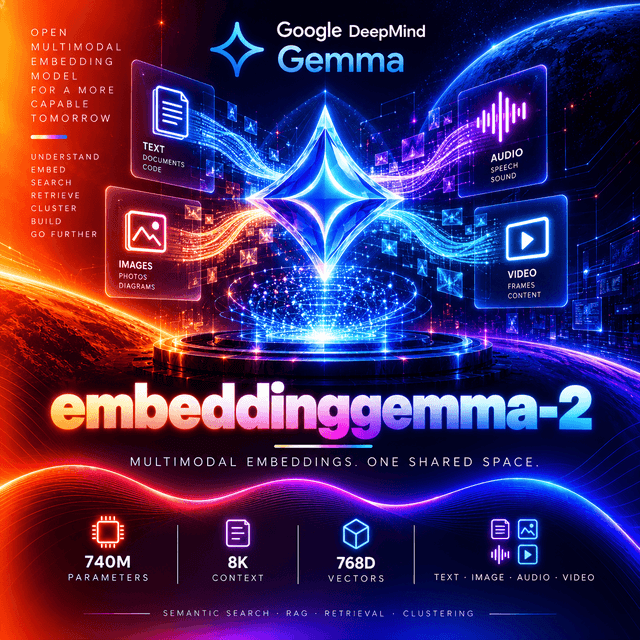
EmbeddingGemma 2
One vector space for text, code, images, video, and audio.

One Space, Four Modalities
Every input lands in the same 768-dimensional space — text (including code), images, video, and audio, and any combination of them.
Which is the capability, stated plainly: a text query can be compared directly against an image, a video clip, or an audio recording, and the nearest results are found by the same similarity function regardless of what kind of thing they are.
The conventional alternative is a model per modality — a text embedder, an image embedder, an audio embedder — each producing vectors in its own space. Those spaces do not line up, so cross-modal search needs an alignment step, a translation layer, or a separate index per modality.
Here there is one index. A product catalogue holding descriptions, photographs, and demo videos is searched by a single query against a single set of vectors.
And inputs can be combined. A single embedding can represent text interleaved with images, video, and audio together — a product listing with its description and photos, embedded as one item, and compared against a text-only query.
What Actually Improved
Read the benchmark table for what moved and what did not.
| Benchmark | Metric | EmbeddingGemma 2 | EmbeddingGemma 1 |
|---|---|---|---|
| MTEB (multilingual, v2) | Mean(Task) | 61.36 | 61.15 |
| MTEB (code, v1) | Mean(Task), NDCG@10 | 78.68 | 68.76 |
| MIEB (lite) | Mean(TaskType) | 64.64 | — |
| MMEB v2 — Image | Mean(Task), Hit@1 | 57.28 | — |
| MMEB v2 — VisDoc | Mean(Task), NDCG@5 | 67.84 | — |
| MMEB v2 — Video | Mean(Task), Hit@1 | 50.67 | — |
| MSEB — Retrieval | Mean(Task), MRR@10 | 69.54 | — |
| MAEB | Mean(Task) | 49.39 | — |
Multilingual text moved by two-tenths of a point. 61.15 to 61.36 — essentially unchanged.
Code moved by nearly ten points. 68.76 to 78.68, which is the roughly fourteen percent improvement the release describes.
Everything else is new. Six of the eight rows have no previous figure because the previous model did not accept those inputs.
Which tells you how to read the release. If your workload is multilingual text retrieval, this is a lateral move, not an upgrade. If it involves code, or any modality beyond text, it is a substantial one.
Selective Encoders
740 million parameters in total, but not all of them have to load.
| Component | Parameters |
|---|---|
| Text backbone | 270M — 130M transformer + 140M embedder |
| Vision encoder | 170M |
| Audio encoder | 300M |
The vision and audio encoders are independent components, loaded only when a deployment needs them.
| Active modalities | Effective size |
|---|---|
| Text only | 270M |
| Text and image | 440M |
| Text and audio | 570M |
| Full multimodal | 740M |
A text-only deployment is a 270-million-parameter model. The multimodal capability costs nothing if you do not use it.
And the audio encoder is the largest single component — larger than the vision encoder and larger than the text transformer itself. A text-and-image pipeline that never loads it saves three hundred million parameters.
⚠️ Truncation Costs Depend on the Modality
The vectors support Matryoshka truncation from 768 down to 512, 256, or 128 dimensions. How much quality that costs varies sharply by what you are embedding.
| Dimension | Storage | MTEB multi | MTEB eng | MTEB code | MIEB | MMEB | MSEB | MAEB |
|---|---|---|---|---|---|---|---|---|
| 768 | 1:1 | 61.36 | 68.46 | 78.68 | 64.64 | 59.01 | 69.54 | 49.39 |
| 512 | 1:1.5 | 61.17 | 68.41 | 77.24 | 64.32 | 58.38 | 69.18 | 49.21 |
| 256 | 1:3 | 60.41 | 67.78 | 76.18 | 63.13 | 56.24 | 66.76 | 48.91 |
| 128 | 1:6 | 57.89 | 65.68 | 71.41 | 59.06 | 45.65 | 56.71 | 46.92 |
Down to 256 dimensions, the loss is small everywhere — three times less storage, with every column within a few points of full size.
At 128, the picture splits.
| At 128 dimensions | Drop from 768 |
|---|---|
| MTEB multilingual (text) | about 6% |
| MTEB English (text) | about 4% |
| MMEB (multimodal) | about 23% |
| MSEB (audio retrieval) | about 18% |
Text survives aggressive truncation. Multimodal and audio retrieval do not.
Which is exactly the guidance on the model card: 128 dimensions is best suited to text-only workloads, and degrades multimodal quality substantially enough that it should be validated against your own data before you adopt it.
The practical rule: 256 for anything multimodal, 128 only if every item in your index is text.
The 8,192-Token Budget
Every modality draws from one shared context window, each at its own rate.
| Modality | Token cost | Maximum in one input |
|---|---|---|
| Text | 1 token per subword | 8,192 tokens |
| Image | 280 tokens per image | ~29 images |
| Video | 140 tokens per frame | ~58 frames |
| Audio | 25 tokens per second | ~327 seconds |
Audio reaches about five and a half minutes in a single input.
Video at the default sampling rate of one frame per second reaches just under a minute. The vision token budget is adjustable — from 70 to 1,120 soft tokens per image — and at the lower end, a single input can hold roughly 114 images or frames.
Those maximums assume one modality alone. Interleaved inputs share the same budget, so a description plus five photographs plus a short clip leaves less of each than any one would get on its own.
And the vision budget is a quality dial. More tokens per image captures more fine detail and costs more latency; fewer tokens fits more frames into one input.
Task Prefixes
The model was trained with short task instructions prepended to text. Using the right one improves quality; omitting it still works, with reduced precision.
Prefixes apply to text only. Images, video, and audio are passed without one.
Asymmetric tasks — different prefixes for queries and documents
| Use case | Query | Document |
|---|---|---|
| Web / document search | task: search result | query: {query} | title: {title} | text: {content} |
| Question answering | task: question answering | query: {question} | title: {title} | text: {passage} |
| Fact checking | task: fact checking | query: {claim} | title: {title} | text: {evidence} |
| Code search | task: code retrieval | query: {query} | title: {title or filename} | text: {code} |
Symmetric tasks — the same prefix for every input compared
| Use case | Prefix |
|---|---|
| Classification | task: classification | query: {content} |
| Clustering | task: clustering | query: {content} |
| Sentence similarity | task: sentence similarity | query: {content} |
Use title: none when a document has no title. The document format always carries a title slot.
The distinction between the two kinds matters. Retrieval compares a short question against long passages, and different prefixes tell the model which side of that comparison each input is on. Classification and similarity compare like with like, so every input gets the same instruction.
⚠️ Never Use float16
Stated directly on the model card, and the failure mode is the dangerous kind.
The model's activation range exceeds what float16 can represent. In float16 it returns NaN or silently degraded embeddings — rather than raising an error.
Use bfloat16 or float32. bfloat16 carries the same exponent range as float32 and halves memory; it is the recommended default on hardware that supports it. Use float32 elsewhere, including on most CPUs.
Through an API this is the provider's concern. It matters the moment you self-host — and because the failure is silent, a float16 deployment can serve plausible-looking vectors that quietly rank everything wrong.
Architecture
| Total parameters | 740M |
| Layers | 24 |
| Model dimension | 512 |
| Hidden dimension | 2,048 |
| Attention | GQA / MQA |
| Heads | 4 |
| KV heads (local / global) | 2 / 1 |
| Local : global attention | 5:1 |
| Sliding window | 1,024 tokens |
| Vocabulary | 262,144 |
| Activation | Gated FFN with GELU |
| Pooling | Mean pooling |
| Projection | 512 → 768 |
The output is wider than the model. The network works in 512 dimensions internally, and a final projection expands mean-pooled representations to 768 — which is why 512 is also a natural truncation point that loses very little.
Five local attention layers for every global one, with a 1,024-token sliding window on the local layers — the same attention pattern the Gemma family uses to keep long inputs affordable.
Mean pooling averages the final token representations into one vector, rather than taking a single special token's output.
Specifications
| Model ID | google/embeddinggemma-2 |
| Developer | Google DeepMind |
| Built on | Gemma 4 |
| Parameters | 740M total — 270M text, 170M vision, 300M audio |
| Context window | 8,192 tokens, shared across modalities |
| Output dimension | 768 |
| Truncation dimensions | 512, 256, 128 |
| Input | Text (incl. code), images, video, audio, interleaved |
| Output | One embedding per input |
| Languages | 100+ understood; trained on 140+ |
| Training data cutoff | January 2025 |
| Precision | bfloat16 or float32 — never float16 |
| Audio input | Mono, 16 kHz |
| Video sampling | 1 frame per second by default |
Use is governed by the Gemma Prohibited Use Policy, which applies to every deployment.
Capabilities
| Capability | Value |
|---|---|
input_types | text, image, video, audio |
output_types | embedding |
context_window | 8192 — shared across modalities |
output_dimensions | 768 — truncatable to 512, 256, 128 |
mrl_support | Yes |
interleaved_input | Yes — one embedding per mixed input |
task_prefixes | Text only |
endpoint | /v1/embeddings |
deterministic | Yes |
requires_prompt | Yes — input required |
Using EmbeddingGemma 2 on DEVUP AI
Endpoint: POST https://api.devupai.com/v1/embeddings
Prepend the task prefix to the input text yourself. The prefix system is applied by name in some local libraries; through an OpenAI-compatible endpoint, it is part of the string you send.
Python
import os
from openai import OpenAI

client = OpenAI(
    api_key=os.environ["DEVUP_API_KEY"],
    base_url="https://api.devupai.com/v1",
)

response = client.embeddings.create(
    model="google/embeddinggemma-2",
    input=[
        "task: search result | query: What causes the northern lights?",
        "title: none | text: The northern lights are caused by charged particles from the sun.",
    ],
)

vectors = [item.embedding for item in response.data]
print(f"{len(vectors)} vectors of {len(vectors[0])} dimensions")
print(f"Tokens consumed: {response.usage.total_tokens}")
Node.js
import DevupAI from "devupai";

const client = new DevupAI({
  apiKey: process.env.DEVUP_API_KEY,
});

const response = await client.embeddings.create({
  model: "google/embeddinggemma-2",
  input: [
    "task: search result | query: What causes the northern lights?",
    "title: none | text: The northern lights are caused by charged particles from the sun.",
  ],
});

const vectors = response.data.map((item) => item.embedding);
console.log(`${vectors.length} vectors of ${vectors[0].length} dimensions`);
cURL
curl https://api.devupai.com/v1/embeddings \
  -H "Authorization: Bearer $DEVUP_API_KEY" \
  -H "Content-Type: application/json" \
  -d '{
    "model": "google/embeddinggemma-2",
    "input": "task: search result | query: What causes the northern lights?"
  }'
⚠️ The examples here are text. Image, video, audio, and interleaved inputs use a different request shape from plain text embeddings — confirm how your path accepts them with a test request before building a multimodal pipeline.
Retrieval
The asymmetric case — queries and documents carry different prefixes.
import numpy as np


def embed(texts: list[str]) -> np.ndarray:
    """Embed a batch and return one row per input."""
    response = client.embeddings.create(model="google/embeddinggemma-2", input=texts)
    return np.array([item.embedding for item in response.data])


def as_document(content: str, title: str | None = None) -> str:
    return f"title: {title or 'none'} | text: {content}"


def as_query(query: str) -> str:
    return f"task: search result | query: {query}"


CORPUS = [
    ("Refunds", "Refunds are issued to the original payment method within 14 days."),
    ("Delivery", "Orders above 5000 DZD qualify for free delivery nationwide."),
    ("Support hours", "Support is available Sunday through Thursday, 9am to 5pm."),
]

corpus_vectors = embed([as_document(text, title) for title, text in CORPUS])
query_vector = embed([as_query("How long until I get my money back?")])[0]

scores = corpus_vectors @ query_vector

for rank, index in enumerate(np.argsort(scores)[::-1], start=1):
    print(f"{rank}. [{scores[index]:.3f}] {CORPUS[index][1]}")
Include the real title when there is one. The document format reserves a slot for it, and a title is frequently the most informative part of a short passage.
Different prefixes on the two sides is the whole point. The query prefix tells the model it is looking at a question; the document prefix tells it it is looking at a passage that might answer one.
Code Search
Where the largest measured improvement landed.
def as_code(code: str, filename: str) -> str:
    return f"title: {filename} | text: {code}"


def as_code_query(query: str) -> str:
    return f"task: code retrieval | query: {query}"


files = {
    "billing/rounding.py": "def round_dzd(amount):\n    return round(amount, 2)",
    "billing/invoice.py": "def total(lines):\n    return sum(l.qty * l.price for l in lines)",
}

file_vectors = embed([as_code(code, name) for name, code in files.items()])
query_vector = embed([as_code_query("where are totals rounded to two decimals?")])[0]

best = list(files)[int(np.argmax(file_vectors @ query_vector))]
print(best)
The filename goes in the title slot. It is often the strongest signal of what a file does, and the format gives it somewhere to go.
Classification and Clustering
The symmetric case — every input gets the same prefix.
def as_classification(content: str) -> str:
    return f"task: classification | query: {content}"


LABELS = {
    "billing": "A question about a charge, a refund, an invoice, or a payment.",
    "delivery": "A question about shipping, a late order, or a missing parcel.",
    "technical": "A report that something in the app or website is not working.",
}

label_vectors = embed([as_classification(text) for text in LABELS.values()])


def classify(ticket: str) -> str:
    vector = embed([as_classification(ticket)])[0]
    return list(LABELS)[int(np.argmax(label_vectors @ vector))]


print(classify("I was charged twice for the same order"))
Both sides use the classification prefix. Symmetric tasks compare like with like, and mixing a query prefix with a document prefix here would describe a comparison that is not happening.
Truncating and Re-Normalising
Two rules from the model card, and the first one fails silently.
def truncate(vector: list[float], dimensions: int) -> np.ndarray:
    """Truncate a Matryoshka embedding and re-normalise it to unit length."""
    if dimensions not in (768, 512, 256, 128):
        raise ValueError(f"unsupported dimension {dimensions}")

    short = np.asarray(vector[:dimensions], dtype=np.float32)
    norm = np.linalg.norm(short)

    if norm == 0:
        raise ValueError("zero vector after truncation")

    return short / norm
Re-normalise after truncating. Slicing a unit-length vector does not preserve unit length, and cosine similarity computed as a dot product then produces plausible-looking scores that are wrong — with no error to tell you.
Queries and documents must share a dimension. A 768-dimensional query cannot be scored against a 128-dimensional index.
Use the supported dimensions only. 768, 512, 256, and 128 are the sizes the model was trained to make meaningful.
Choosing Your Dimension
The table above gives the published trade-offs; your own data gives the real ones. One embedding call covers every size, because truncation happens client-side.
def recall_at_k(corpus_raw, query_raw, expected, dimensions: int, k: int = 5) -> float:
    corpus = np.array([truncate(v, dimensions) for v in corpus_raw])
    queries = np.array([truncate(v, dimensions) for v in query_raw])

    hits = 0
    for query, target in zip(queries, expected):
        top = np.argsort(corpus @ query)[::-1][:k]
        hits += target in top
    return hits / len(queries)


corpus_raw = [item.embedding for item in client.embeddings.create(
    model="google/embeddinggemma-2", input=DOCUMENTS).data]
query_raw = [item.embedding for item in client.embeddings.create(
    model="google/embeddinggemma-2", input=QUERIES).data]

for dimensions in (768, 512, 256, 128):
    recall = recall_at_k(corpus_raw, query_raw, EXPECTED, dimensions)
    print(f"{dimensions:>4}d  recall@5 {recall:.3f}  storage {dimensions / 768:>5.1%}")
Four sizes from one embedding call. There is no reason to pick a dimension before running this.
Weight the result by modality. If your index is all text, 128 may hold up; if it contains images, video, or audio, the published numbers say it probably will not.
And the storage arithmetic is linear. Ten million vectors at 768 dimensions in float32 is about 31 GB; at 256 it is about 10 GB; at 128, about 5 GB.
No Safety Tuning
EmbeddingGemma 2 is a pre-trained embedding model. It does not undergo post-training alignment, safety tuning, or output-level moderation.
That is normal for an embedding model — it produces vectors, not text, so there is no output to moderate. Safety work during development focused on filtering the pre-training data.
The risk moves downstream. How the vectors are used — what gets retrieved, what gets classified as what, what gets clustered together — is where harm can occur, and that is the deployer's responsibility.
Retrieval filtering and fairness testing are the application-level safeguards the model card names. An index that surfaces content to users should filter what it returns, regardless of how semantically close it is.
Where It Fits
Cross-modal search — a text query over a mixed collection of documents, images, video, and audio, in one index.
Code search, where the measured improvement is largest.
Retrieval-augmented generation, as the first stage that finds what a language model then reads.
Classification and clustering of mixed-media content without a model per modality.
On-device and edge deployment — 270 million parameters for text-only, designed for phones and laptops.
Audio archives, searchable by spoken or written query, up to about five and a half minutes per input.
Not a generative model. It produces vectors, not text.
Not for long documents in one piece. 8,192 tokens is the shared limit; longer material needs splitting.
Not an upgrade for pure multilingual text retrieval. That benchmark barely moved from the previous model.
Practical Notes
Prepend the task prefix to text inputs yourself — through an API it is part of the string.
Use different prefixes for queries and documents in retrieval; the same prefix for classification and clustering.
Put the real title in the document's title slot, or title: none.
Pass images, video, and audio without a prefix.
Use 256 dimensions for anything multimodal; reserve 128 for text-only indexes.
Re-normalise after every truncation.
Keep queries and documents at the same dimension.
Run your own recall test across all four sizes before committing an index.
Never self-host in float16.
Confirm how your path accepts non-text inputs before building a multimodal pipeline.
Filter what your index returns — the model applies no moderation of its own.
Limitations
Multilingual text quality is essentially unchanged from the previous model — 61.15 to 61.36.
Truncation to 128 dimensions damages multimodal retrieval badly — about 23% on the multimodal benchmark and about 18% on audio retrieval, against roughly 6% for text.
8,192 tokens shared across every modality. About 29 images, 58 video frames, or five and a half minutes of audio at default settings — less of each when mixed.
float16 fails silently, returning NaN or degraded vectors rather than an error.
Language performance is uneven. The model understands 100+ languages but does not perform equally across them; measure yours.
Training data ends January 2025.
No safety tuning or moderation. Safeguards belong in the application.
Task prefixes matter. Omitting them still works, at reduced precision.
The Gemma Prohibited Use Policy applies to every deployment.


