 google /
gemma-3-12b-it
| Tier | Input | Output | Cached input |
|---|---|---|---|
PriorityLearn more | 27 | 81 | — |
FlexLearn more | 14.4 | 43.2 | — |
Gemma 3 12B reads images the way a person does when the print is small: it looks at the whole thing, then looks closer at the parts. Its vision encoder compresses every image into exactly 256 tokens at 896×896 — efficient, and destructive on a wide screenshot or a tall document. Pan & Scan solves that at inference time by cutting the image into non-overlapping crops and processing each separately, worth a measured 8 to 17 percent on tasks that require reading text from images. The 128K context comes from interleaving five local attention layers per global one, so only one layer in six carries a large cache, at a perplexity cost under five percent.

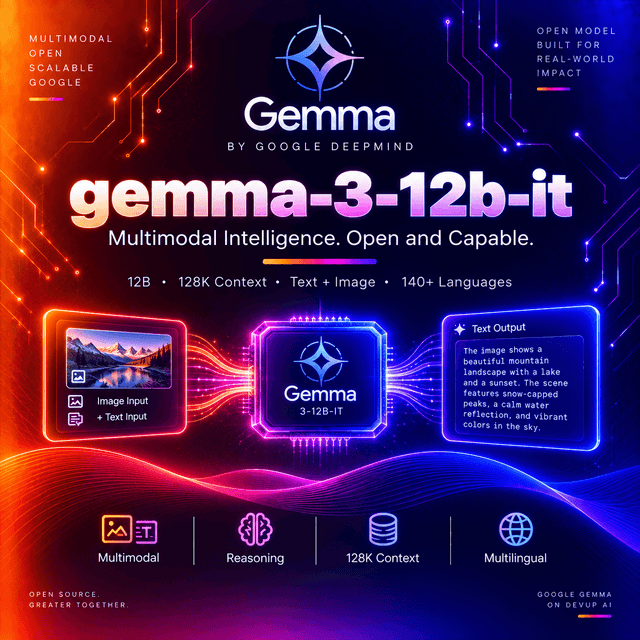
Gemma 3 12B Instruct
A 12-billion-parameter multimodal model with a 128K context window, a frozen vision encoder, and an inference-time trick that decides whether it can read your documents.
Every Image Becomes 256 Tokens
Start here, because it explains everything else about how this model handles vision.
The encoder resizes each image to 896 × 896 and produces exactly 256 soft tokens. Not a range. Not scaled by resolution. Two hundred and fifty-six, every time.
That fixed budget is the efficiency win and the problem. A 256-token image costs the same as a short paragraph, which is why a 12-billion-parameter model can process images at all without the context disappearing. But squeezing a 3000-pixel-wide document scan into a 896-pixel square destroys exactly what you needed from it.
Pan & Scan: Reading, Not Just Seeing
The solution, and it runs at inference time rather than being baked into the weights.
Pan & Scan windows the image into multiple non-overlapping 896 × 896 crops and processes each separately. Instead of one squashed view of the whole page, the model gets several clear views of its parts.
The measured gain is 8 to 17 percent on document-reading tasks. That is the difference between a model that describes a form and one that transcribes it.
It is configurable, with four parameters:
| Parameter | Controls |
|---|---|
do_pan_and_scan | Whether it runs at all |
pan_and_scan_min_crop_size | The smallest crop the algorithm will produce |
pan_and_scan_max_num_crops | The ceiling on crops per image |
pan_and_scan_min_ratio_to_activate | The aspect ratio at which it triggers |
The last one is the interesting control. Pan & Scan activates when an image is sufficiently non-square — a wide screenshot, a tall receipt, a document page. A square photograph does not need it and does not trigger it.
And the cost is linear in crops. Each crop is another 256 tokens. Four crops means 1,024 tokens for one image, plus the original. On a batch of documents, the crop ceiling is the parameter that decides your context budget.
Through an API this is handled by the serving layer. It matters when you self-host, and it is worth knowing exists either way — if this model reads your documents badly, Pan & Scan configuration is the first thing to check rather than the prompt.
The 128K Window, and What It Cost
Three mechanisms, and the technical report publishes the price of the trade.
Interleaved attention at 5:1 — five local sliding-window layers for every global layer. Local layers see a window and cost stays flat as input grows; global layers see everything and cost scales.
Only one layer in six needs a large KV cache. That ratio is the reason a 128K window is affordable on a model this size.
Aggressive sliding-window span reduction, narrowing what the local layers attend to.
RoPE rescaling, extending positional encoding to the longer range.
The measured cost: a perplexity penalty under five percent. That is the number worth crediting — most long-context extensions describe their gains and leave the loss undocumented. Under five percent for six times the effective cache efficiency is a trade the report lets you evaluate rather than trust.
Architecture
| Total parameters | 12.2B |
| Non-embedding | 10.8B |
| Embedding | 1B |
| Vision encoder | 417M — SigLIP, frozen |
| Image resolution | 896 × 896 |
| Tokens per image | 256 |
| Attention pattern | 5 local : 1 global |
| Context | 128K tokens |
| Vocabulary | 262K — joint Gemini/Gemma tokenizer |
| Languages | 140+ |
The vision encoder is frozen and shared. The same 417M SigLIP encoder serves the 4B, 12B, and 27B models — it was not trained alongside the language model and it is identical across sizes.
Two consequences. Visual perception does not improve as you move up the family; only the reasoning over it does. And a prompt that works on the 4B model's vision will behave the same way here, because the eyes are the same.
The 262K vocabulary is optimised for diverse scripts, which is what carries the 140-language claim rather than training data volume alone.
Specifications
| Model ID | google/gemma-3-12b-it |
| Parameters | 12.2B total |
| Context window | 128K tokens |
| Input | Text, image |
| Output | Text |
| Vision encoder | 417M SigLIP, frozen and shared |
| Post-training | Knowledge distillation and reinforcement learning |
| Quantisation | int4 and fp8 with quantisation-aware training |
| Licence | Gemma Terms of Use |
| Released | March 2025 |
The licence is Google's own, not Apache or MIT. Commercial use is permitted subject to its terms and a prohibited-use policy. Read both against your deployment rather than assuming permissive behaviour.
Capabilities
| Capability | Value |
|---|---|
input_types | text, image |
output_types | text |
audio_input | Not supported |
video_input | Not supported |
context_window | 131072 |
tokens_per_image | 256 |
pan_and_scan | Configurable at inference |
streaming | Supported |
tool_calling | Supported |
structured_output | Supported |
reasoning | No separate reasoning trace |
requires_prompt | Yes — text prompt required, image optional |
Benchmark Results
Coding, across the family — which is the clearest illustration of what parameter scale buys here.
| Model | HumanEval | MBPP | LiveCodeBench |
|---|---|---|---|
| 1B | 41.5% | 35.2% | 5.0% |
| 4B | 71.3% | 63.2% | 23.0% |
| 12B | 85.4% | 73.0% | 32.0% |
| 27B | 87.8% | 74.4% | 39.0% |
Read the gaps rather than the numbers.
From 4B to 12B is a large jump — fourteen points on HumanEval, ten on MBPP, nine on LiveCodeBench. Tripling the parameters buys real capability.
From 12B to 27B is a small one on the easier benchmarks — 2.4 points on HumanEval, 1.4 on MBPP — and a meaningful one on the hardest, at seven points on LiveCodeBench.
What that tells you about model choice. HumanEval and MBPP are near saturation at this scale; they stop discriminating. LiveCodeBench is the benchmark still separating the tiers, and it is the one to weigh if you are deciding between 12B and 27B.
Multilingual performance is reported as robust across GMMLU-Lite, FLoRes, XQuAD, WMT24++, XOR QA Indic, and ECLeKTic — a benchmark set weighted toward non-English evaluation rather than translated English tests.
Using Gemma 3 12B on DEVUP AI
Base URL: https://api.devupai.com/v1 · Model ID: google/gemma-3-12b-it
Python
import os
from openai import OpenAI

client = OpenAI(
    api_key=os.environ["DEVUP_API_KEY"],
    base_url="https://api.devupai.com/v1",
)

response = client.chat.completions.create(
    model="google/gemma-3-12b-it",
    messages=[
        {"role": "user", "content": "Hello world!"}
    ],
    max_tokens=1024,
)

print(response.choices[0].message.content)
Node.js
import DevupAI from "devupai";

const client = new DevupAI({
  apiKey: process.env.DEVUP_API_KEY,
});

async function main() {
  const response = await client.chat.completions.create({
    model: "google/gemma-3-12b-it",
    messages: [{ role: "user", content: "Hello world!" }],
    max_tokens: 1024,
  });

  console.log(response.choices[0].message.content);
}

main();
cURL
curl -X POST "https://api.devupai.com/v1/chat/completions" \
  -H "Authorization: Bearer $DEVUP_API_KEY" \
  -H "Content-Type: application/json" \
  -d '{
    "model": "google/gemma-3-12b-it",
    "messages": [
      { "role": "user", "content": "Hello world!" }
    ],
    "max_tokens": 1024
  }'
Reading a Document — Python
Where the 256-token budget and Pan & Scan decide the outcome.
import base64

with open("invoice.png", "rb") as handle:
    encoded = base64.b64encode(handle.read()).decode("utf-8")

response = client.chat.completions.create(
    model="google/gemma-3-12b-it",
    messages=[
        {
            "role": "user",
            "content": [
                {"type": "image_url", "image_url": {"url": f"data:image/png;base64,{encoded}"}},
                {
                    "type": "text",
                    "text": (
                        "Transcribe every line item with its quantity and amount. Report the "
                        "currency exactly as printed. Mark any figure you cannot read cleanly as "
                        "unreadable rather than reconstructing it."
                    ),
                },
            ],
        }
    ],
    max_tokens=4096,
)
Send the page at full resolution. Downscaling before upload is the single most common way to make this model read badly — the encoder resizes anyway, and Pan & Scan works from what you sent. A page you shrank to 1024 pixels wide has already lost the characters before the algorithm sees it.
If the transcription is poor, check the image before the prompt. Pan & Scan activates on aspect ratio. A page cropped to near-square may not trigger it and gets squeezed into 256 tokens whole.
The Token Arithmetic
Worth doing once before you build a document pipeline.
| Scenario | Image tokens |
|---|---|
| One square photo | 256 |
| One wide screenshot, 2 crops | ~512 |
| One tall document page, 4 crops | ~1,024 |
| Twenty-page batch at 4 crops each | ~20,480 |
The crop count multiplies your context consumption. Twenty pages is not twenty images — it is potentially eighty, depending on their shape.
Against a 128K window that is still comfortable. Against a 128K window that also holds a long conversation and a system prompt, it is worth measuring rather than assuming.
It Answers Directly
No thinking mode, no effort parameter, no reasoning_content field.
max_tokens covers the answer alone, which makes budgeting simple in a way the reasoning models
in this catalogue are not. A ceiling sized for the output you expect is a ceiling that works.
Latency tracks input and output size, not how hard the model judged the problem. On an interactive path that predictability is frequently worth more than depth.
Post-training used knowledge distillation and reinforcement learning, so reasoning behaviour is distilled into the answers rather than exposed as a trace.
Where It Fits
Document and screenshot reading, which is what Pan & Scan exists for and where the measured gain lands.
Multilingual work across 140+ languages, with a vocabulary built for diverse scripts rather than retrofitted.
Long-document processing — 128K tokens at a documented perplexity cost, on a model small enough to serve cheaply.
Interactive assistants, where consistent latency and no reasoning phase keep responses immediate.
Self-hosted deployment, with int4 and fp8 quantisation-aware-training checkpoints published for device compatibility.
The mid-point of its family. The 4B below it is meaningfully weaker on code; the 27B above it is marginally better on easy benchmarks and noticeably better on hard ones. If LiveCodeBench-style difficulty is your workload, that seven-point gap is the argument for moving up.
Not for audio or video — neither is supported.
Practical Notes
Send images at full resolution. Pan & Scan works from what arrives, not from what existed.
Check aspect ratio when document reading disappoints. Near-square pages may not trigger the crop algorithm.
Count image tokens as crops × 256 when budgeting a batch.
Size max_tokens to the answer — nothing else consumes it here.
Instruct the model to flag unreadable values rather than reconstructing them.
Read the Gemma licence and prohibited-use policy against a commercial deployment.
Weigh LiveCodeBench rather than HumanEval when comparing this tier to the one above it.
Limitations
Every image costs 256 tokens minimum, and more once Pan & Scan activates. Budget by crop count, not image count.
Pan & Scan is aspect-ratio triggered. A near-square document may be processed whole and read poorly.
The vision encoder is frozen and shared across sizes. Moving up the family improves reasoning over images, not perception of them.
No reasoning trace. Improvements from post-training arrive inside the answer, so there is nothing to inspect when one is wrong.
No audio or video input.
128K context carries a measured perplexity cost — small, published, and real.
Gemma Terms of Use, not Apache or MIT, with a prohibited-use policy attached.
Text output only. It reads images; it does not generate them.
A March 2025 model. Later generations in this family changed the architecture substantially — including Mixture-of-Experts variants and configurable reasoning — and are worth comparing if neither the licence nor an existing integration ties you here.


