 openai /
gpt-6.1-terra
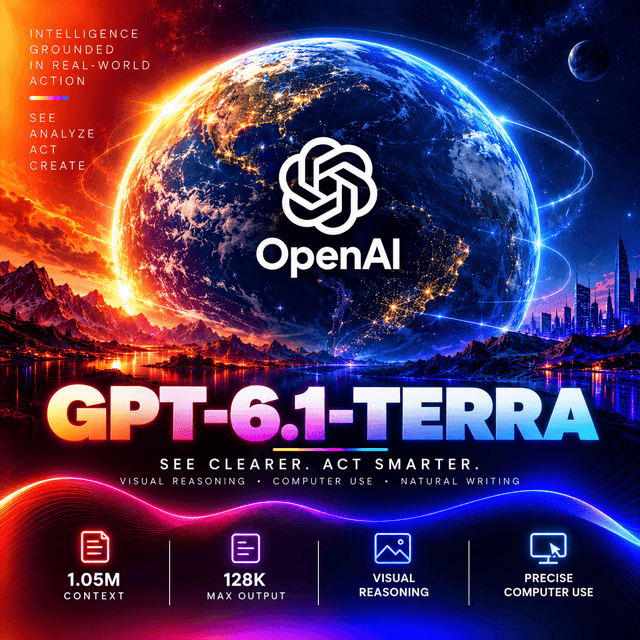
GPT-6.1 Terra is OpenAI's fast, efficient model for visual reasoning, precise computer use, and clear, natural writing — built for the routine professional work that makes up most of a day, while OpenAI keep the hardest problems for the tiers above it. It reads text and images, reasons across five effort levels from none to xhigh, and returns up to 128,000 tokens of output. Against the previous Terra, OpenAI report its error rate falling from 53.6 percent to 16.7 percent at low effort, and its Terminal-Bench 4.0 score more than doubling. Its knowledge runs to June 2026 — later than the tier above it.

Use gpt-6.1-terra in VS Code, Cursor and Antigravity
DEVUP Code, the DEVUP AI extension, is free to install. Requests are paid from your DEVUP balance.
GPT-6.1 Terra
A fast, efficient model for visual reasoning, precise computer use, and clear, natural writing.
Released 26 October 2026 — model page · system card
Built for Routine Professional Work
OpenAI position Terra for the everyday tasks that fill a working day — and say plainly where it stops.
Three capabilities are named together: visual reasoning, precise computer use, and clear, natural writing.
The use cases OpenAI list are concrete:
Matching product photos to catalogue entries.
Interpreting technical drawings.
Acting on application screens.
Drafting and revising text.
And the professional tests in the announcement go further — building 3D models from architectural drawings, and reviewing animated films to produce time-coded reports.
What OpenAI keep for the tiers above. For the most demanding coding work, OpenAI state that GPT-6.1 Sol and GPT-6 Astra remain the better options. Terra is the model for volume, speed, and breadth — not the ceiling.
Faster Than the Tiers Above It
OpenAI report Terra finishing tasks more than three times faster than GPT-6 Astra and GPT-6.1 Sol.
Which is the trade the tier is built on. A model that completes a routine task in a third of the time changes what is practical — an interactive assistant that answers while a person waits, an agent loop that finishes before someone checks on it.
And speed compounds on agent work. Every step of a long task is a round trip; a model three times faster per task is a session that ends in minutes rather than a quarter of an hour.
The Error Rate Fell Sharply
On an OpenAI internal accuracy evaluation:
| Model | Reasoning effort | Error rate |
|---|---|---|
| GPT-5.6 Terra | Low | 53.6% |
| GPT-6.1 Terra | Low | 16.7% |
| GPT-6.1 Terra | Highest | 4.3% |
At the lowest reasoning setting, the error rate is less than a third of its predecessor's.
And effort buys accuracy directly. Moving from low to the highest setting takes the error rate from 16.7% to 4.3% — which makes the effort setting a real accuracy dial rather than a cosmetic one.
Read it as OpenAI's own internal measure. The evaluation is not published in detail; it is a like-for-like comparison across OpenAI's own models, and the most useful thing it tells you is the direction and size of the change.
Reasoning: Five Levels, Including None
none · low · medium (default) · high · xhighnone turns reasoning off entirely — a direct answer with no deliberation pass. It is the only
setting that does; work with one correct answer — classification, extraction, formatting — runs here
without paying for reasoning.
That is worth noticing in this family. GPT-6.1 Sol, the tier above, does not accept none; Terra
does.
medium is the default, and reasoning runs unless you set none.
xhigh is the highest available level.
Reasoning is not returned as text. The response reports how many tokens deliberation used, but not the deliberation itself — so its cost is visible per request, and its content is not.
⚠️ Tool Calls Require Reasoning Off
When a request includes tools, set reasoning_effort to "none".
Tool calls and reasoning do not combine on this model. A request that sends tools with reasoning on
— including the default medium, which applies when no level is set — is rejected.
So an agent loop alternates settings by step. Steps that call tools run with reasoning off; a step that needs to think through results before deciding what to do next can run without tools, at the level it needs.
Benchmarks
Published by OpenAI against the previous Terra.
Agents' Last Exam. At medium reasoning effort, 15 percentage points higher than GPT-5.6 Terra.
Terminal-Bench 4.0. At OpenAI's highest reasoning setting, 50.3% of tasks solved — more than double GPT-5.6 Terra's published 21.5%.
MMMU-Pro (visual reasoning). Terra outperforms its predecessor at every reasoning setting — and at medium effort it surpasses the predecessor's best score.
Read the coding figure with OpenAI's own caveat. A doubling on Terminal-Bench 4.0 is a large gain for the tier, and OpenAI still recommend Sol and Astra for the hardest coding. The improvement makes Terra viable for more engineering work; it does not make it the ceiling.
The Window
| Context window | 1,050,000 tokens |
| Maximum output | 128,000 tokens |
128,000 tokens of output is enough for a complete long document, a substantial rewrite, or an extended reasoning pass in one response.
Reasoning shares the output budget. With reasoning on, part of max_tokens goes to deliberation
before the answer begins — check finish_reason.
Knowledge Runs to June 2026
Knowledge cutoff: 1 June 2026.
That is later than the tier above it. GPT-6.1 Sol's cutoff is 30 April 2026 — so Terra knows about a month more.
Which breaks the "higher tier, newer knowledge" assumption. On anything time-sensitive between those dates, the faster, lighter model is the better informed one.
It is still months back. Ground anything current rather than relying on recall.
Specifications
| Model ID | openai/gpt-6.1-terra |
| Context window | 1,050,000 tokens |
| Maximum output | 128,000 tokens |
| Reasoning | none, low, medium (default), high, xhigh |
| Reasoning quality | Highest |
| Speed | Fast |
| Input | Text, image |
| Output | Text |
| Audio | Not supported |
| Video | Not supported |
| Knowledge cutoff | 1 June 2026 |
| Fine-tuning | Not supported |
| Weights | Closed |
| Released | 26 October 2026 |
| Developer | OpenAI |
A single snapshot. gpt-6.1-terra is the only identifier — there is no dated checkpoint alongside
it, so behaviour changes arrive under the same name.
It carries the alignment improvements of the GPT-6 series, with details in the system card.
Capabilities
| Capability | Value |
|---|---|
input_types | text, image |
output_types | text |
context_window | 1048576 |
max_output_tokens | 128000 |
reasoning | none through xhigh — default medium |
reasoning_disable | Supported — reasoning_effort: "none" |
reasoning_text | Not returned — token count only |
reasoning_tokens | Reported |
streaming | Supported |
tool_calling | Supported — with reasoning_effort: "none" |
json_mode | Supported — json_object |
structured_output | Supported — json_schema |
audio | Not supported |
video | Not supported |
fine_tuning | Not supported |
requires_prompt | Yes — text prompt required, image optional |
Using GPT-6.1 Terra on DEVUP AI
Base URL: https://api.devupai.com/v1 · Model ID: openai/gpt-6.1-terra
Python
import os
from openai import OpenAI

client = OpenAI(
    api_key=os.environ["DEVUP_API_KEY"],
    base_url="https://api.devupai.com/v1",
)

response = client.chat.completions.create(
    model="openai/gpt-6.1-terra",
    messages=[
        {"role": "user", "content": "Hello world!"}
    ],
    max_tokens=1024,
)

print(response.choices[0].message.content)
Node.js
import DevupAI from "devupai";

const client = new DevupAI({
  apiKey: process.env.DEVUP_API_KEY,
});

async function main() {
  const response = await client.chat.completions.create({
    model: "openai/gpt-6.1-terra",
    messages: [{ role: "user", content: "Hello world!" }],
    max_tokens: 1024,
  });

  console.log(response.choices[0].message.content);
}

main();
cURL
curl -X POST "https://api.devupai.com/v1/chat/completions" \
  -H "Authorization: Bearer $DEVUP_API_KEY" \
  -H "Content-Type: application/json" \
  -d '{
    "model": "openai/gpt-6.1-terra",
    "messages": [
      { "role": "user", "content": "Hello world!" }
    ],
    "max_tokens": 1024
  }'
Choosing the Effort
LEVELS = ("none", "low", "medium", "high", "xhigh")


def ask(prompt: str, *, effort: str = "medium", want: int = 8192) -> str:
    """Send a request at an available reasoning level."""
    if effort not in LEVELS:
        raise ValueError(f"'{effort}' is not an available level — use one of {LEVELS}")

    response = client.chat.completions.create(
        model="openai/gpt-6.1-terra",
        messages=[{"role": "user", "content": prompt}],
        max_tokens=want,
        extra_body={"reasoning_effort": effort},
    )

    choice = response.choices[0]

    if choice.finish_reason == "length":
        raise ValueError(
            f"truncated at {response.usage.completion_tokens:,} tokens — "
            f"raise max_tokens or lower the effort from '{effort}'"
        )

    return choice.message.content
none for one-answer work. Classification, extraction, and formatting need no deliberation, and
Terra lets you skip it.
medium as the default. It is where OpenAI report Terra's largest gains over its predecessor.
xhigh when an error is expensive. It is the highest available level, and effort buys accuracy on
this model — the published error rate falls sharply as effort rises.
Reading the reasoning cost
usage = response.usage
details = getattr(usage, "completion_tokens_details", None)
reasoning_tokens = getattr(details, "reasoning_tokens", None)

print(f"reasoning: {reasoning_tokens} of {usage.completion_tokens} completion tokens")
The count is reported; the text is not. Use the count to see what each level costs on your own prompts.
Tool Calling
Set reasoning_effort to "none" on every request that includes tools.
import json

TOOLS = [
    {
        "type": "function",
        "function": {
            "name": "get_weather",
            "description": "Return current weather for a city.",
            "parameters": {
                "type": "object",
                "properties": {"city": {"type": "string"}},
                "required": ["city"],
            },
        },
    },
]

response = client.chat.completions.create(
    model="openai/gpt-6.1-terra",
    messages=[{"role": "user", "content": "What is the weather in Oran?"}],
    tools=TOOLS,
    tool_choice="required",
    max_tokens=1024,
    extra_body={"reasoning_effort": "none"},
)

for call in response.choices[0].message.tool_calls or []:
    try:
        arguments = json.loads(call.function.arguments or "{}")
    except json.JSONDecodeError as exc:
        raise ValueError(f"malformed arguments for {call.function.name}: {exc}") from exc
    print(call.function.name, arguments)
tool_choice="required" forces a call where a step must produce one.
Validate arguments before executing. A forced call is a call, not a correct one.
An agent loop that alternates settings
import json

HANDLERS = {"get_weather": get_weather}   # replace with your real, sandboxed handlers

session = [
    {"role": "system", "content": "Use the tools to gather facts, then answer plainly."},
    {"role": "user", "content": "Compare today's weather in Oran and Algiers."},
]

for step in range(20):
    response = client.chat.completions.create(
        model="openai/gpt-6.1-terra",
        messages=session,
        tools=TOOLS,
        max_tokens=2048,
        extra_body={"reasoning_effort": "none"},
    )

    message = response.choices[0].message
    session.append(message)

    if not message.tool_calls:
        break

    for call in message.tool_calls:
        handler = HANDLERS.get(call.function.name)
        if handler is None:
            outcome = {"error": "unknown tool", "name": call.function.name}
        else:
            try:
                outcome = handler(**json.loads(call.function.arguments or "{}"))
            except Exception as exc:
                outcome = {"error": type(exc).__name__, "detail": str(exc)}
        session.append({"role": "tool", "tool_call_id": call.id, "content": json.dumps(outcome)})

# Final synthesis — no tools, so reasoning can run.
final = client.chat.completions.create(
    model="openai/gpt-6.1-terra",
    messages=session + [{"role": "user", "content": "Now summarise the comparison."}],
    max_tokens=4096,
    extra_body={"reasoning_effort": "medium"},
)

print(final.choices[0].message.content)
Tool-calling steps run with reasoning off; the closing step drops the tools and reasons. That is the pattern this model's rules make natural — gather fast, then think once over everything gathered.
Matching Product Photos to a Catalogue
A use case OpenAI name directly.
import base64
from pathlib import Path

photo = base64.b64encode(Path("photo.jpg").read_bytes()).decode("utf-8")

CATALOGUE = """
SKU-1042 | Leather office chair, black, chrome base, fixed arms
SKU-1043 | Leather office chair, brown, wooden base, fixed arms
SKU-2210 | Mesh task chair, grey, adjustable arms, lumbar support
SKU-2211 | Mesh task chair, black, adjustable arms, headrest
"""

response = client.chat.completions.create(
    model="openai/gpt-6.1-terra",
    messages=[
        {
            "role": "user",
            "content": [
                {"type": "image_url", "image_url": {"url": f"data:image/jpeg;base64,{photo}"}},
                {
                    "type": "text",
                    "text": (
                        f"Catalogue:\n{CATALOGUE}\n"
                        "Which SKU matches the product in the photo? Name the visible features that "
                        "decided it. If two entries fit equally, name both and say what would "
                        "distinguish them. If none fits, say so."
                    ),
                },
            ],
        }
    ],
    max_tokens=4096,
    extra_body={"reasoning_effort": "low"},
)

print(response.choices[0].message.content)
"Name the visible features that decided it" makes the match checkable. A SKU with a reason can be verified at a glance; a SKU alone cannot.
The "if two fit" and "if none fits" clauses are what prevent a confident wrong match when the photo is ambiguous or the item is not in the catalogue.
Interpreting Technical Drawings
import base64
from pathlib import Path

drawing = base64.b64encode(Path("floorplan.png").read_bytes()).decode("utf-8")

response = client.chat.completions.create(
    model="openai/gpt-6.1-terra",
    messages=[
        {
            "role": "user",
            "content": [
                {"type": "image_url", "image_url": {"url": f"data:image/png;base64,{drawing}"}},
                {
                    "type": "text",
                    "text": (
                        "List every room with its labelled dimensions. Separate dimensions printed on "
                        "the drawing from dimensions you inferred from scale. Flag any dimension that "
                        "does not add up across a wall."
                    ),
                },
            ],
        }
    ],
    max_tokens=16_384,
    extra_body={"reasoning_effort": "high"},
)
Printed versus inferred is the distinction that keeps a drawing reading honest. A labelled dimension is transcription; a dimension read from scale is estimation.
"Flag any dimension that does not add up" turns reading into checking — the step where reasoning effort earns its tokens.
Send drawings at full resolution. Fine linework and small labels are the first things lost to downscaling.
Structured Output
import json

SCHEMA = {
    "name": "proposal_summary",
    "strict": True,
    "schema": {
        "type": "object",
        "properties": {
            "client": {"type": "string"},
            "deliverables": {"type": "array", "items": {"type": "string"}},
            "deadline": {"type": "string"},
            "open_questions": {"type": "array", "items": {"type": "string"}},
        },
        "required": ["client", "deliverables", "deadline", "open_questions"],
        "additionalProperties": False,
    },
}

response = client.chat.completions.create(
    model="openai/gpt-6.1-terra",
    messages=[
        {"role": "system", "content": "Summarise the proposal. Use an empty list where nothing applies."},
        {"role": "user", "content": proposal_text},
    ],
    response_format={"type": "json_schema", "json_schema": SCHEMA},
    max_tokens=4096,
    extra_body={"reasoning_effort": "none"},
)

data = json.loads(response.choices[0].message.content)
print(data["client"], data["deadline"])
A schema turns a summary into a contract — required keys, fixed types, nothing extra.
none effort for extraction against a schema. The work has one correct answer — and with reasoning
off, the whole max_tokens budget goes to the object itself.
json_object is available too, when you need valid JSON without a fixed shape.
Validate values before acting on them. A schema guarantees structure, not that the deadline was read correctly.
Clear, Natural Writing
The third capability OpenAI name, and the one most people use most often.
response = client.chat.completions.create(
    model="openai/gpt-6.1-terra",
    messages=[
        {
            "role": "system",
            "content": (
                "Revise the draft for clarity. Keep the author's meaning and voice. Cut repetition "
                "and filler. Do not add claims that are not in the draft. Return only the revised text."
            ),
        },
        {"role": "user", "content": draft},
    ],
    max_tokens=8192,
    extra_body={"reasoning_effort": "low"},
)

print(response.choices[0].message.content)
"Do not add claims that are not in the draft" is the instruction that matters in revision. A model asked to improve text will sometimes improve it with facts the author never wrote.
"Return only the revised text" removes the preamble that otherwise has to be stripped by hand.
Long-Form Generation
128,000 tokens of output in a single response.
response = client.chat.completions.create(
    model="openai/gpt-6.1-terra",
    messages=[
        {
            "role": "system",
            "content": (
                "Produce the complete document requested. Use headings. Do not stop early, do not "
                "summarise sections you have not written, and do not add meta-commentary."
            ),
        },
        {"role": "user", "content": f"{source_material}\n\nWrite the full proposal."},
    ],
    max_tokens=64_000,
    extra_body={"reasoning_effort": "medium"},
)

choice = response.choices[0]

if choice.finish_reason == "length":
    raise ValueError(f"reached {response.usage.completion_tokens:,} tokens without finishing")
One response keeps structure and terminology consistent in a way section-by-section generation struggles to.
The budget covers reasoning too — keep effort moderate on long generation, where most of the work is writing rather than deliberating.
Where It Fits
Routine professional work at speed — the tier OpenAI built for volume.
Visual reasoning — product photos, technical drawings, screenshots, charts.
Document work — proposals, summaries, revisions, and structured extraction.
Clear writing and revision, named as a core capability.
Interactive assistants, where finishing three times faster than the tiers above is the product.
Tool-driven workflows, with reasoning off on the steps that call tools.
Not for the most demanding coding. OpenAI recommend GPT-6.1 Sol and GPT-6 Astra for that.
Not for audio or video. Text and images in, text out.
Not for fine-tuning. It is not supported.
Practical Notes
Use none for classification, extraction, and formatting — and on every request that includes tools.
Start at medium; move to xhigh when an error is expensive.
Size max_tokens for reasoning plus answer when reasoning is on, and check finish_reason.
Read the reasoning token count to see what each level costs.
In agent loops, call tools with reasoning off, then reason once over the results without tools.
Ask for the visible features behind every visual match, and allow "none fits".
Separate printed values from inferred ones when reading drawings and documents.
Use a JSON schema for anything written to a system of record — and still validate values.
Tell revision prompts not to add claims.
Send images at full resolution.
Remember Terra's knowledge cutoff is later than Sol's.
Route the hardest coding to the tiers above.
Limitations
Tool calls require reasoning off. A request with tools and any reasoning level other than none is
rejected.
Five reasoning levels — none through xhigh.
Reasoning is not returned as text — only its token count is reported.
Not the ceiling for coding. OpenAI recommend GPT-6.1 Sol and GPT-6 Astra for the most demanding work.
Text and images only. Audio and video are not supported.
Fine-tuning is not supported.
Knowledge ends 1 June 2026. Later than the tier above, and still months back.
The error-rate figures come from an OpenAI internal evaluation, not a published benchmark.
Reasoning shares the output budget at every level above none.
Closed weights. API access only, with no architecture published and no self-hosted option.
A single snapshot. No dated checkpoint to pin against.


