 openai /
gpt-image-2
GPT Image 2 is OpenAI's flagship image model, and its defining change is that output size stopped being a menu. Rather than choosing from three fixed presets, you specify the dimensions you actually need — a 1920×1080 frame, a 2560×1440 banner, a tall portrait crop — with edges up to 3,840 pixels. Alongside that come real gains in the areas that decide whether a generated image is usable: text rendered inside the image, photorealistic surface detail, and faithfulness to long briefs with many clauses. Reference-based editing enables high-fidelity handling automatically, and mask support makes precise inpainting and outpainting possible rather than approximate.

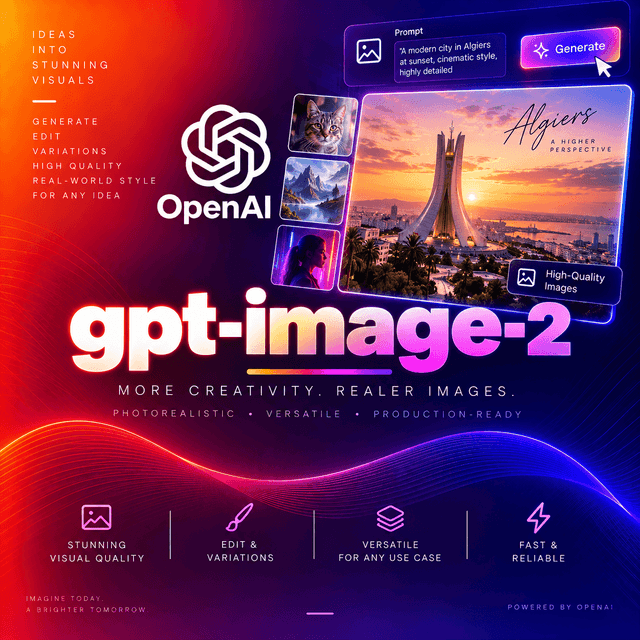
GPT Image 2
OpenAI's flagship image generation and editing model. Released April 2026, succeeding GPT Image 1.5.
Two Things That Break Code From Earlier Models
Read these before migrating anything.
Transparent backgrounds are not supported
Earlier GPT Image models accept background: "transparent" and return a PNG with an alpha channel.
This model does not. There is no background control.
If your pipeline generates cutout assets — product shots for compositing, icons, stickers, anything layered over a variable background — that capability lives in the earlier generation, not here. Keep those paths on the model that supports it, or add a background-removal step of your own.
This is the single most common surprise when moving to this model, and it fails at the point where someone looks at the output rather than at the point where the request is made.
input_fidelity errors rather than being ignored
Earlier models expose an input_fidelity control for reference-based editing. This model rejects
it.
The capability did not disappear — it became automatic. Reference edits enable high-fidelity handling on their own, with better identity, detail, and text retention than the manual setting produced. But a request carrying the parameter fails outright rather than quietly ignoring it.
Strip it from every call before you switch the model string.
Sizes Stopped Being a Menu
The largest functional change in this release.
Earlier models offered three fixed sizes: square, portrait, landscape, at fixed resolutions. Anything else meant generating at a preset and post-processing.
This model takes WIDTHxHEIGHT and generates it directly. Each edge may be up to 3,840
pixels.
Both width and height must be divisible by 16. A request for 1920x1080 is rejected:
Invalid size '1920x1080'. Width and height must both be divisible by 16.1080 is not a multiple of 16; 1088 is. That single adjustment is the difference between a working 16:9 request and an error.
{ "size": "1920x1088" }
{ "size": "2560x1440" }
{ "size": "1280x3840" }
A cinematic 16:9 frame, a desktop banner, a tall vertical crop — one call each, no upscaling stage, no cropping.
Additional constraints on aspect ratio and total pixel count are reported in secondary documentation rather than OpenAI's model page. Validate unusual dimensions against the current official reference before building a pipeline that assumes them.
Above 2K is experimental
OpenAI flags resolutions above 2K as experimental with mixed results. 4K is supported in the sense that the request succeeds; it is not supported in the sense that the output is reliably good.
For anything above 2K, test your specific use case rather than assuming. Generating at 2K or below and upscaling separately remains the more predictable route for large final assets.
Quality: Start Low
Three tiers — low, medium, high — and OpenAI's own guidance is to test low first.
That advice is worth following literally rather than treating as a cost disclaimer. Low quality preserves composition, framing, lighting direction, subject placement, and layout. What it costs you is fine detail. While you are still deciding whether the image is right, detail is the part you are not evaluating.
A working pattern:
Explore composition at low across several prompt variants. Pick the one that works. Render that one
at medium or high.
The gap between tiers is significant enough that iterating at high wastes most of what you spend —
and the composition you were choosing between was visible at low all along.
Note that cost scales with dimensions as well as quality on this model. A 3840×2160 image at
high and a 1024×1024 image at high are not comparable requests. Both dials matter.
What Improved
Three areas, per OpenAI's release material.
Text rendered inside images. The long-standing weak point of image generation, and the one that rules models out of signage, packaging, labels, mockups, and diagrams. This generation renders legible text more reliably than its predecessor.
Photorealistic surface detail. Materials read as materials — fabric weave, brushed metal, skin texture, condensation on glass.
Adherence to long multi-clause prompts. A brief with eight specific constraints produces an image satisfying eight specific constraints, rather than the three the model found most salient. This is what makes detailed briefing worth the effort here.
Editing
The model handles reference-based editing and multi-image work alongside generation, through the edits endpoint.
Reference edits take an existing image plus an instruction in plain language. High-fidelity
handling engages automatically — do not pass input_fidelity.
Mask support enables regional editing: supply a mask marking the area to change, and only that region is regenerated. This is what separates precise inpainting from "describe the whole image again and hope the rest survives."
Outpainting extends an image beyond its original frame, which is how you turn a square asset into a banner without cropping the subject.
The same size rule applies to edit output: both dimensions divisible by 16.
Specifications
| Model ID | openai/gpt-image-2 |
| Released | April 2026 |
| Input | Text, images |
| Output | Images |
| Size | Flexible — edges up to 3,840 pixels, both divisible by 16 |
| Quality | low, medium, high |
| Transparent background | Not supported |
input_fidelity | Not accepted — errors |
| Mask editing | Supported |
| Endpoint | /v1/images/generations · /v1/images/edits |
Nothing is published about the model's construction — no parameter count, no architecture, no training method, no weights.
Capabilities
| Capability | Value |
|---|---|
input_types | text, image |
output_types | image |
max_edge_pixels | 3840 |
size_divisor | 16 |
flexible_sizing | Supported |
quality_levels | low, medium, high |
transparent_background | Not supported |
image_editing | Supported |
mask_editing | Supported |
endpoint | /v1/images/generations, /v1/images/edits |
streaming | Not applicable |
deterministic | No |
requires_prompt | Yes |
Using It on DEVUP AI
Endpoints: POST https://api.devupai.com/v1/images/generations and
POST https://api.devupai.com/v1/images/edits
The response returns a signed URL in data[0].url, alongside a _devup object reporting the cost of
the request and your remaining balance.
The URL is valid for five minutes. Fetch the image within that window.
Allow a generous timeout. Generation takes considerably longer than a typical API call, and larger dimensions take longer still. A default HTTP client timeout will abort work the server is still doing.
Generate at a custom size — cURL
curl https://api.devupai.com/v1/images/generations \
  -H "Authorization: Bearer $DEVUP_API_KEY" \
  -H "Content-Type: application/json" \
  --max-time 300 \
  -d '{
    "model": "openai/gpt-image-2",
    "prompt": "A wide editorial photograph of a ceramics workshop at dusk. Rows of unfired pots on wooden shelves, warm light from a single window on the left, dust visible in the beam. Nothing else in frame.",
    "size": "1920x1088",
    "quality": "medium"
  }'
1920x1088 rather than 1920x1080 — both edges divisible by 16.
Generate and persist — Python
import os
import requests
from pathlib import Path

DEVUP_API_KEY = os.environ["DEVUP_API_KEY"]
ENDPOINT = "https://api.devupai.com/v1/images/generations"


def generate(prompt: str, *, size: str = "1024x1024", quality: str = "low") -> bytes:
    """Generate one image and return its bytes."""
    width, height = (int(value) for value in size.split("x"))
    if width % 16 or height % 16:
        raise ValueError(f"both dimensions must be divisible by 16, got {size}")

    response = requests.post(
        ENDPOINT,
        headers={
            "Authorization": f"Bearer {DEVUP_API_KEY}",
            "Content-Type": "application/json",
        },
        json={
            "model": "openai/gpt-image-2",
            "prompt": prompt,
            "size": size,
            "quality": quality,
        },
        timeout=300,
    )
    response.raise_for_status()
    result = response.json()

    spend = result.get("_devup", {})
    print(f"{size} @ {quality} — {spend.get('cost_dzd')} DZD, balance {spend.get('balance_dzd')}")

    # The URL is valid for five minutes.
    image = requests.get(result["data"][0]["url"], timeout=120)
    image.raise_for_status()
    return image.content


Path("workshop.png").write_bytes(
    generate(
        "A wide editorial photograph of a ceramics workshop at dusk. Rows of unfired pots on "
        "wooden shelves, warm light from a single window on the left, dust visible in the beam. "
        "Nothing else in frame.",
        size="1920x1088",
        quality="medium",
    )
)
The divisibility check runs before the request. Catching an invalid size locally costs nothing; discovering it from an error response costs a round trip and an unclear failure in a batch.
One image, many formats — Python
The workflow flexible sizing makes possible. Every dimension below is divisible by 16.
BRIEF = (
    "A single matte black water bottle standing upright, centred, on a pale grey seamless "
    "background. Soft even studio lighting from above and slightly front. A faint reflection "
    "beneath it. No text, no props, no other objects."
)

FORMATS = {
    "hero":   "1920x1088",   # site header, 16:9
    "square": "1024x1024",   # catalogue thumbnail
    "story":  "1088x1920",   # vertical social
    "banner": "2560x1440",   # wide display
}

for name, size in FORMATS.items():
    Path(f"bottle_{name}.png").write_bytes(generate(BRIEF, size=size, quality="medium"))
One brief, four native renders, no cropping and no upscaling. On earlier models this required generating at a preset and post-processing every variant, which introduced its own artefacts.
Note that each render is an independent generation — the four images will differ in detail, not only in framing. Where you need the same image at several sizes, generate once and resize, or use reference editing to hold the subject constant.
Editing with a mask — Python
EDIT_ENDPOINT = "https://api.devupai.com/v1/images/edits"

with open("storefront.png", "rb") as source, open("sign_mask.png", "rb") as mask:
    response = requests.post(
        EDIT_ENDPOINT,
        headers={"Authorization": f"Bearer {DEVUP_API_KEY}"},
        files={"image": source, "mask": mask},
        data={
            "model": "openai/gpt-image-2",
            "prompt": 'Replace the sign above the door with a hand-painted wooden board reading "ATLAS" in cream capitals.',
            "size": "1920x1088",
            "quality": "high",
        },
        timeout=300,
    )
response.raise_for_status()
result = response.json()

# The URL is valid for five minutes.
Path("storefront_edited.png").write_bytes(
    requests.get(result["data"][0]["url"], timeout=120).content
)
The mask confines regeneration to the marked region. Everything outside it survives untouched, which is the difference between changing a sign and regenerating a storefront that happens to have a different sign.
No input_fidelity here — passing it returns an error.
Iterate cheap, finish expensive — Python
VARIANTS = [
    "A ceramics workshop at dusk, shot from the doorway, shelves receding into shadow.",
    "A ceramics workshop at dusk, close on one shelf, pots filling the frame.",
    "A ceramics workshop at dusk, shot from above the worktable, hands absent, tools laid out.",
]

# Explore composition — small and low quality.
for index, prompt in enumerate(VARIANTS):
    Path(f"draft_{index}.png").write_bytes(generate(prompt, size="1024x1024", quality="low"))

# Render the winner at the size and quality you actually need.
Path("final.png").write_bytes(generate(VARIANTS[2], size="2560x1440", quality="high"))
Both dials move together here. A draft at 1024 square and low is a fraction of the cost of the same
prompt at 2560×1440 and high, and it answers the only question a draft needs to answer.
Node.js
npm install devupaiimport DevupAI from "devupai";
import { writeFile } from "node:fs/promises";
const client = new DevupAI({
apiKey: process.env.DEVUP_API_KEY,
});
const result = await client.images.generate({
model: "openai/gpt-image-2",
prompt:
"An overhead shot of a wooden desk with a leather notebook open to blank pages, " +
"a fountain pen beside it, morning light from the upper right. Nothing else in frame.",
size: "1920x1088",
quality: "medium",
});
// The URL is valid for five minutes.
const image = await fetch(result.data[0].url);
await writeFile("desk.png", Buffer.from(await image.arrayBuffer()));Writing for a Model That Follows Long Briefs
Prompt adherence improved specifically on long, multi-clause instructions — which changes what a good prompt looks like.
Write a scene description, not a style stack. "Premium, minimal, 8k, professional" describes a mood board. "A matte black bottle on pale grey seamless, lit softly from above, faint reflection beneath" describes a photograph the model can construct.
State the camera. Overhead, eye level, three-quarter, close crop, wide. Omit it and the framing varies run to run for no reason you can control.
State the light. Direction, quality, time of day. This contributes more to perceived realism than any adjective, and this generation renders surfaces well enough that lighting choices show.
Use exclusions. "Nothing else in frame", "no text", "no people", "plain background". Negative constraints are instructions this model actually follows.
Quote any text you want rendered and say it should appear exactly. Keep it short, place it explicitly, and proofread every character — text rendering improved, but long strings still accumulate errors.
Change one clause at a time when iterating. Rewriting the whole brief between attempts tells you nothing about which change mattered.
Practical Notes
Validate dimensions before sending. Both edges divisible by 16, neither above 3,840.
Fetch the image within five minutes of receiving the response.
Set a long client timeout. Generation is slow relative to text endpoints, and scales with output size.
Log _devup on every request. With cost scaling on two axes, the per-request figure is the number
worth tracking rather than assuming.
Strip input_fidelity from migrated code. It errors here.
Route transparency requirements elsewhere. No background control exists on this model.
Treat above-2K as unproven for your case until you have tested it on your own prompts.
Output is not reproducible. The same prompt run twice produces different images. Keep the file, not the prompt.
Rate-limit public paths in your own layer. Image generation is expensive per call and trivial to trigger repeatedly; a queue and a per-user cap cost nothing to add.
Moderate both directions. Filter prompts arriving from users, and review output before it reaches an audience.
Limitations
- No transparent background support. A capability present in earlier GPT Image models and absent here.
input_fidelityis rejected, not ignored. Remove it when migrating.- Both dimensions must be divisible by 16. Common video resolutions such as 1920×1080 are rejected outright.
- Above 2K is flagged experimental by OpenAI with mixed results. Test before relying on it.
- Not deterministic. Identical prompts produce different images.
- Text rendering improved but is not guaranteed. Short strings are reliable; long ones are not. Proofread.
- Constraints on aspect ratio and total pixel count are reported rather than confirmed in OpenAI's model documentation. Validate unusual dimensions first.
- Generation is slow relative to text endpoints, scaling with output size. Plan timeouts and user experience accordingly.
- Signed URLs are valid for five minutes.
- Nothing is published about the model internals — no parameter count, architecture, or weights.
- Moderation is your responsibility. Filter inputs on public paths and review output before publishing.


