 openai /
gpt-image-2.5-flare
GPT Image 2.5 Flare is OpenAI's fastest model for high-quality image generation and editing, delivering better images than GPT Image 2 at up to half the latency. The gains land specifically in editing: independent leaderboards place it clearly ahead on image editing while the text-to-image gap is narrower. It changes only what you name — swap a product, a colour, a background, and the lighting and composition around it stay as they were — and earlier changes hold across a chain of edits instead of drifting. It handles complex layouts and transparent backgrounds, generates at custom dimensions up to 3,840 pixels, and offers six quality settings.

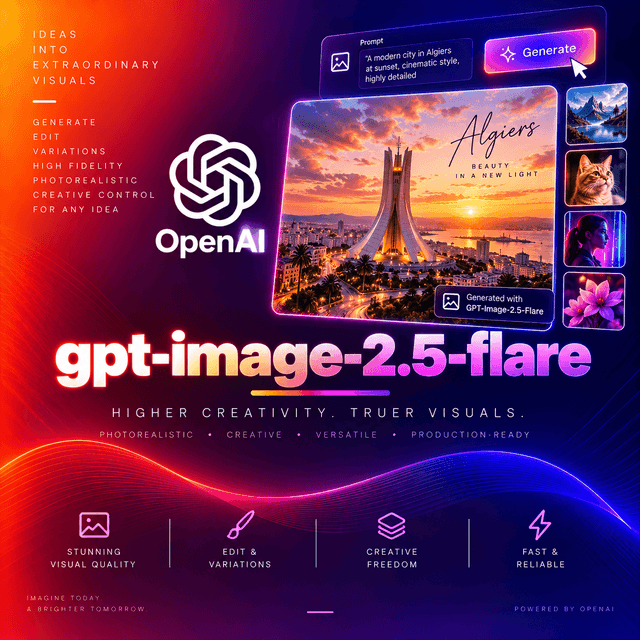
GPT Image 2.5 Flare
OpenAI's fastest model for high-quality image generation and editing, and the default choice in its family.
The Gains Are in Editing
This decides whether the model is worth choosing, so it belongs first.
From the September 2026 human-preference arena snapshot:
| Text to image | Image editing | |
|---|---|---|
| This model | 1399 (±13) | 1491 (±9) |
| The precision tier in the same family | 1421 (±13) | 1520 (±9) |
| Previous generation (medium) | 1381 (±4) | 1461 (±3) |
Thirty points ahead of the previous generation on editing; eighteen on text-to-image, with wider error bars that overlap.
If your workload is one-shot generation, the previous generation is closer than the headline suggests. If it involves editing, this is a real step.
OpenAI's own claim is higher image quality than the previous generation at up to 50% lower latency — which is why this is positioned as the default rather than the economy option.
Changing One Thing and Keeping the Rest
The capability those editing scores describe.
Regenerating an image to alter one detail gives you a different image. The prompt shifts, the model composes again, and the version somebody already approved does not come back.
This model changes what you name and holds the rest: composition, lighting, subject, and the treatment around the edit stay as they were.
Edits also chain. Feed each result back as the next source and earlier changes persist rather than degrading. The familiar failure — where the fifth instruction has drifted visibly from the first and the subject no longer looks like itself — is what this release addresses.
That is the difference between an editing session and a sequence of gambles.
Reference subjects carry too. Faces and products moved into new backgrounds and styles keep their distinguishing features and natural lighting.
Six Quality Levels
low · medium · high · xhigh · max · auto
Two of these sit above where the previous generation stopped. They exist for detail fine enough to be inspected closely — small text on a label, fine print on packaging, dense texture in a printed asset.
Quality affects both cost and generation time.
Start at low. Composition, framing, lighting direction, and layout are all visible there, and
those are the only things a draft needs to answer. Step up once the image is right, not while you are
deciding whether it is.
Test the step up on one image before committing a batch. Generate the same prompt at high and
at max, put them side by side, and decide whether you can see the difference. That settles a
pipeline decision in five minutes.
Sizes
Four separate constraints. A request failing any one of them is rejected.
| Range | 480 to 3,840 pixels per edge |
| Step | 16 — both dimensions must be divisible by 16 |
| Aspect ratio | Between 1:3 and 3:1 |
| Total pixels | Up to 8,294,400 |
| Maximum resolution | 3840×2160 |
| Experimental above | 2560×1440 |
The divisibility rule catches people most often. 1920x1080 fails because 1080 is not a multiple of
16; 1088 is.
Resolutions above 2560×1440 are marked experimental by OpenAI. The request succeeds; the output is not guaranteed to hold up. Test your own case before depending on it.
Standard presets are also available, including 1024x1024, 1536x1024, 1024x1536, and
3840x2160.
Reference Images and Masks
Up to sixteen reference images on an edit — enough to hold a subject, a style, a palette, and a set of props at once.
Mask support for inpainting, with one constraint that matters: a mask requires exactly one reference image. Masked editing and multi-reference editing are separate modes, not a combination.
White areas of the mask are replaced; everything outside is preserved.
Transparent Backgrounds
background takes auto, opaque, or transparent.
Transparent output requires a format carrying an alpha channel — PNG or WebP. JPEG has none.
If you shelved a cutout pipeline when the previous generation dropped this capability, it works here.
Specifications
| Model ID | openai/gpt-image-2.5-flare |
| Announced | September 2026 |
| Input | Text, images |
| Output | Images |
| Size range | 480–3,840 pixels per edge, in steps of 16 |
| Aspect ratio | 1:3 to 3:1 |
| Maximum resolution | 3840×2160 |
| Quality | low, medium, high, xhigh, max, auto |
| Background | auto, opaque, transparent |
| Reference images | Up to 16 |
| Mask | Supported — requires exactly one reference image |
| Endpoint | /v1/images/generations · /v1/images/edits |
Nothing is published about the model's construction — no parameter count, no architecture, no training method, no weights.
Capabilities
| Capability | Value |
|---|---|
input_types | text, image |
output_types | image |
min_edge_pixels | 480 |
max_edge_pixels | 3840 |
size_divisor | 16 |
max_total_pixels | 8294400 |
aspect_ratio_range | 1:3 to 3:1 |
quality_levels | low, medium, high, xhigh, max, auto |
background | auto, opaque, transparent |
max_reference_images | 16 |
mask_editing | Supported — one reference image only |
endpoint | /v1/images/generations, /v1/images/edits |
streaming | Not applicable |
deterministic | No |
requires_prompt | Yes |
Using It on DEVUP AI
Endpoints: POST https://api.devupai.com/v1/images/generations and
POST https://api.devupai.com/v1/images/edits
The response returns a signed URL in data[0].url alongside a _devup object carrying the request
cost and your remaining balance.
The URL is valid for five minutes. Fetch the image within that window.
Set a generous client timeout. Lower latency for an image model is still slow relative to a text endpoint, and larger dimensions take longer.
Generate — cURL
curl https://api.devupai.com/v1/images/generations \
  -H "Authorization: Bearer $DEVUP_API_KEY" \
  -H "Content-Type: application/json" \
  --max-time 300 \
  -d '{
    "model": "openai/gpt-image-2.5-flare",
    "prompt": "A wide editorial photograph of a ceramics workshop at dusk. Rows of unfired pots on wooden shelves, warm light from a single window on the left, dust visible in the beam. Nothing else in frame.",
    "size": "1920x1088",
    "quality": "medium"
  }'
1920x1088 rather than 1920x1080 — both edges divisible by 16.
Validating a request before sending — Python
Four size rules and six quality levels are enough to be worth checking locally.
import os
import requests
from pathlib import Path

DEVUP_API_KEY = os.environ["DEVUP_API_KEY"]
GENERATE = "https://api.devupai.com/v1/images/generations"

QUALITY_LEVELS = {"low", "medium", "high", "xhigh", "max", "auto"}
MAX_TOTAL_PIXELS = 8_294_400


def check_size(size: str) -> None:
    """Reject dimensions that violate any of the model's four size constraints."""
    width, height = (int(value) for value in size.split("x"))

    for edge in (width, height):
        if not 480 <= edge <= 3840:
            raise ValueError(f"each edge must be between 480 and 3840, got {size}")
        if edge % 16:
            raise ValueError(f"each edge must be divisible by 16, got {size}")

    if width * height > MAX_TOTAL_PIXELS:
        raise ValueError(f"total pixels exceed {MAX_TOTAL_PIXELS:,}, got {size}")

    ratio = max(width / height, height / width)
    if ratio > 3:
        raise ValueError(f"aspect ratio must fall between 1:3 and 3:1, got {size}")


def generate(prompt: str, *, size: str = "1024x1024", quality: str = "low", **extra) -> bytes:
    """Generate one image and return its bytes."""
    if quality not in QUALITY_LEVELS:
        raise ValueError(f"quality must be one of {sorted(QUALITY_LEVELS)}, got {quality!r}")
    check_size(size)

    response = requests.post(
        GENERATE,
        headers={
            "Authorization": f"Bearer {DEVUP_API_KEY}",
            "Content-Type": "application/json",
        },
        json={"model": "openai/gpt-image-2.5-flare", "prompt": prompt, "size": size, "quality": quality, **extra},
        timeout=300,
    )
    response.raise_for_status()
    result = response.json()

    spend = result.get("_devup", {})
    print(f"{size} @ {quality} — {spend.get('cost_dzd')} DZD, balance {spend.get('balance_dzd')}")

    # The URL is valid for five minutes.
    image = requests.get(result["data"][0]["url"], timeout=120)
    image.raise_for_status()
    return image.content


Path("workshop.png").write_bytes(
    generate(
        "A wide editorial photograph of a ceramics workshop at dusk. Rows of unfired pots on "
        "wooden shelves, warm light from a single window on the left, dust visible in the beam. "
        "Nothing else in frame.",
        size="1920x1088",
        quality="medium",
    )
)
Each check names the constraint it caught. A rejection from your own code tells you which of four rules you broke; an error response does not always.
Transparent cutout — Python
Path("bottle_cutout.png").write_bytes(
    generate(
        "A single matte black water bottle standing upright, three-quarter view, even soft "
        "lighting, no shadow on the ground, no reflection.",
        size="1024x1024",
        quality="high",
        background="transparent",
        output_format="png",
    )
)
Excluding the ground shadow is deliberate. A shadow baked into a transparent PNG travels with the object onto every background you composite it against, and looks wrong on most of them.
A chain of edits — Python
The workflow this model exists for.
EDIT = "https://api.devupai.com/v1/images/edits"


def edit(image_path: Path, instruction: str, *, size: str = "1024x1024", quality: str = "high") -> bytes:
    """Apply one instruction to an existing image and return the result."""
    check_size(size)

    with image_path.open("rb") as source:
        response = requests.post(
            EDIT,
            headers={"Authorization": f"Bearer {DEVUP_API_KEY}"},
            files={"image": source},
            data={
                "model": "openai/gpt-image-2.5-flare",
                "prompt": instruction,
                "size": size,
                "quality": quality,
            },
            timeout=300,
        )
    response.raise_for_status()
    result = response.json()

    # The URL is valid for five minutes.
    return requests.get(result["data"][0]["url"], timeout=120).content


current = Path("scene_00.png")

instructions = [
    "Change only the jacket colour to forest green. Keep everything else identical.",
    "Add a small leather bag on the bench beside the subject, lower right.",
    "Warm the light slightly and soften the shadow on the wall. Change nothing else.",
]

for step, instruction in enumerate(instructions, start=1):
    output = Path(f"scene_{step:02d}.png")
    output.write_bytes(edit(current, instruction))
    current = output
Each step edits the output of the previous one. Holding the subject and composition steady across the chain is the specific improvement in this release.
Name what stays, not only what changes. "Change only the jacket colour, keep everything else identical" performs better than "make the jacket green" — the instruction to preserve is as actionable as the instruction to alter.
Restate rather than chain when a change is structural. Chaining suits incremental art direction. A fundamentally different composition is a new generation, not the eighth link in a chain.
Masked editing — Python
with open("storefront.png", "rb") as source, open("sign_mask.png", "rb") as mask:
    response = requests.post(
        EDIT,
        headers={"Authorization": f"Bearer {DEVUP_API_KEY}"},
        files={"image": source, "mask": mask},
        data={
            "model": "openai/gpt-image-2.5-flare",
            "prompt": 'A hand-painted wooden board reading "ATLAS" in cream capitals.',
            "size": "1920x1088",
            "quality": "max",
        },
        timeout=300,
    )
response.raise_for_status()
result = response.json()

# The URL is valid for five minutes.
Path("storefront_edited.png").write_bytes(
    requests.get(result["data"][0]["url"], timeout=120).content
)
Exactly one reference image when a mask is present. Masked editing and multi-reference editing are separate modes.
max quality here because the edit contains text small enough to be read.
Multi-reference generation — Python
Where sixteen references earn their place.
references = [
    "subject_front.png",
    "subject_profile.png",
    "palette_swatch.png",
    "prop_bag.png",
    "set_reference.png",
]

files = [("images", open(path, "rb")) for path in references]

try:
    response = requests.post(
        EDIT,
        headers={"Authorization": f"Bearer {DEVUP_API_KEY}"},
        files=files,
        data={
            "model": "openai/gpt-image-2.5-flare",
            "prompt": (
                "Place the subject from the first two references in the setting shown in the last "
                "reference, carrying the bag from the fourth. Match the colour palette of the third. "
                "Keep the subject's features and the natural lighting consistent with the references."
            ),
            "size": "1536x1024",
            "quality": "high",
        },
        timeout=300,
    )
    response.raise_for_status()
    result = response.json()
finally:
    for _, handle in files:
        handle.close()

Path("composed.png").write_bytes(
    requests.get(result["data"][0]["url"], timeout=120).content
)
Refer to references by position in the prompt. "The first two references", "the third" — the linkage between a reference and its role is expressed in language, not in the request structure.
No mask here. A mask would restrict this to a single reference.
Node.js
npm install devupaiimport DevupAI from "devupai";
import { writeFile } from "node:fs/promises";
const client = new DevupAI({
apiKey: process.env.DEVUP_API_KEY,
});
const result = await client.images.generate({
model: "openai/gpt-image-2.5-flare",
prompt:
"An overhead shot of a wooden desk with a leather notebook open to blank pages, " +
"a fountain pen beside it, morning light from the upper right. Nothing else in frame.",
size: "1920x1088",
quality: "medium",
});
// The URL is valid for five minutes.
const image = await fetch(result.data[0].url);
await writeFile("desk.png", Buffer.from(await image.arrayBuffer()));What It Was Built For
OpenAI positions this as the default for most applications:
Creator and social content, where volume and turnaround decide throughput.
Product experiences, where one approved asset becomes many variations without re-approving the subject each time.
Visual search, where latency is the product.
Rapid prototyping — concept exploration, mood boards, poster drafts, character sketches, scene mockups. Faster generation means more attempts per unit of attention, and image work improves mostly through attempts.
High-volume generation, where halved latency is the difference between an overnight job and an afternoon one.
Prompting
Describe a photograph, not a concept. "A matte black bottle on pale grey seamless, lit softly from above" gives the model a scene. "Premium minimal product branding" gives it nothing to place in frame.
Name the camera position. Overhead, eye level, three-quarter, close crop. Without it, framing varies between runs for no reason you control.
Specify the light. Direction, softness, time of day. Nothing else contributes as much to whether an image reads as real, and this generation renders lighting well enough that the choice shows.
Use exclusions. "Nothing else in frame", "no text", "no people". Negative constraints work.
Quote text exactly and say it should appear verbatim. Keep it short, place it explicitly, and proofread every character.
On edits, say what to preserve. The instruction to keep things identical does real work here.
Refer to references by position when supplying several.
Change one clause at a time when iterating. Rewriting the whole brief between attempts tells you nothing about which change produced the difference.
Practical Notes
Validate all four size rules and the quality level before sending. Range, divisibility, total pixels, aspect ratio, and six accepted quality values.
Fetch the image within five minutes of receiving the response.
Log _devup on every request. Cost moves with both quality and dimensions; the per-request figure
is the number worth recording.
Chain edits from the output, not the original. The stability across a sequence is the point of this model.
A mask means one reference image. Combining masked and multi-reference editing is not supported.
Transparent output needs PNG or WebP. JPEG has no alpha channel.
Output is not reproducible. The same prompt run twice produces different images. Keep the file.
Rate-limit public paths in your own layer. Image generation is expensive per call and trivial to trigger repeatedly.
Moderate both directions. Filter prompts arriving from users, and review output before it reaches an audience.
Choosing Within the Family
This model is the default: fast, high quality, and the right answer for most applications.
The precision tier trades generation time for tighter control on detail-rich work. It leads by about thirty points on editing and twenty on text-to-image — though the text-to-image gap sits inside overlapping confidence intervals while the editing lead does not.
A workable split: explore and iterate here, direct and finish there.
Measure on your own workload. A latency improvement on one kind of image does not establish a fixed improvement on another.
Limitations
- Not deterministic. Identical prompts produce different images.
- Generation gains are narrower than editing gains. For one-shot text-to-image, the previous generation is closer than the headline latency figure suggests.
- Four size constraints, any of which rejects a request: range, divisibility by 16, total pixels, and aspect ratio.
- Above 2560×1440 is marked experimental by OpenAI. Test before depending on it.
- A mask restricts you to one reference image.
- Text rendering is strong, not guaranteed. Proofread every character, particularly at small sizes.
xhighandmaxare narrow improvements. They address fine detail specifically; on images without it they add cost and time for nothing visible.- Chaining suits incremental changes. A structurally different composition is a new generation.
- Generation is slow relative to text endpoints, even at reduced latency.
- Signed URLs are valid for five minutes.
- Nothing is published about the model internals — no parameter count, architecture, or weights.
- Moderation is your responsibility. Filter inputs on public paths and review output before publishing.


