 PrunaAI /
p-video
- 7 DZD / second for 720p
- 14 DZD / second for 1080p
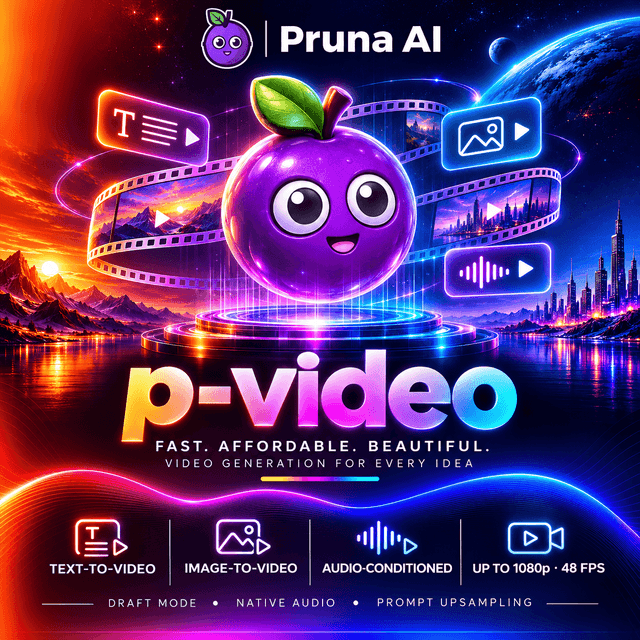
Fast, affordable video generation from text or a first-frame image. Up to 1080p at 48 fps, 1 to 10 seconds per clip, in seven aspect ratios from vertical 9:16 to widescreen 16:9. Built by Pruna AI for rapid creative iteration and production at volume.
- Duration
- 1–10 s, default 5 s
- Aspect ratio
- 16:9 · 9:16 · 4:3 · 3:4 · 3:2 · 2:3 · 1:1, default 16:9
- Frame rate
- 24 · 48 fps, default 24 fps
- Seed
- 0 to 2147483647
- First frame image
- Optional
P-Video

P-Video is Pruna AI's performance video model: high-quality video from a text prompt or a first-frame image, generated in seconds. Pruna measures a 5-second clip generated in about 9 seconds, which makes P-Video one of the fastest ways to go from an idea to a finished shot, and the natural engine for previews, iteration and video at volume.
It renders in 720p or 1080p, at 24 or 48 fps, from 1 to 10 seconds, in seven aspect ratios from vertical 9:16 to widescreen 16:9.
PrunaAI/p-video |  |  |
Vertical 9:16 example generations featured on Pruna's P-Video page.
At a glance
| Developer | Pruna AI |
| Tasks | Text-to-video and image-to-video |
| Input | A text prompt; optionally a first-frame image |
| Output | An MP4 video |
| Speed | About 9 s to generate a 5-second clip (Pruna's measurement) |
| Aspect ratios | 16:9 · 9:16 · 1:1 · 4:3 · 3:4 · 3:2 · 2:3 |
| Resolutions | 720p · 1080p |
| Default resolution | 720p |
| Clip length | 1 to 10 seconds, any whole number (default 5) |
| Frame rates | 24 · 48 fps (default 24) |
| Prompt upsampling | On: short prompts are enriched automatically |
| Reproducibility | seed |
| License | LTX-2 Community License |
Why P-Video
- Seconds, not minutes. A 5-second clip in about 9 seconds of generation: fast enough to try ten ideas in the time other models take for one.
- Built for iteration. Explore prompts, framings and timings quickly, then keep the shot that works.
- Every placement. Seven aspect ratios cover Reels and TikTok (9:16), the feed (1:1 and 3:4), YouTube and TV (16:9), presentations (4:3) and editorial or Pinterest formats (3:2 and 2:3).
- Exact length. Any whole number of seconds from 1 to 10: a 3-second loop, a 7-second product turn or a 10-second scene, without padding.
- Smooth motion when it matters. 48 fps for fast action, sports and slow-motion editing.
- Start from your own image. Animate a product photo, a character or a key visual from the first frame.
- Short prompts that still work. Prompt upsampling enriches a brief prompt with detail before generation.
Resolutions and aspect ratios
Each request selects one output resolution with resolution and one shape with aspect_ratio. Without them, the video is generated in 720p, 16:9.
resolution | Use it for |
|---|---|
720p | The default: previews, social clips, iteration at volume |
1080p | Finished clips and large screens |
aspect_ratio | Shape | Made for |
|---|---|---|
16:9 | Widescreen | YouTube, websites, presentations, TV and most ad placements |
9:16 | Vertical | Instagram Reels, YouTube Shorts, TikTok and Stories |
1:1 | Square | Instagram and Facebook feed posts, carousels, marketplace listings |
4:3 | Classic landscape | Presentations, tablets, a classic TV look |
3:4 | Classic portrait | Portrait feed posts, product pages |
3:2 | Photographic landscape | Website hero banners, editorial looks |
2:3 | Photographic portrait | Pinterest, posters and covers |
Every aspect ratio is available at both resolutions. Values are case-insensitive. The price depends on the resolution you choose, not on the aspect ratio; the current rates are shown at the top of this page.
Video options
Every option is optional. An option you leave out takes its default.
| Option | Values | Default | What it does |
|---|---|---|---|
resolution | 720p, 1080p | 720p | Output resolution |
aspect_ratio | 16:9, 9:16, 1:1, 4:3, 3:4, 3:2, 2:3 | 16:9 | The shape of the frame |
duration | any whole number from 1 to 10 | 5 | Clip length in seconds |
fps | 24, 48 | 24 | Frames per second |
seed | an integer from 0 to 2147483647 | random | Repeat a result: the same seed with the same request gives a similar video |
image | an image | none | The first frame (image-to-video) |
Every length works at every resolution, frame rate and aspect ratio.
A request with every option
{
  "model": "PrunaAI/p-video",
  "prompt": "A barista slides a cup of cappuccino across a marble counter toward the camera. Latte art in the shape of a leaf, soft morning light through the café window, shallow depth of field.",
  "resolution": "1080p",
  "aspect_ratio": "9:16",
  "duration": 7,
  "fps": 24,
  "seed": 1234,
  "image": "https://example.com/cafe-counter.jpg"
}
Choosing the length
duration | Works well for |
|---|---|
1 to 3 | Loops, cinemagraphs, transitions and quick reactions |
4 to 6 | One clear action: a product turn, a pour, a gesture |
7 to 10 | A short scene with a beginning and an end |
Frame rate
- 24 fps: the cinematic standard, and the default.
- 48 fps: smoother motion for fast action, sports and slow-motion editing.
Prompt upsampling
Before generation, your prompt is expanded with additional visual detail. This gives richer results from short prompts. Long, precise prompts are still followed: the more you specify (camera, light, action), the less is left to the expansion.
Image-to-video
Send image to use your own picture as the first frame: the model animates from it.
| You send | You get |
|---|---|
prompt | A video generated from the text alone |
prompt + image | A video that starts on your image |

An example first frame from Pruna's prompt guide, with the prompt "A photorealistic shot of a knight walking through a medieval village, then entering a castle gate". Source: Pruna AI.
Each image can be sent as:
- an
https://URL; - a data URI:
data:image/png;base64,...,data:image/jpeg;base64,...ordata:image/webp;base64,...; - a file, in a
multipart/form-datafield namedimage.
Requirements
- PNG, JPEG or WebP, at most 10 MB and at most 4096 pixels on a side. The type is read from the image itself, not from its name.
- The whole request body can be at most 10 MiB. A data URI is about a third larger than the image, so send large images as a URL.
- Images are kept only for the request and deleted afterwards.
Getting the best result
- With an image, the video follows the shape of your image. Crop the image to the aspect ratio you want before sending it: a portrait image for Reels and TikTok, a square one for the feed.
- Describe the motion, not the picture. The model already sees the frame; tell it what moves, how the camera moves, and what happens next.
Quick start
Text-to-video (cURL)
curl -X POST 'https://api.devupai.com/v1/video/generations' \
  -H "Authorization: Bearer $DEVUP_API_KEY" \
  -H "Content-Type: application/json" \
  -d '{
    "model": "PrunaAI/p-video",
    "prompt": "A red vintage car drives along a coastal road at sunset, the camera tracking alongside. Waves break on the rocks below, warm golden light.",
    "resolution": "720p",
    "duration": 5
  }'
A vertical clip for Reels and Shorts (cURL)
curl -X POST 'https://api.devupai.com/v1/video/generations' \
  -H "Authorization: Bearer $DEVUP_API_KEY" \
  -H "Content-Type: application/json" \
  -d '{
    "model": "PrunaAI/p-video",
    "prompt": "A street food vendor in Algiers flips a sizzling msemen on a hot griddle. Steam rises in the evening light, the street glowing behind him.",
    "resolution": "1080p",
    "aspect_ratio": "9:16",
    "duration": 8
  }'
Image-to-video (Python)
import os
import requests

response = requests.post(
    "https://api.devupai.com/v1/video/generations",
    headers={
        "Authorization": f"Bearer {os.environ['DEVUP_API_KEY']}",
        "Content-Type": "application/json",
    },
    json={
        "model": "PrunaAI/p-video",
        "prompt": (
            "The sneaker slowly turns on a white studio floor as soft light "
            "sweeps across the leather. The camera pushes in on the logo."
        ),
        "image": "https://example.com/sneaker.png",
        "resolution": "1080p",
        "duration": 6,
    },
    timeout=600,
)

result = response.json()
if response.status_code != 200:
    raise RuntimeError(result["error"]["message"])

video_url = result["data"][0]["url"]
with open("sneaker.mp4", "wb") as f:
    f.write(requests.get(video_url, timeout=120).content)

print(result["_devup"])
Many variations, fast (JavaScript, Node.js)
P-Video's speed makes it the right engine for exploring several versions of an idea. The example runs three seeds of the same prompt in parallel and keeps every result:
import { writeFile } from "node:fs/promises";

const prompt =
  "A ceramic coffee cup on a wooden table, steam curling up in the morning light. " +
  "The camera slowly pushes in.";

async function generate(seed) {
  const response = await fetch("https://api.devupai.com/v1/video/generations", {
    method: "POST",
    headers: {
      Authorization: `Bearer ${process.env.DEVUP_API_KEY}`,
      "Content-Type": "application/json",
    },
    body: JSON.stringify({
      model: "PrunaAI/p-video",
      prompt,
      resolution: "720p",
      aspect_ratio: "1:1",
      duration: 4,
      seed,
    }),
  });

  const result = await response.json();
  if (!response.ok) throw new Error(result.error.message);

  const video = await fetch(result.data[0].url);
  await writeFile(`coffee-${seed}.mp4`, Buffer.from(await video.arrayBuffer()));
  return result._devup;
}

const results = await Promise.all([11, 22, 33].map(generate));
console.log(results);
Keep the seed of the version you like, then render it again at 1080p with the same prompt.
Uploading the image as a file (cURL, multipart)
curl -X POST 'https://api.devupai.com/v1/video/generations' \
  -H "Authorization: Bearer $DEVUP_API_KEY" \
  -F model="PrunaAI/p-video" \
  -F prompt="The handbag slowly rotates on a velvet stand. Soft light glides across the leather." \
  -F image=@handbag.png \
  -F resolution="720p" \
  -F duration="5"
In a multipart request, every option is sent as a text field and read the same way as in JSON.
Response
{
  "data": [
    {
      "url": "<video-url>"
    }
  ],
  "_devup": {
    "cost_dzd": "<cost_dzd>",
    "balance_dzd": "<balance_dzd>",
    "request_id": "req_<id>"
  }
}data[0].urlis a signed link to the MP4. It expires 5 minutes after the response, so download the file right away rather than storing the link.- Send
"response_format": "b64_json"to receive the video Base64-encoded indata[0].b64_jsoninstead of a link. A video larger than 20 MB is returned as a link instead, with a note in_devup.note. _devup.cost_dzdis what the request cost,_devup.balance_dzdyour remaining balance, and_devup.request_idthe id to quote to support.
Billing
- You are billed per second of video actually generated, at the rate of the resolution you chose.
- Your balance must cover the length you request before the generation starts.
- Aspect ratio, frame rate, seed and images do not change the price.
- Explore at 720p. Find the shot at the lower resolution, then render the keeper at 1080p with the same prompt and seed.
Errors
Every option is checked before anything is generated. A value the model does not accept returns HTTP 400 with the code invalid_value, the message lists what is available, and nothing is charged.
A resolution the model does not offer:
{
  "error": {
    "message": "`4k` is not available for this model. Available: `720p`, `1080p`.",
    "type": "devup_error",
    "code": "invalid_value"
  }
}
A duration outside 1 to 10, an aspect_ratio or fps the model does not offer, or an image that cannot be used (wrong type, too large, unreachable) also returns HTTP 400 invalid_value, and the message names the field and what to send.
A request your balance cannot cover returns HTTP 402 before anything is generated, and before any image is downloaded.
Full reference: Text-to-video → Video options, Image to video, Output resolution and Errors.
Writing prompts that work
Describe the scene the way a director would brief a camera operator.
- Subject and action first. Who or what is in the frame, and what they do: a knight walks through a medieval village, then enters the castle gate.
- Name the camera. Tracking shot, slow push-in, static wide, handheld close-up.
- Describe the light and the look. Golden hour, soft overcast light, neon reflections on wet asphalt, photorealistic.
- One scene per clip. With 1 to 10 seconds, one location and one continuous action give the cleanest result.
- Match the action to the length. A 3-second clip holds one gesture; a 10-second clip can hold a short sequence.
- With an image, describe what happens next. The first frame sets the look; the prompt sets the motion.
Example
A photorealistic tracking shot of a fisherman pulling a net onto a small wooden boat at dawn. Mist over the calm sea, the first sunlight catching the water droplets.
More guidance: Pruna's P-Video documentation.
A production workflow
- Explore at 720p, 3 to 5 seconds. Try many prompts, framings and seeds in parallel; P-Video's speed is made for this.
- Pick the winner. Keep its prompt and
seed. - Lock the first frame. When the shot depends on a product or a key visual, switch to image-to-video with your own image, cropped to the target aspect ratio.
- Set the length and the frame rate. Choose the exact
durationthe edit needs, and 48 fps for fast motion. - Render the final at 1080p. Same prompt, same seed, higher resolution.
- Deliver. Download the MP4 within 5 minutes, or use
b64_json.
Benchmarks
Speed
| Measurement | Result | Source |
|---|---|---|
| Time to generate a 5-second clip | 9.3 s | Pruna AI documentation |
Pruna describes P-Video as delivering "high quality video generation in less than 10 seconds". Generation time on DEVUP AI also includes the transfer of the finished video, and varies with resolution, length and load.
P-Video is built for speed and volume. For the highest visual fidelity, longer single shots or audio generated with the picture, see the LTX and Wan 3.0 models in the catalog.
About the model
P-Video is developed by Pruna AI, a company specialized in making AI models faster and more efficient. Pruna presents P-Video as its performance video model: "fast, high-quality AI video generation from text and images", designed for rapid creative iteration and production workflows. It is released under the LTX-2 Community License.
▶ Watch an example P-Video generation
Best use cases
- Rapid concepting: many variations of an idea in minutes, before committing to a final render.
- Social content at volume: vertical and square clips for Reels, Shorts, TikTok and the feed.
- E-commerce: animate product photos into short clips for listings and ads.
- Loops and transitions: 1 to 3-second clips for cinemagraphs, intros and scene transitions.
- Prototyping video features: a fast, affordable engine while you build and test your own application.
Limitations
- 10 seconds maximum per generation, and 1080p maximum resolution.
- With an image, the shape follows the image: crop it to the aspect ratio you want first.
- Audio input (video driven by an audio track) and draft mode are not available on DEVUP AI yet.
- Prompt upsampling is always on. Very short prompts are enriched; write a detailed prompt when you need exact control.
- Generative video models can reflect societal biases and produce inappropriate content. Review prompts and outputs before publishing.


