 Pixverse /
Pixverse-6-I2V
- 12.25 DZD / second for 360p
- 15.75 DZD / second for 540p
- 21 DZD / second for 720p
- 40.25 DZD / second for 1080p
- × 0.79 without audio
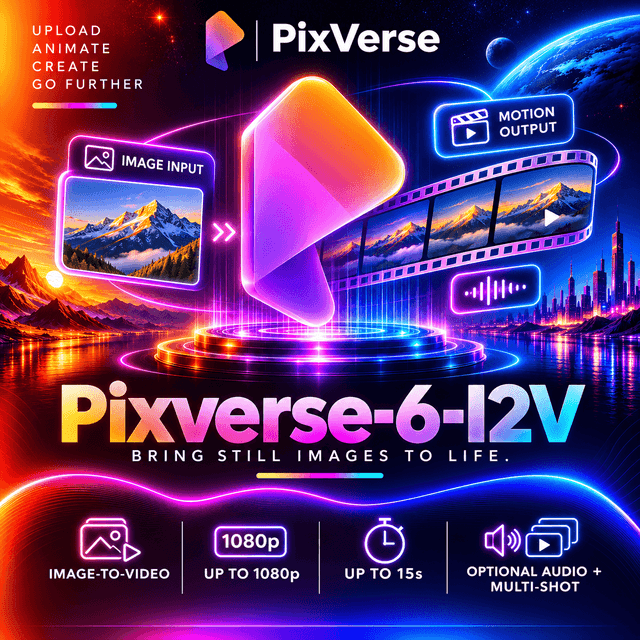
PixVerse V6 brings a still image to life: your picture becomes the first frame of a clip of up to 15 seconds, from 360p to 1080p, with native audio (dialogue, sound effects and ambient sound generated with the picture). The video follows the shape of your image, and an audio switch lowers the price when you bring your own soundtrack.
- Duration
- 1–15 s, default 5 s
- Audio
- With or without audio, default with audio
- Seed
- 0 to 2147483647
- Negative prompt
- Up to 2048 characters
- First frame image
- Required
PixVerse V6 · Image-to-Video

"V6 delivers complex scenes with coherent motion and consistent detail." Source: PixVerse.
PixVerse V6 Image-to-Video brings a still image to life. Send a picture and a prompt, and the sixth generation of PixVerse's video model animates it into a clip of up to 15 seconds, from 360p to 1080p, with native audio: dialogue, sound effects and ambient sound generated together with the picture.
Your image is the first frame, exactly as you designed it: a product photo, a character, an illustration or a key visual. The model adds the motion, the camera and the sound.
Pixverse/Pixverse-6-I2VAt a glance
| Developer | PixVerse |
| Model | PixVerse V6 |
| Task | Image-to-video, with native audio |
| Input | A first-frame image (required, PNG or JPEG) and a text prompt, up to 5,000 characters |
| Output | An MP4 video, with or without audio |
| Aspect ratio | Follows your image |
| Resolutions | 360p · 540p · 720p · 1080p |
| Default | 720p, 5 seconds, audio on |
| Clip length | 1 to 15 seconds, any whole number |
| Audio | Dialogue, sound effects and ambient sound; on by default, can be turned off |
| Negative prompt | Supported, up to 2,048 characters |
| Reproducibility | seed |
Why PixVerse V6 Image-to-Video
- Your image, in motion. The first frame is exactly the picture you send. Nothing is redrawn from a description: the product, the character and the composition stay as designed.
- Sound that makes it feel finished. Dialogue, sound effects and ambient sound are generated with the frames, so the clip comes out close to final instead of silent.
- Up to 15 seconds at every resolution. Even at 1080p, one generation can hold a complete short idea.
- Four resolutions, one model. Draft at 360p, review at 540p, publish at 720p or deliver at 1080p.
- Pay only for what you need. Turn the audio off when you will add your own soundtrack, and the price per second drops.
- Better physics and emotion. PixVerse reports more realistic physical interactions between objects, more accurate camera movement, and character emotion that holds across frames more reliably than in previous releases.
Resolutions and aspect ratio
Each request selects one output resolution with resolution. Without it, the video is generated in 720p.
resolution | Use it for |
|---|---|
360p | The fastest, lowest-cost drafts and motion tests |
540p | Previews and reviews |
720p | The default: social clips and most online use |
1080p | Finished clips, large screens and client delivery |
Values are case-insensitive. The price depends on the resolution and on whether audio is on; the current rates are shown at the top of this page.
The shape follows your image
There is no aspect_ratio option on this model: the video takes its shape from your image. A landscape image gives a landscape video, a portrait image a vertical one. For example, a 1632 × 937 image (about 16:9) at 360p gives a 640 × 360 video.
Crop your image to the shape you want before sending it: 9:16 for Reels and TikTok, 1:1 for the feed, 16:9 for YouTube.
Video options
image is required. Every other option is optional, and an option you leave out takes its default.
| Option | Values | Default | What it does |
|---|---|---|---|
image | a PNG or JPEG image | required | The first frame |
resolution | 360p, 540p, 720p, 1080p | 720p | Output resolution |
duration | any whole number from 1 to 15 | 5 | Clip length in seconds |
generate_audio | true, false | true | Generate the audio track, or return a silent video at a lower price |
negative_prompt | text, up to 2,048 characters | none | What the video should avoid |
seed | an integer from 0 to 2147483647 | random | Repeat a result: the same seed with the same request gives a similar video |
Every length works at every resolution.
A request with every option
{
  "model": "Pixverse/Pixverse-6-I2V",
  "prompt": "The perfume bottle slowly turns on the marble pedestal as soft light sweeps across the glass and catches the gold cap. A quiet, elegant piano melody.",
  "image": "https://example.com/perfume-bottle.png",
  "resolution": "1080p",
  "duration": 8,
  "generate_audio": true,
  "negative_prompt": "blurry, distorted label, extra objects, text, watermark",
  "seed": 2026
}
Choosing the length
duration | Works well for |
|---|---|
1 to 3 | Living photos, loops, logo stings and quick transitions |
4 to 8 | One clear action: a product turn, a gesture, a reveal |
9 to 15 | A short scene with a beginning, a middle and an end, with dialogue or music |
Audio
With generate_audio on (the default), the video comes with dialogue, sound effects and ambient sound generated from your prompt. Write the sound into the prompt: what the character says, what objects sound like, the music and the atmosphere.
Send "generate_audio": false when you will add music or a voice-over yourself. The video then has no audio track, and the price per second is lower.
Negative prompt
List what the video should avoid, separated by commas: blurry, distorted label, extra objects, text, watermark. On product images, it helps keep logos and labels clean.
The image
Requirements
- PNG or JPEG, at most 10 MB and at most 4096 pixels on a side. WebP is not accepted on this model. The type is read from the image itself, not from its name.
- Send it as an
https://URL, as a data URI (data:image/png;base64,...ordata:image/jpeg;base64,...), or as a file in amultipart/form-datafield namedimage. - The image is kept only for the request and deleted afterwards.
Getting the best result
- Crop to the target shape first. The video follows your image.
- Use a sharp image at least as large as the resolution you ask for: for 1080p, a short side of 1080 pixels or more.
- Describe the motion, not the picture. The model already sees the frame; tell it what moves, how the camera moves, and what we hear.
- Keep the subject clear. One main subject with some space around it animates more cleanly than a crowded frame.
Quick start
Video generation is synchronous: one request can keep the connection open for several minutes. Set a long client timeout (the examples use 15 minutes).
cURL
curl -X POST 'https://api.devupai.com/v1/video/generations' \
  -H "Authorization: Bearer $DEVUP_API_KEY" \
  -H "Content-Type: application/json" \
  --max-time 900 \
  -d '{
    "model": "Pixverse/Pixverse-6-I2V",
    "prompt": "The sneaker slowly rotates on the white studio floor as soft light glides across the leather. The camera pushes in on the logo. A soft whoosh.",
    "image": "https://example.com/sneaker.png",
    "resolution": "1080p",
    "duration": 6
  }'
A talking character from an illustration (Python)
import os
import requests

response = requests.post(
    "https://api.devupai.com/v1/video/generations",
    headers={
        "Authorization": f"Bearer {os.environ['DEVUP_API_KEY']}",
        "Content-Type": "application/json",
    },
    json={
        "model": "Pixverse/Pixverse-6-I2V",
        "prompt": (
            "The friendly robot waves at the camera and says: \"Welcome to our store!\" "
            "Its eyes light up, a soft electronic chime, cheerful background music."
        ),
        "image": "https://example.com/robot-mascot.png",
        "resolution": "720p",
        "duration": 6,
    },
    timeout=900,  # generation is synchronous and can take several minutes
)

result = response.json()
if response.status_code != 200:
    raise RuntimeError(result["error"]["message"])

# Download right away: the link expires 5 minutes after the response.
video_url = result["data"][0]["url"]
with open("mascot.mp4", "wb") as f:
    f.write(requests.get(video_url, timeout=120).content)

print(result["_devup"])
A silent product loop (JavaScript, Node.js)
import { writeFile } from "node:fs/promises";

const response = await fetch("https://api.devupai.com/v1/video/generations", {
  method: "POST",
  headers: {
    Authorization: `Bearer ${process.env.DEVUP_API_KEY}`,
    "Content-Type": "application/json",
  },
  body: JSON.stringify({
    model: "Pixverse/Pixverse-6-I2V",
    prompt: "Steam rises gently from the cup of coffee as morning light shifts across the table.",
    image: "https://example.com/coffee-square.jpg",
    resolution: "1080p",
    duration: 4,
    generate_audio: false, // silent video, lower price per second
  }),
  signal: AbortSignal.timeout(900_000), // synchronous generation: minutes, not seconds
});

const result = await response.json();
if (!response.ok) throw new Error(result.error.message);

const video = await fetch(result.data[0].url);
await writeFile("coffee-loop.mp4", Buffer.from(await video.arrayBuffer()));

console.log(result._devup);
Uploading the image as a file (cURL, multipart)
curl -X POST 'https://api.devupai.com/v1/video/generations' \
  -H "Authorization: Bearer $DEVUP_API_KEY" \
  --max-time 900 \
  -F model="Pixverse/Pixverse-6-I2V" \
  -F prompt="The handbag slowly rotates on a velvet stand. Soft light glides across the leather." \
  -F image=@handbag.jpg \
  -F resolution="540p" \
  -F duration="5"
In a multipart request, every option is sent as a text field and read the same way as in JSON.
Response
{
  "data": [
    {
      "url": "<video-url>"
    }
  ],
  "_devup": {
    "cost_dzd": "<cost_dzd>",
    "balance_dzd": "<balance_dzd>",
    "request_id": "req_<id>"
  }
}data[0].urlis a signed link to the MP4. It expires 5 minutes after the response, so download the file right away rather than storing the link._devup.cost_dzdis what the request cost,_devup.balance_dzdyour remaining balance, and_devup.request_idthe id to quote to support.
Receiving the video inline
Send "response_format": "b64_json" to receive the video Base64-encoded in data[0].b64_json. Only "url" and "b64_json" are accepted. A video larger than 20 MB is returned as a link instead, with a note in _devup.note; long 1080p clips often exceed 20 MB, so handle both shapes.
Billing
- You are billed per second of video actually generated, at the rate of the resolution you chose.
- Audio off costs less. With
"generate_audio": false, the rate per second is lower at every resolution. - Your balance must cover the length you request before the generation starts.
- The image, negative prompt and seed do not change the price.
- Explore at 360p or 540p. Find the motion cheaply, then render the final at 720p or 1080p with the same image, prompt and seed.
Errors
Every option and the image are checked before anything is generated. A request the model cannot take returns HTTP 400, and nothing is charged.
A request without an image returns missing_required_parameter:
{
  "error": {
    "message": "This model needs `image` (the first frame).",
    "type": "devup_error",
    "code": "missing_required_parameter"
  }
}
An image in a format the model does not take, such as WebP, returns invalid_value:
{
  "error": {
    "message": "`image` must be PNG or JPEG on this model.",
    "type": "devup_error",
    "code": "invalid_value"
  }
}
A resolution the model does not offer:
{
  "error": {
    "message": "`4k` is not available for this model. Available: `360p`, `540p`, `720p`, `1080p`.",
    "type": "devup_error",
    "code": "invalid_value"
  }
}
A duration outside 1 to 15, or an image that cannot be used (too large, unreachable), also returns HTTP 400 invalid_value, and the message names the field and what to send. An aspect_ratio returns HTTP 400 unsupported_parameter: the video follows the image.
A request your balance cannot cover returns HTTP 402 before anything is generated, and before the image is downloaded.
Full reference: Text-to-video → Video options, Image to video and Errors.
Writing prompts that work
- Start from the image. It is the first frame; describe what happens next.
- Describe the motion. What moves, how fast, in which direction: steam rises slowly, the robot waves, the fabric ripples in the wind.
- Name the camera. Slow push-in, orbit around the product, static shot, tilt up.
- Write the sound. Quote dialogue exactly, in quotation marks, and describe effects and ambience.
- Keep it consistent with the picture. Don't describe objects or colors that are not in the image; the model starts from what it sees.
- Protect what matters. On product shots, use the negative prompt to keep labels and logos clean.
Example
The friendly robot waves at the camera and says: "Welcome to our store!" Its eyes light up blue, a soft electronic chime, cheerful background music. Static shot.
A production workflow
- Prepare the image. Crop it to the target shape and export it as PNG or JPEG.
- Explore at 360p, 3 to 5 seconds. Test the motion and the camera cheaply, with several seeds.
- Fix the seed. Keep the
seedof the version you like and refine the prompt around it. - Decide on audio. Keep it on for a finished clip with sound; turn it off when you will add music or a voice-over, and pay less.
- Render the final at 720p or 1080p. Same image, same prompt, same seed.
- Deliver. Download the MP4 within 5 minutes, or use
b64_jsonand handle the link fallback.
About the model
PixVerse is a video generation company founded in 2023, which reports more than 100 million creators and enterprises using its products in 175 countries. It launched V6 on 30 March 2026, presenting it as a step forward in physical realism, camera accuracy, character emotion and native audio.

"V6 turns imagination into cinematic reality." Source: PixVerse.
PixVerse has not published the architecture, parameter count or a technical report for V6.
Source: PixVerse Launches V6.
Best use cases
- E-commerce: animate product photos into short clips for listings, stories and ads.
- Mascots and characters: make an illustration wave, talk and react, with a voice.
- Living photos: subtle motion on portraits, landscapes and posters for social posts.
- Ads from key visuals: turn an approved campaign visual into a 5 to 15-second spot.
- Silent loops: product and atmosphere loops for websites and displays, at a lower price.
Limitations
- A first-frame image is required. For video from a prompt alone, see PixVerse V6 Text-to-Video.
- PNG or JPEG only. Convert WebP images before sending them.
- No aspect ratio option: the video follows the image. Crop it first.
- 15 seconds maximum per generation, and 1080p maximum resolution.
- One continuous clip per request. Multi-shot generation is not available on DEVUP AI yet.
- Generated dialogue may not be exact. Check spoken words and lip movement before publishing.
- Only use images you have the right to use, and review outputs before publishing: animating a recognizable person can make them appear to say or do things they never did.


