 Wan-AI /
Wan2.6-Image-Edit
Wan 2.6 Image Edit changes what you name and leaves the rest of the picture alone — lighting, colour, objects, materials, style, all directed in natural language while composition and subject structure hold. It accepts up to four reference images and addresses them by position in the prompt, so a single request can take a face from one image, a garment from another, and a setting from a third. It also renders text inside the image it produces, which is what separates a usable poster or packaging mockup from an approximate one. Output can mix text and images together rather than returning a picture alone.

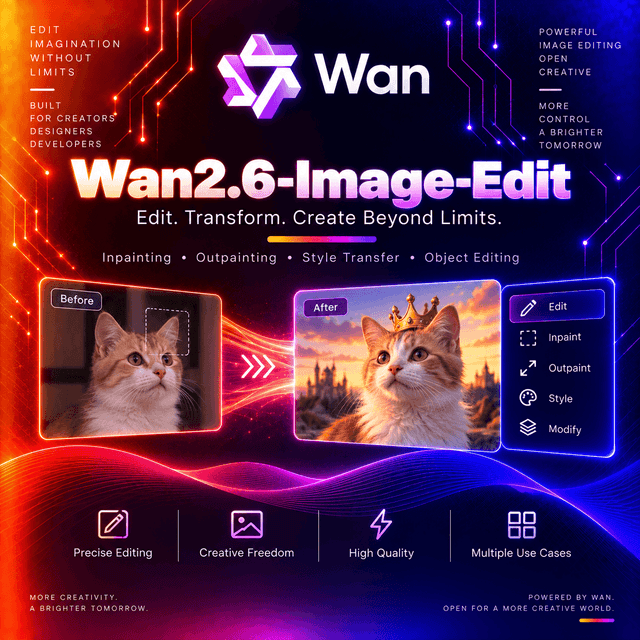
Wan 2.6 Image Edit
Upload an image, describe the change in plain language, and get back the same picture with that one thing different.
Structure Holds, Content Changes
The design goal: preserve layout and subject structure while applying high-quality updates from natural language.
That is the hard part of image editing and the reason most attempts fail. Ask a generation model to change a jacket colour and you frequently get a different photograph of a similar jacket — new pose, new framing, new lighting. The version someone already approved does not come back.
What this model keeps: composition, subject structure, and everything you did not mention.
What it changes on request: lighting, colour, objects, materials, mood, and artistic style.
A practical consequence. Name what stays as well as what changes. "Change only the jacket to forest green, keep everything else identical" outperforms "make the jacket green" — the instruction to preserve is as actionable as the instruction to alter.
Four Reference Images, Addressed by Position
The capability that separates this from single-image editing.
Up to four reference images per request, and they are referred to by position inside the prompt rather than through request structure.
The documented pattern: a base character description, followed by "appearance is based on reference image 1", then the garment and props described separately.
What that enables: a face from one image, clothing from another, a setting from a third, and a prop from a fourth — composed into one output by describing which contributes what.
Two habits follow.
Number your references explicitly in the prompt. The model has no other way to know which image is which; the ordering you send is the ordering you address.
Keep a base description separate from the reference assignments. A fixed character description reused across variations, with the reference roles changing around it. That is how you get a consistent subject across a series rather than four unrelated images.
It Writes Text Into the Picture
The model generates corresponding text content when creating images.
That capability is the difference between a usable mockup and a placeholder. Signage, packaging, labels, posters, interface elements — all of them contain words, and a model that renders letter-shaped marks instead of letters cannot produce any of them.
Two things to do about it.
Quote the text exactly in your prompt and state that it should appear verbatim.
Proofread every character before anything is published. Rendering text is a capability, not a guarantee, and a misspelled brand name in a mockup is worse than no text at all.
Mixed Output: Text and Images Together
An unusual response shape worth building around rather than against.
The model supports mixed text and image output. The response returns a content array whose
entries carry a type — an image entry holds a URL, and a separate text field sits alongside it.
Why that matters for your parser. This is not an endpoint that returns one picture. Code written to read a single image URL will work until the day the model returns a text entry alongside it, and then it will not.
Read the content array by entry type, the way you would with a multimodal chat response, rather than indexing into a fixed position.
⚠️ The Request Format Changed in This Generation
It breaks code written for the previous version.
| Generation | Image goes in | Prompt goes in |
|---|---|---|
| This one | messages[].content[].image | messages[].content[].text |
| Previous | input.images array | input.prompt |
This generation uses the messages format — the same shape a chat model uses, with image and text as entries in a content array. The previous generation used a flat input object with separate arrays.
If you are migrating from the earlier model, that is not a parameter rename. It is a different request body.
Specifications
| Model ID | Wan-AI/Wan2.6-Image-Edit |
| Task | Image to image — editing |
| Parameters | ~20B |
| Reference images | Up to 4 |
| Text rendering | Supported |
| Output | Images, optionally mixed with text |
| Output size | Configurable |
| Prompt expansion | Optional, on demand |
| LoRA support | Not supported |
| Seed control | Not available |
| Developer | Alibaba |
Capabilities
| Capability | Value |
|---|---|
input_types | image, text |
output_types | image, text |
max_reference_images | 4 |
text_rendering | Supported |
mixed_output | Supported |
prompt_expansion | Optional |
lora_support | Not supported |
seed | Not available |
endpoint | /v1/images/generations |
deterministic | No |
requires_prompt | Yes — source image and instruction required |
⚠️ No Seed Means No Reproducibility
The constraint that shapes how you use this model in production, and it is easy to miss.
There is no seed parameter. The same source image and the same prompt produce a different result every run, and there is no way to regenerate an output you liked.
Three consequences.
Keep the file. The output is the artefact — the prompt is not a recipe you can re-run to recover it.
Iteration is generate-and-choose, not refine-and-reproduce. Produce several, pick one, save it. Comparing two prompts is harder without a fixed seed, because the difference you see mixes your edit with sampling variance.
Chain edits from the saved file, not from a regenerated one. If a sequence of changes matters, each step's output is the only input to the next.
For workflows that require reproducibility, a model with seed support is the correct choice — there are several in this catalogue.
Prompt Expansion
An optional setting worth understanding before you enable it.
Automatic prompt enrichment expands a short instruction into a more detailed one before generation. Useful when you want more detail than you specified and do not want to write it.
It also introduces variance you did not author. A prompt that gets expanded differently between runs produces differences you did not ask for, on a model that already has no seed to hold anything steady.
Leave it off for production work where the prompt is the specification. Turn it on for exploration, where extra detail is the point.
Using Wan 2.6 Image Edit on DEVUP AI
Endpoint: POST https://api.devupai.com/v1/images/generations
The response returns a signed URL in data[0].url alongside a _devup object carrying the request
cost and your remaining balance. The URL is valid for 300 seconds — fetch the bytes on arrival
rather than storing the link.
Python
import urllib.request
from openai import OpenAI

client = OpenAI(
    api_key="$DEVUP_API_KEY",
    base_url="https://api.devupai.com/v1",
)

response = client.images.generate(
    model="Wan-AI/Wan2.6-Image-Edit",
    prompt="A photo of an astronaut riding a horse on Mars.",
    size="1024x1024",
    n=1,
)

image_url = response.data[0].url
with urllib.request.urlopen(image_url) as res:
    image_bytes = res.read()

with open("output.png", "wb") as f:
    f.write(image_bytes)
Node.js
import DevupAI from "devupai";
import { writeFile } from "node:fs/promises";

const client = new DevupAI({
  apiKey: process.env.DEVUP_API_KEY,
});

const response = await client.images.generate({
  model: "Wan-AI/Wan2.6-Image-Edit",
  prompt: "A photo of an astronaut riding a horse on Mars.",
  size: "1024x1024",
  n: 1,
});

const image = await fetch(response.data[0].url);
await writeFile("output.png", Buffer.from(await image.arrayBuffer()));
cURL
curl -X POST "https://api.devupai.com/v1/images/generations" \
  -H "Authorization: Bearer $DEVUP_API_KEY" \
  -H "Content-Type: application/json" \
  -d '{
    "model": "Wan-AI/Wan2.6-Image-Edit",
    "prompt": "A photo of an astronaut riding a horse on Mars.",
    "size": "1024x1024",
    "n": 1
  }'
Writing Edit Instructions
The model responds to a different prompt shape than a text-to-image model does, because the picture already exists.
Name what changes and what stays. "Replace the background with a pale grey studio backdrop. Keep the subject, lighting, and framing exactly as they are." The second sentence does as much work as the first.
Be specific about the change, not the scene. The source image carries the scene. Describing it again wastes the instruction; describing the delta uses it.
Number your references when supplying more than one, and say what each contributes.
Quote text exactly when you want words rendered, and say they should appear verbatim.
Change one thing per request when a result matters. Bundling four edits into one prompt makes it impossible to tell which instruction produced an unwanted side effect — and with no seed, you cannot isolate it by re-running.
Building a Series From One Subject
The workflow the multi-reference support exists for.
Write a fixed base description — the subject's age, features, hair, general demeanour. This stays identical across every request in the series.
Vary the reference assignments and the styling around it. Different garments, different settings, different props, with the base description unchanged.
That pattern is how you produce a coherent set — a character across scenes, a product across contexts, a spokesperson across campaign variants — rather than a collection of similar-looking images.
With no seed, consistency comes from the prompt and the references, not from the sampler. Which makes the base description load-bearing rather than decorative.
Where It Fits
Product imagery variations — one approved shot, many backgrounds, colours, and contexts.
Character and campaign consistency, using a fixed base description with varied reference assignments.
Style and material reinterpretation, which the model handles from concise prompts.
Mockups containing text — packaging, signage, posters, interface elements — with the proofreading caveat.
Multi-reference composition, taking elements from up to four sources into one output.
Not for generation from nothing. This model edits; text-to-image is a sibling model in the same family.
Not for reproducible pipelines. No seed, no regeneration.
Practical Notes
Name what stays, not only what changes.
Number references explicitly in the prompt.
Keep prompt expansion off for production work.
Save every output you intend to keep — there is no way to regenerate it.
Chain edits from saved files.
Proofread rendered text character by character.
Parse the response by entry type rather than assuming a single image.
Limitations
No seed and no reproducibility. The same input produces a different output every run.
No LoRA support. Style adaptation happens through prompting and references rather than adapters.
Requires a source image. Generation from a text prompt alone is a different model.
Text rendering is a capability, not a guarantee. Proofread before publishing.
The request format changed in this generation. Code written against the previous version does not transfer.
Mixed text-and-image output means a parser reading a single image URL will eventually break.
Signed URLs expire after 300 seconds.
Apply your own moderation. Filter source images and prompts on public paths, and review output before publishing — particularly where a recognisable person or a brand mark appears in the source.


