How to Use Claude Code from Algeria and Pay in Dinars
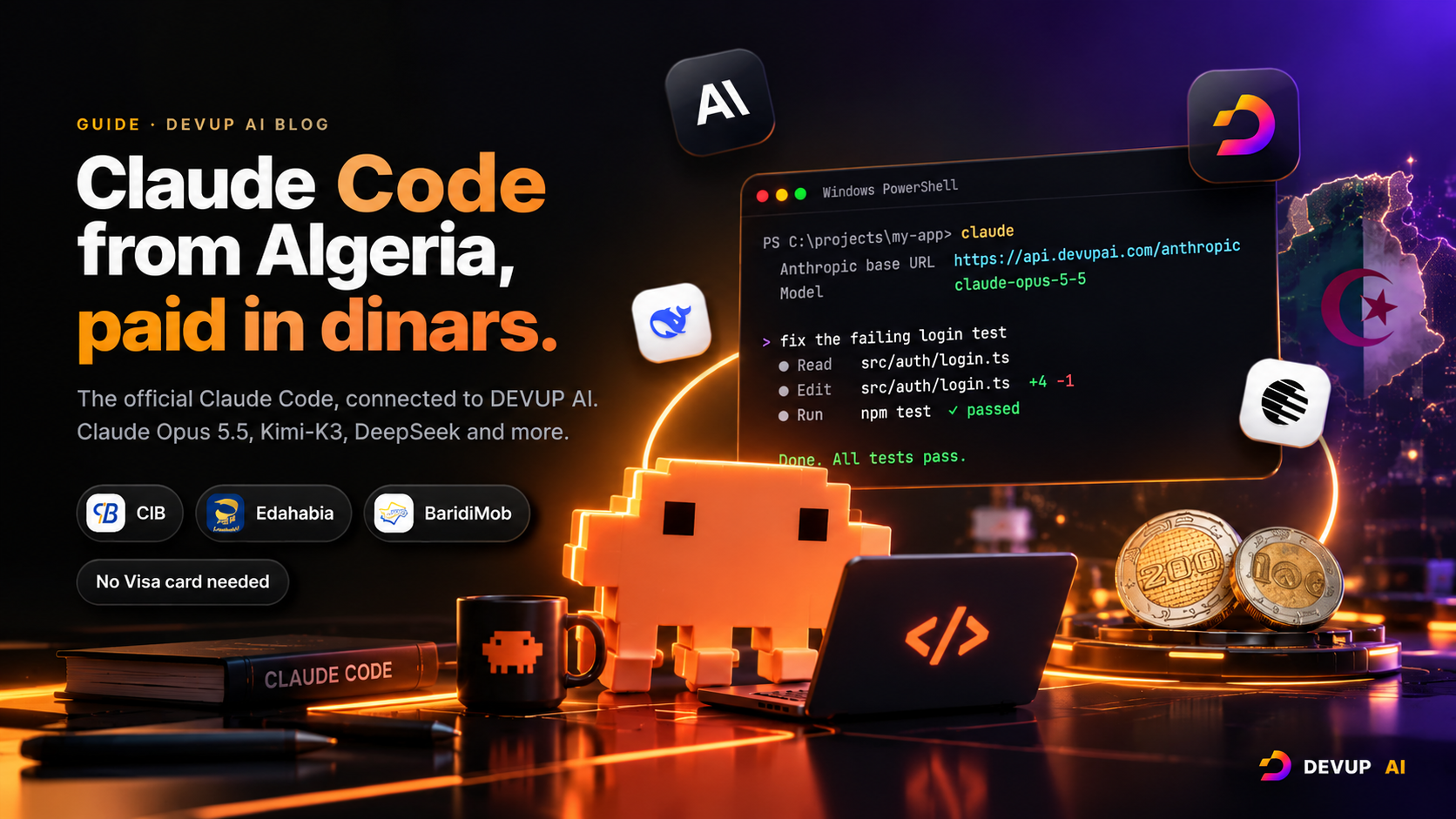
Run the official Claude Code from Algeria with a DEVUP AI balance topped up in dinars. Install it, connect it with two environment variables, choose Claude Opus 5.5 or open models like Kimi-K3, and start coding in minutes.
On this page

Claude Code is one of the most capable AI coding tools available today. You describe what you want in plain language, and it reads your project, edits files, runs commands and fixes its own mistakes until the job is done.
The usual way to use it is a subscription or credits paid in dollars with an international card. For many developers in Algeria, that is where it stops.
This guide shows how to run the same Claude Code from Algeria with a DEVUP AI balance topped up in dinars. You keep the official tool and its commands. You choose between Claude models and leading open models. Setup takes about five minutes.
What Claude Code does
Claude Code is an AI agent that works in your terminal, inside your project folder. Instead of copying code into a chat window, you give it a task and it works on the real files:
Understands a codebase. Ask "what does this project do?" and it reads the files it needs and explains the structure.
Edits files across the project. A feature, a refactor or a fix that touches ten files is one request.
Runs commands. Tests, builds, linters and Git: it runs them, reads the output and corrects course.
Asks before acting. By default it asks for your approval before changing files or running commands.
Shift+Tabswitches the permission mode.
How it connects to DEVUP AI
Claude Code talks to an API that follows the Anthropic Messages format. DEVUP AI offers that same format at https://api.devupai.com/anthropic. Two environment variables point Claude Code there, and nothing else changes.
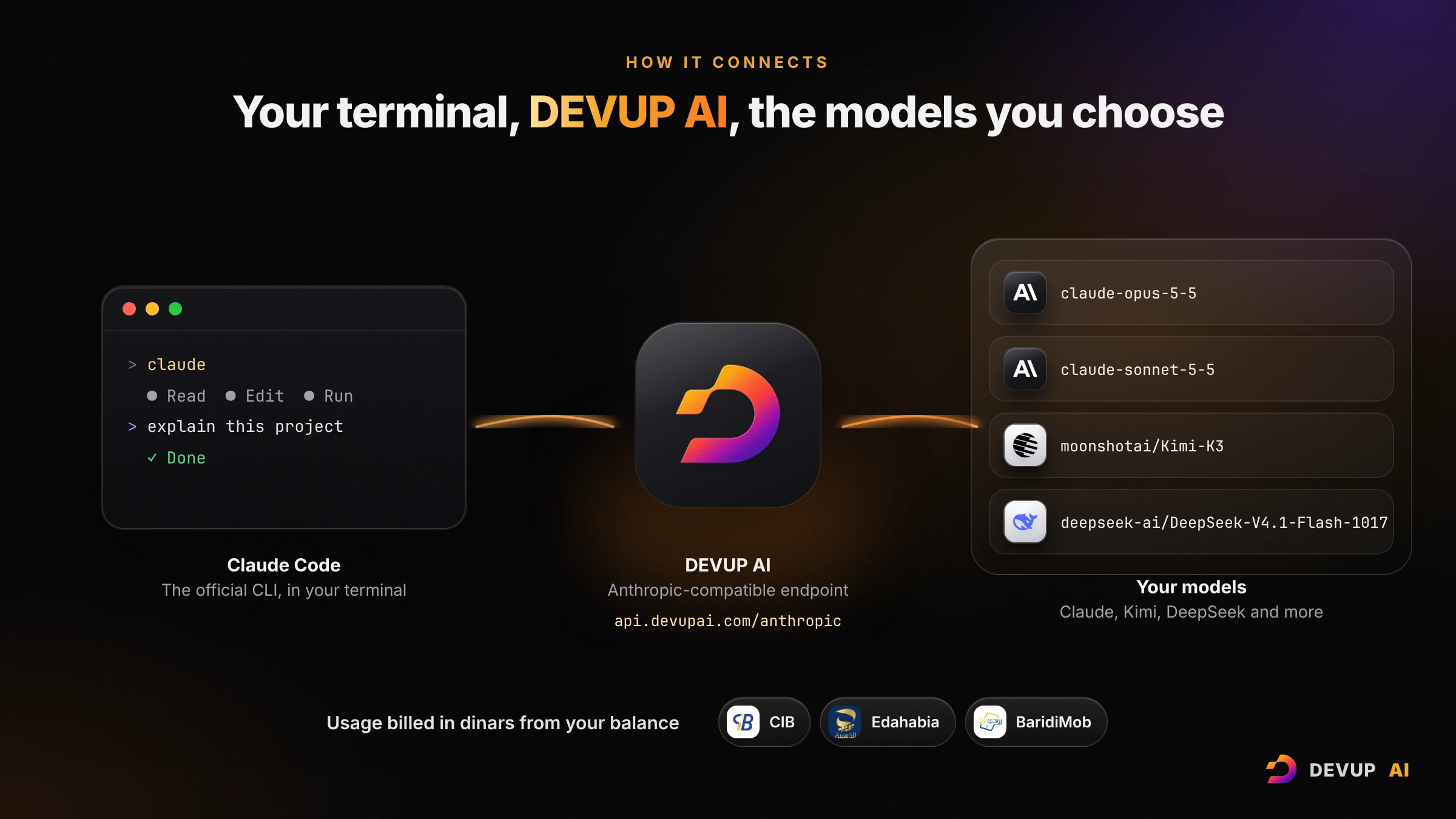
The official Claude Code. Same installer, same commands, same features. Nothing to patch or fork.
Your DEVUP API key instead of an Anthropic login.
Usage billed in dinars from your balance, topped up with BaridiMob, CIB or Edahabia.
Your choice of model: Claude Opus 5.5, Sonnet 5.5 and Haiku 4.5, or open models such as Kimi-K3 and DeepSeek-V4.1-Flash-1017, with any of them one environment variable away.
Your code stays yours. DEVUP AI doesn't store the content of your prompts or of the model's replies, only usage metadata (model, tokens, cost), and doesn't train on your data.
Before you start
A DEVUP AI account. Sign up at devupai.com/register.
A balance in dinars. Top up from your dashboard with BaridiMob, CIB or Edahabia.
An API key. Open Dashboard → API Keys and create one. Keys start with
sk-devup-.A terminal. PowerShell or CMD on Windows, Terminal on macOS, any shell on Linux.
Step 1: Install Claude Code
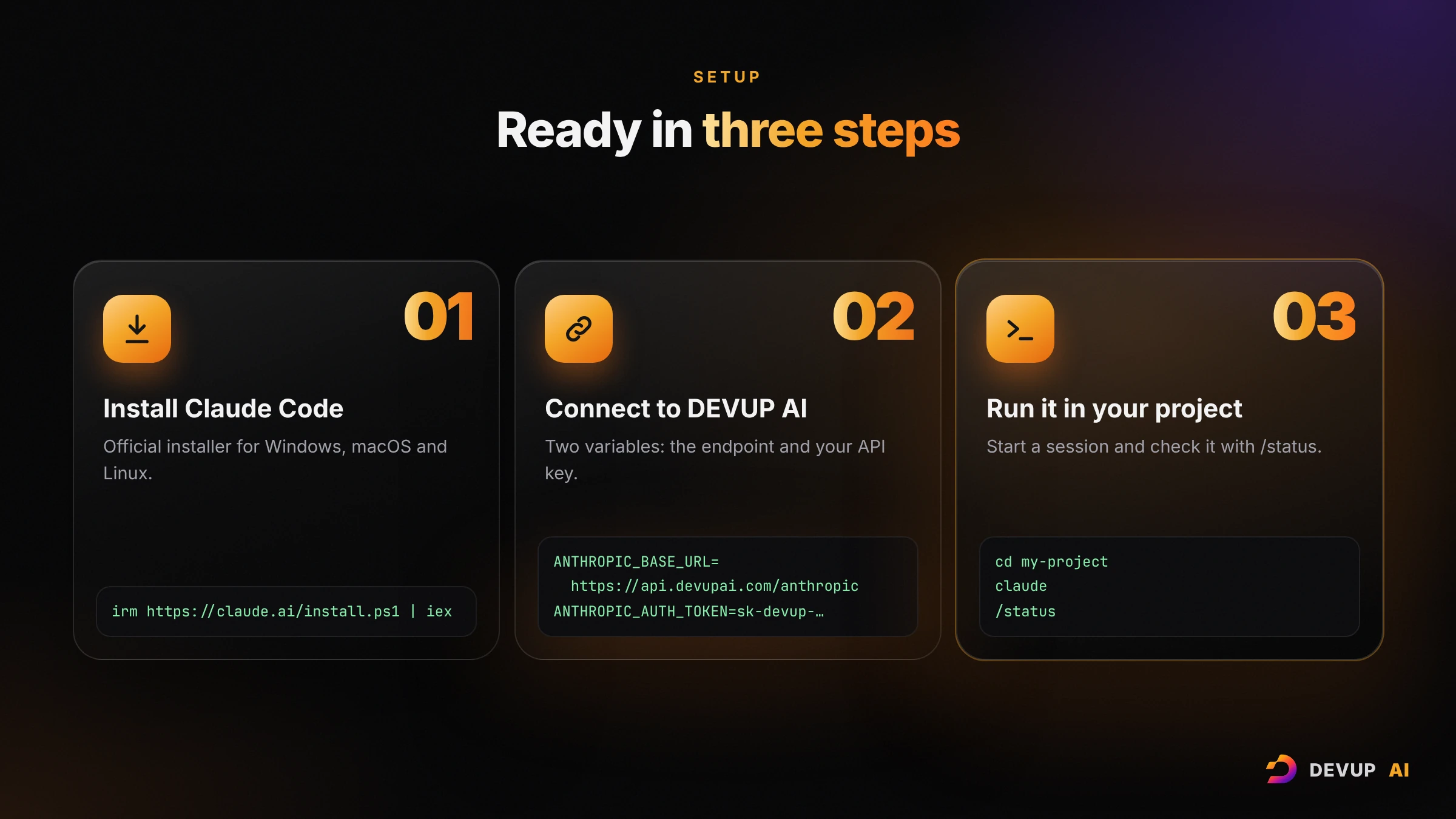
Run the official installer for your system.
Windows PowerShell:
irm https://claude.ai/install.ps1 | iexWindows CMD:
curl -fsSL https://claude.ai/install.cmd -o install.cmd && install.cmd && del install.cmdmacOS, Linux and WSL:
curl -fsSL https://claude.ai/install.sh | bashOpen a new terminal window and check the installation:
claude --versionA version number followed by (Claude Code) means it worked. On Windows, installing Git for Windows is recommended so Claude Code can use Bash; without it, Claude Code uses PowerShell.
Step 2: Point Claude Code at DEVUP AI
Set these variables in the terminal where you will run Claude Code. Replace sk-devup-your-api-key with your key.
Windows PowerShell:
$env:ANTHROPIC_BASE_URL = "https://api.devupai.com/anthropic"
$env:ANTHROPIC_AUTH_TOKEN = "sk-devup-your-api-key"
$env:ANTHROPIC_MODEL = "claude-opus-5-5"
$env:ANTHROPIC_DEFAULT_OPUS_MODEL = "claude-opus-5-5"
$env:ANTHROPIC_DEFAULT_SONNET_MODEL = "claude-sonnet-5-5"
$env:ANTHROPIC_DEFAULT_HAIKU_MODEL = "claude-haiku-4-5"
$env:CLAUDE_CODE_SUBAGENT_MODEL = "claude-sonnet-5-5"
$env:CLAUDE_CODE_MAX_OUTPUT_TOKENS = "32000"
macOS and Linux (Bash or Zsh):
export ANTHROPIC_BASE_URL="https://api.devupai.com/anthropic"
export ANTHROPIC_AUTH_TOKEN="sk-devup-your-api-key"
export ANTHROPIC_MODEL="claude-opus-5-5"
export ANTHROPIC_DEFAULT_OPUS_MODEL="claude-opus-5-5"
export ANTHROPIC_DEFAULT_SONNET_MODEL="claude-sonnet-5-5"
export ANTHROPIC_DEFAULT_HAIKU_MODEL="claude-haiku-4-5"
export CLAUDE_CODE_SUBAGENT_MODEL="claude-sonnet-5-5"
export CLAUDE_CODE_MAX_OUTPUT_TOKENS="32000"
What each line does:
| Variable | Role |
|---|---|
ANTHROPIC_BASE_URL | Sends Claude Code's requests to DEVUP AI. |
ANTHROPIC_AUTH_TOKEN | Your DEVUP API key. With this variable, Claude Code doesn't ask you to log in to an Anthropic account. |
ANTHROPIC_MODEL | The model a new session starts with. |
ANTHROPIC_DEFAULT_OPUS_MODEL, _SONNET_MODEL, _HAIKU_MODEL | What the opus, sonnet and haiku shortcuts point to. Claude Code also uses the haiku model for small background tasks, so always set it. |
CLAUDE_CODE_SUBAGENT_MODEL | The model for subagents Claude Code starts on large tasks. |
CLAUDE_CODE_MAX_OUTPUT_TOKENS | The longest reply Claude Code asks for. Keep it at or below the model's output limit. |

Step 3: Start your first session
Go to your project folder and start Claude Code:
cd path/to/your/project
claude
Inside the session, check the connection:
/statusThe Anthropic base URL line should show https://api.devupai.com/anthropic, and an Auth token line should name ANTHROPIC_AUTH_TOKEN. Then send a first request:
what does this project do?For a one-off task without opening a session, use -p:
claude -p "explain the folder structure of this project"Choose your models: two ready-made profiles
You can use Claude models, open models, or both. These two profiles cover most needs.
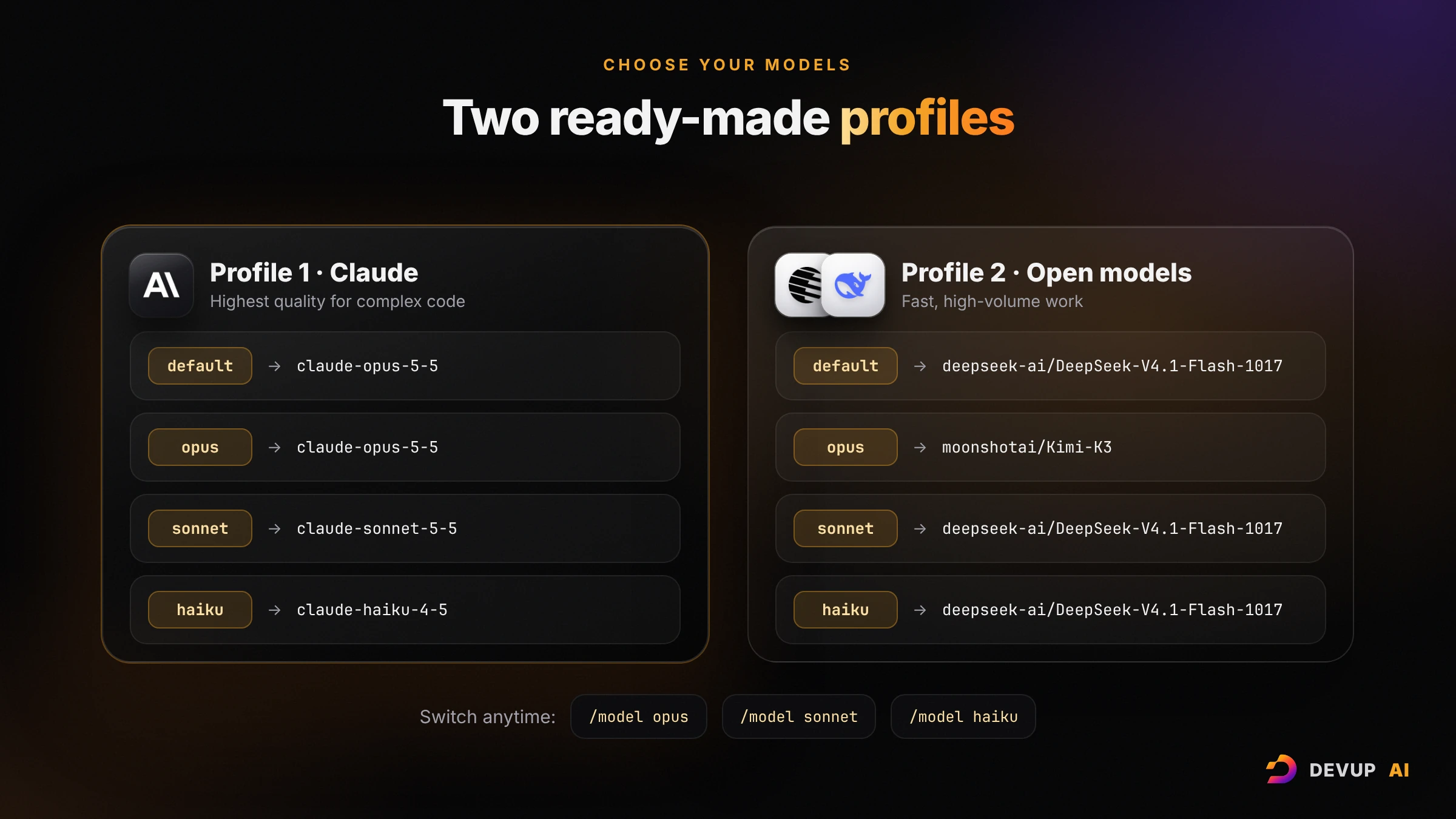
| Profile 1: Claude | Profile 2: open models | |
|---|---|---|
| Default model | claude-opus-5-5 | deepseek-ai/DeepSeek-V4.1-Flash-1017 |
opus (hard tasks) | claude-opus-5-5 | moonshotai/Kimi-K3 |
sonnet (daily coding) | claude-sonnet-5-5 | deepseek-ai/DeepSeek-V4.1-Flash-1017 |
haiku (fast tasks, background) | claude-haiku-4-5 | deepseek-ai/DeepSeek-V4.1-Flash-1017 |
| Best for | The highest quality on complex code and long agentic sessions | Fast, high-volume work, with Kimi-K3 one command away for the hard parts |
Profile 1 is the configuration from Step 2. For Profile 2, keep ANTHROPIC_BASE_URL, ANTHROPIC_AUTH_TOKEN and CLAUDE_CODE_MAX_OUTPUT_TOKENS from Step 2, and replace the model lines with these:
Windows PowerShell:
$env:ANTHROPIC_MODEL = "deepseek-ai/DeepSeek-V4.1-Flash-1017"
$env:ANTHROPIC_DEFAULT_OPUS_MODEL = "moonshotai/Kimi-K3"
$env:ANTHROPIC_DEFAULT_SONNET_MODEL = "deepseek-ai/DeepSeek-V4.1-Flash-1017"
$env:ANTHROPIC_DEFAULT_HAIKU_MODEL = "deepseek-ai/DeepSeek-V4.1-Flash-1017"
$env:CLAUDE_CODE_SUBAGENT_MODEL = "deepseek-ai/DeepSeek-V4.1-Flash-1017"
macOS and Linux:
export ANTHROPIC_MODEL="deepseek-ai/DeepSeek-V4.1-Flash-1017"
export ANTHROPIC_DEFAULT_OPUS_MODEL="moonshotai/Kimi-K3"
export ANTHROPIC_DEFAULT_SONNET_MODEL="deepseek-ai/DeepSeek-V4.1-Flash-1017"
export ANTHROPIC_DEFAULT_HAIKU_MODEL="deepseek-ai/DeepSeek-V4.1-Flash-1017"
export CLAUDE_CODE_SUBAGENT_MODEL="deepseek-ai/DeepSeek-V4.1-Flash-1017"
Switch models at any time:
In a session:
/model opus,/model sonnetor/model haiku.At launch:
claude --model opus.Any catalog model:
claude --model "moonshotai/Kimi-K3".
Claude Code is an agent: it needs a model that supports tool calling. Every model in the two profiles does. To use another one, check Tools on its page in the model catalog and copy its ID exactly.
 claude-opus-5-5
- Tools
- Vision
- Reasoning (optional)
claude-sonnet-5-5
- Tools
- Vision
- Reasoning
 Kimi-K3
- Tools
- Vision
- Reasoning (optional)
- Structured output
 DeepSeek-V4.1-Flash-1017
- Tools
- Vision
- Reasoning (optional)
- Structured output
Make the setup permanent
Variables set with $env: or export last only for the current terminal. Two ways to keep them:
Option A: a settings file (all your projects). Put the variables in the env block of ~/.claude/settings.json, which is %USERPROFILE%\.claude\settings.json on Windows:
{
  "env": {
    "ANTHROPIC_BASE_URL": "https://api.devupai.com/anthropic",
    "ANTHROPIC_AUTH_TOKEN": "sk-devup-your-api-key",
    "ANTHROPIC_MODEL": "claude-opus-5-5",
    "ANTHROPIC_DEFAULT_OPUS_MODEL": "claude-opus-5-5",
    "ANTHROPIC_DEFAULT_SONNET_MODEL": "claude-sonnet-5-5",
    "ANTHROPIC_DEFAULT_HAIKU_MODEL": "claude-haiku-4-5",
    "CLAUDE_CODE_SUBAGENT_MODEL": "claude-sonnet-5-5",
    "CLAUDE_CODE_MAX_OUTPUT_TOKENS": "32000"
  }
}Option B: a devup shortcut (keeps your usual claude untouched). Add a small function to your shell profile, then start DEVUP sessions with devup and keep claude for anything else.
PowerShell: open your profile with notepad $PROFILE and paste the function. If the file doesn't exist yet, create it first with New-Item -ItemType File -Path $PROFILE -Force. If PowerShell then says that running scripts is disabled, allow local scripts for your user with Set-ExecutionPolicy -Scope CurrentUser RemoteSigned.
function devup {
  $devupEnv = @{
    ANTHROPIC_BASE_URL             = "https://api.devupai.com/anthropic"
    ANTHROPIC_AUTH_TOKEN           = "sk-devup-your-api-key"
    ANTHROPIC_MODEL                = "claude-opus-5-5"
    ANTHROPIC_DEFAULT_OPUS_MODEL   = "claude-opus-5-5"
    ANTHROPIC_DEFAULT_SONNET_MODEL = "claude-sonnet-5-5"
    ANTHROPIC_DEFAULT_HAIKU_MODEL  = "claude-haiku-4-5"
    CLAUDE_CODE_SUBAGENT_MODEL     = "claude-sonnet-5-5"
    CLAUDE_CODE_MAX_OUTPUT_TOKENS  = "32000"
  }
  $saved = @{}
  foreach ($name in $devupEnv.Keys) {
    $saved[$name] = [Environment]::GetEnvironmentVariable($name)
    Set-Item -Path "Env:$name" -Value $devupEnv[$name]
  }
  try { claude @args }
  finally {
    foreach ($name in $saved.Keys) {
      if ($null -eq $saved[$name]) { Remove-Item -Path "Env:$name" -ErrorAction SilentlyContinue }
      else { Set-Item -Path "Env:$name" -Value $saved[$name] }
    }
  }
}
The function sets the variables only while devup runs, then restores your terminal as it was.
Bash or Zsh (add it to ~/.bashrc or ~/.zshrc):
devup() {
  ANTHROPIC_BASE_URL="https://api.devupai.com/anthropic" \
  ANTHROPIC_AUTH_TOKEN="sk-devup-your-api-key" \
  ANTHROPIC_MODEL="claude-opus-5-5" \
  ANTHROPIC_DEFAULT_OPUS_MODEL="claude-opus-5-5" \
  ANTHROPIC_DEFAULT_SONNET_MODEL="claude-sonnet-5-5" \
  ANTHROPIC_DEFAULT_HAIKU_MODEL="claude-haiku-4-5" \
  CLAUDE_CODE_SUBAGENT_MODEL="claude-sonnet-5-5" \
  CLAUDE_CODE_MAX_OUTPUT_TOKENS="32000" \
  claude "$@"
}
Open a new terminal, go to a project and run devup.
Five first tasks worth trying
Each of these is a single request in a Claude Code session:
Understand a new project.
explain the architecture of this project and where the main entry point isCreate a project memory. Run
/init: Claude Code writes aCLAUDE.mdfile with notes about your project that it reads at the start of every session. Add your own conventions to it.Fix a bug with a test.
there's a bug where the login form accepts an empty password. Write a failing test first, then fix itWrite missing tests.
write unit tests for the functions in src/utils and run themPrepare a clean commit.
review my changes, suggest improvements, then commit with a descriptive message
Useful commands during a session: /model to switch models, /compact to summarize a long conversation and keep working, /clear to start fresh, /status to check the connection, and Shift+Tab to change how much Claude Code may do without asking.
Troubleshooting
| What you see | What it means | Fix |
|---|---|---|
401 or "invalid token" | The key is wrong, revoked, or in the wrong variable | Check the key in Dashboard → API Keys and put it in ANTHROPIC_AUTH_TOKEN |
| "There's an issue with the selected model (…). It may not exist or you may not have access to it." | The model ID doesn't match the catalog exactly | Copy the ID from the model catalog, including uppercase letters and the part before / |
| Claude Code asks you to log in | It found no credential: the variables weren't set in this terminal, or only ANTHROPIC_API_KEY is set | Set ANTHROPIC_AUTH_TOKEN in the same terminal, or in ~/.claude/settings.json |
| "Claude Code doesn't recognize the model …, so it assumes a context window of 200k tokens" | Normal for non-Claude model IDs. Everything works; Claude Code only summarizes long conversations earlier | Optional: set CLAUDE_CODE_MAX_CONTEXT_TOKENS to the context window shown on the model's page in the catalog |
| "claude.ai connectors are disabled because … another auth source is set" | You also have a claude.ai login on this computer; the DEVUP key takes priority | Nothing to fix. Unset the variables, or use the devup shortcut, to go back to your claude.ai account |
529 "overloaded" | The model is momentarily at capacity | Claude Code retries automatically; or switch model with /model |
Prefer working inside your editor?
DEVUP Code is our free AI coding extension for VS Code, Cursor and Antigravity. You sign in with your DEVUP account, with no key to copy, and use the same models and the same dinar balance. Claude Code is the agent for your terminal; DEVUP Code is the assistant in your editor. Many developers use both.
Frequently asked questions
Do I need a Claude subscription or an Anthropic account?
No. With ANTHROPIC_BASE_URL and ANTHROPIC_AUTH_TOKEN set, Claude Code uses your DEVUP AI key. Usage is paid from your DEVUP balance in dinars.
Is this the official Claude Code?
Yes. You install it with Anthropic's official installer. DEVUP AI only provides the API it connects to.
Does it work on Windows?
Yes, natively in PowerShell or CMD, and also in WSL. Installing Git for Windows is recommended.
Can I use models other than Claude?
Yes. Any model in the catalog that supports tool calling works with Claude Code. Kimi-K3 and DeepSeek-V4.1-Flash-1017 are two strong choices.
Will this break my normal Claude Code login?
No. The DEVUP variables take priority while they are set. Remove them, or use the devup shortcut, and Claude Code goes back to your usual account.
Is my code stored?
No. DEVUP AI doesn't store the content of prompts or replies. Only usage metadata (model, tokens, cost) is kept, and DEVUP AI doesn't train on your data.
Start coding with Claude Code today
Create your account, top up in dinars, set two variables and run claude.
Create your DEVUP AI account · Claude Code integration guide · Browse the models
New to the DEVUP AI API? Start with our guide How to Use AI APIs from Algeria and Pay in Dinars.
About DEVUP AI
AI infrastructure for developers — models, compute and media APIs with local DZD billing via BaridiMob and Edahabia.
Get an API key


